



A dedicated headphone amplifier is a low-signal-level amplifier circuit engineered to drive headphones across a wide 16 to 600 ohm impedance range, rather than powering 8-ohm room speakers. You do not automatically need an external amplifier for every pair of headphones: if your PC, phone, or stereo jack already drives your headphones to a comfortable volume with a silent background, adding a separate box yields little audible change. However, if higher-impedance headphones sound thin and quiet at high volume settings—or if your device’s built-in 3.5 mm jack introduces audible background fuzz—a standalone headphone amplifier or DAC/amp resolves a genuine electrical bottleneck.
What Does a Headphone Amplifier Do (And How Is It Different From a Speaker Amp)?
When shoppers search for headphones and amplifier pairings or compare an external amplifier for headphones against a built-in 3.5 mm jack, the core distinction comes down to electrical loading and signal scale. According to What Hi-Fi?’s guide to headphone amplifiers, a headphone amplifier is an amplifier circuit specifically designed to drive headphones rather than speakers, engineered to excel at low signal levels across a wide nominal impedance range typically going from 16 to 600 ohms rather than the roughly 8-ohm load of most room speakers.
Because a headphone driver sits right against your ear cavity rather than filling a living room, it operates at a fraction of a speaker’s wattage—yet faces a far wider spread of electrical resistance. As What Hi-Fi? notes, some integrated speaker amplifiers simply feed their headphone socket with an attenuated version of the signal coming out of the speaker terminals, whereas a dedicated headphone amplifier optimizes its component quality and power supply for headphones and provides 3.5 mm, 6.3 mm, or balanced outputs—or combines with a DAC offering USB, coaxial, or optical digital inputs.
| Amplification Path | Target Electrical Load | Output Circuit Design | Typical Connections | Best Use Case |
|---|---|---|---|---|
| Built-In PC / Phone 3.5 mm Jack | Easy-to-drive portable and everyday headphones (~16–60 ohms) | Compact integrated motherboard or mobile DAC/amp chip | 3.5 mm TRS/TRRS analog jack | Everyday low-impedance wired headphones, gaming headsets, and dual-mode AUX listening |
| Speaker Amplifier Headphone Socket | Primarily ~8-ohm room speakers (with a secondary headphone tap) | Often a resistor-attenuated tap off the main speaker terminals | 6.3 mm (1/4-inch) or 3.5 mm front-panel jack | Convenient casual listening from an existing home stereo receiver |
| Dedicated Headphone Amp / DAC-Amp | Wide 16 to 600 ohm headphone spread at low signal levels | Dedicated low-noise power supply and headphone output stage | Analog line-in or USB/optical/coax digital in; 3.5 mm, 6.3 mm, or balanced out | High-impedance studio headphones (e.g., 300–600 ohms) or bypassing a noisy PC motherboard jack |
Do You Need an External Amp or DAC/Amp for Your PC or Stereo? The 2-Symptom Test
Before spending money on a desktop box, it helps to separate real electrical bottlenecks from audiophile mythology. Every device with a 3.5 mm headphone jack—including desktop PC motherboards, laptops, and audio interfaces—already contains an internal digital-to-analog converter (DAC) and a small amplifier stage. The practical question behind do i need a headphone amplifier is whether that built-in circuit is struggling with your specific headphones.
In an r/headphones discussion on running headphones from a PC, an owner of 300-ohm Sennheiser HD 600 headphones noted that the music sounded fuller through a stereo receiver’s 1/4-inch jack than from a desktop PC motherboard, and a top commenter explained that most built-in PC jacks are built to fully power roughly 40 to 60 ohms rather than 300-ohm loads. Another commenter in the same r/headphones thread summarized a practical two-symptom check: if the headphone jack on your PC is not loud enough or sounds fuzzy, you will likely benefit from an external DAC/amp, whereas if it already sounds clean and loud enough, any difference from adding an external unit is likely psychological.
You can run this two-symptom test on your own setup in under two minutes:
- Symptom 1: Insufficient volume headroom or thin dynamics. Plug your wired headphones directly into your PC or stereo jack and play a dynamic music track. If you have to push system volume near 90–100% just to reach normal listening levels—or if high-impedance headphones (such as 250 to 600 ohm studio models) sound noticeably thin and compressed—your built-in jack lacks the voltage swing needed for that load.
- Symptom 2: Audible background hiss, buzz, or fuzz. Pause your audio with the headphones plugged in and listen closely at your normal volume setting. If you hear static fuzz, GPU coil whine, or a persistent hiss from an unshielded motherboard audio trace, an external USB DAC/amp moves the digital-to-analog conversion and amplification outside the computer case.
What if neither symptom is present? What Hi-Fi? similarly points out that a DAC/headphone amp only improves digital sound if its digital processing improves on your current source, and notes that added cost, extra cabling and system clutter, or a current setup that already sounds good enough are all valid reasons not to buy a separate headphone amplifier. If you are troubleshooting computer jack wiring or headset splitters rather than amplification power, see our PC headset audio setup guide.
How Dual-Mode Wireless & 3.5mm Headphones Interact With Amplifiers
Many modern listeners use a single pair of over-ear headphones across both wireless mobile listening and wired desktop or home stereo setups. Understanding which amplifier is active in each mode prevents unnecessary gear purchases:
- In wireless Bluetooth mode: The headphones receive a digital wireless stream and use their own internal DAC and built-in amplifier circuit powered by the earcup battery. An external desktop headphone amplifier plays no role when listening over Bluetooth.
- In 3.5 mm AUX wired mode: When you connect a physical 3.5 mm audio cable, your source device—whether a PC motherboard jack, a home stereo receiver, an airplane entertainment jack, or an external desktop headphone amp—supplies the analog electrical signal over the wire.
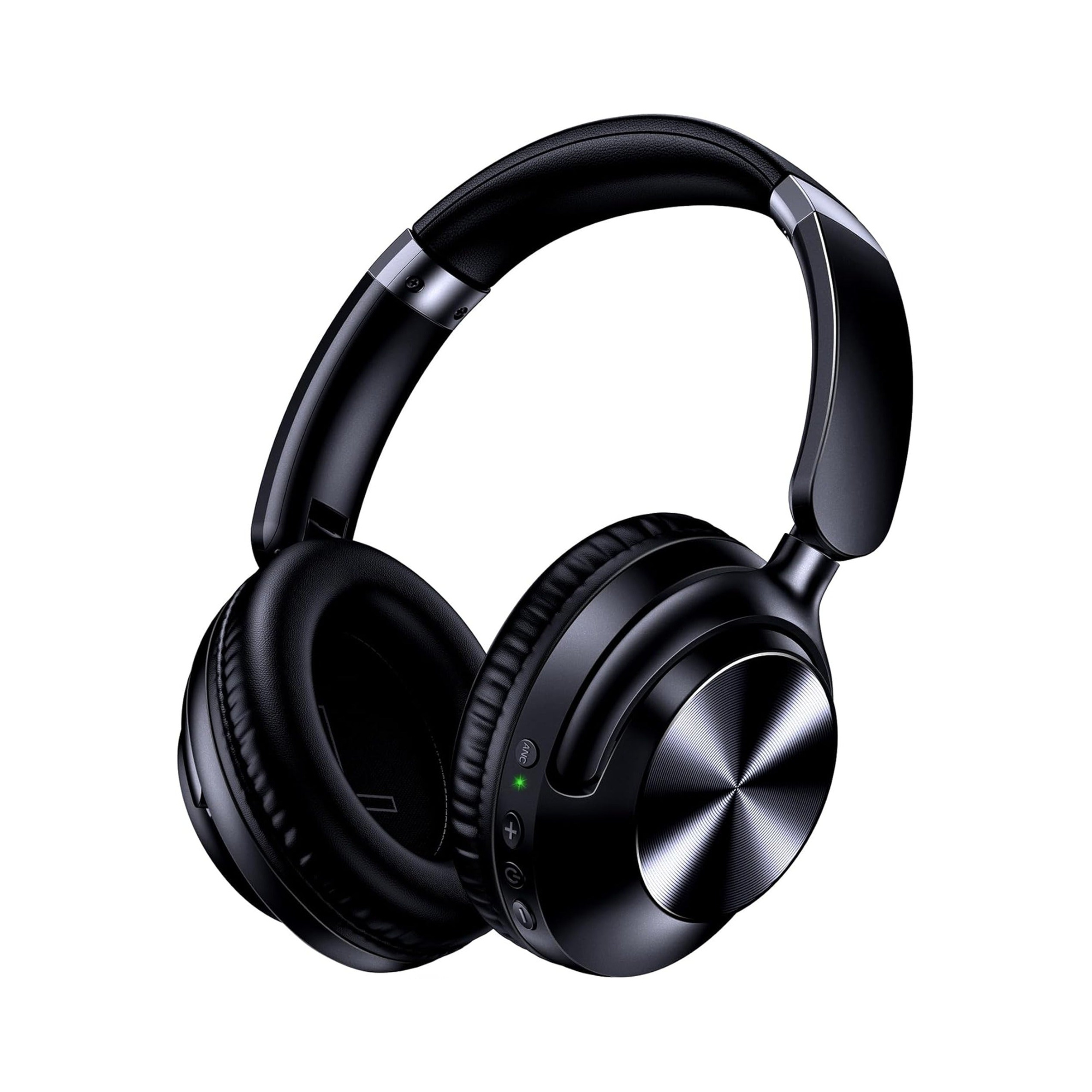
According to the product listing for the EARSOLE Series 127 Noise Cancelling Over-Ear Headphones, the headphones switch between wireless Bluetooth connectivity and a 3.5 mm AUX wired connection for a home stereo, PC, or plane entertainment system using the included 47.2-inch audio cable. The EARSOLE Series 127 listing also states Active Noise Cancellation (stated up to 95% ambient noise reduction), up to 100 hours of playtime on a single charge (with 10 hours of music stated from a 5-minute fast charge), ultra-soft protein leather ear cups that rotate up to 105 degrees, an adjustable headband, and an included travel pouch.
| Listening Scenario | Active Amplification Stage | Connection Used | Do You Need an External Headphone Amp? |
|---|---|---|---|
| Dual-Mode Over-Ear in Bluetooth Mode (e.g., EARSOLE Series 127) | Internal headphone battery & built-in amp | Wireless Bluetooth | No — amplification happens inside the earcups |
| Dual-Mode Over-Ear via 3.5 mm Cable on Clean PC / Stereo Jack | Source device’s built-in 3.5 mm output stage | Included 47.2-inch 3.5 mm AUX cable | No — standard jacks drive everyday wired connections cleanly |
| High-Impedance Wired Studio Headphones (250–600 Ohms) on Basic PC Jack | Underpowered motherboard audio chip | 3.5 mm or 6.3 mm wired cable | Yes — if volume headroom is low or dynamics sound thin |
| Any Wired Headphones on a Noisy / Fuzzy Motherboard Jack | Unshielded internal PC audio output | 3.5 mm wired cable | Yes — an external USB DAC/amp isolates the signal from PC noise |
Frequently Asked Questions
What is a headphone amplifier and how does it differ from a speaker amplifier?
According to What Hi-Fi?, a headphone amplifier is an amplifier circuit engineered to excel at low signal levels across a 16 to 600 ohm headphone impedance spread, whereas conventional speaker amplifiers are built to drive roughly 8-ohm room speakers and often feed their headphone output via a simple attenuated tap off the speaker terminals. Dedicated headphone amplifiers optimize their power supply and low-level circuitry specifically for headphone loads and offer 3.5 mm, 6.3 mm, or balanced headphone outputs.
Do I need an amp or DAC/amp when running headphones from my PC?
As commenters in r/headphones (thread 190cp9j) explain, you should check whether your PC’s built-in headphone jack is not loud enough (a common issue on 300-ohm studio headphones when motherboard jacks target roughly 40 to 60 ohms) or sounds fuzzy; if your headphones already reach comfortable volume cleanly without background noise, a separate DAC/amp is unnecessary.
Are there reasons not to buy a separate headphone amplifier?
What Hi-Fi? notes several practical reasons not to buy a standalone headphone amplifier: the extra cost, the added box and cabling clutter in your setup, and the fact that if your current source and easy-to-drive headphones already sound clean and loud enough, an external amplifier is not needed. Likewise, dual-mode headphones such as the EARSOLE Series 127 use their own internal amplification over Bluetooth and connect directly to standard home stereo or PC jacks via the included 47.2-inch 3.5 mm AUX cable.
