If you are looking up how to check earbuds battery on iphone or how to see earbuds battery on iphone, the built-in iOS Batteries widget and Control Center audio card will show the battery percentage of your actively connected Bluetooth earbuds—but for most non-Apple wireless earbuds, iOS cannot read the battery level of the charging case itself. In r/galaxybuds (thread 1rnfzro, “How to check battery on Iphone?”), an iPhone user pairing Bluetooth earbuds asks: “Hey, so as the title says, is there any way to check the earphones battery on Ios? (Buds 4 pro) I don’t find any app or else 😔”
Why does an iPhone show the earbuds’ charge right away while leaving the charging case battery a mystery? The answer comes down to how standard Bluetooth profiles report battery status versus how hardware charging cases communicate. Below, we walk through the exact ways to view your earbud percentage on iOS, why third-party charging cases rarely appear on an iPhone screen, and how hardware-display cases like the EARSOLE Smart Wireless Earbuds with LCD Touchscreen Case or everyday setups like the EARSOLE Wireless Earbuds – Semi-In-Ear Bluetooth Earbuds with Charging Case keep your power status clear—plus what to check if your earbuds won’t charge properly.
How to Check Bluetooth Earbuds Battery on iPhone Using the iOS Batteries Widget & Control Center
When you pair any standard pair of wireless earbuds to an iPhone, both devices communicate over standardized Bluetooth services. According to Wikipedia’s List of Bluetooth profiles, the Advanced Audio Distribution Profile (A2DP) defines how multimedia audio can be streamed from one device to another over a Bluetooth connection, while the Audio/Video Remote Control Profile (AVRCP) is used alongside A2DP for remote control on headphones and speaker units, and Headset (HSP) or Hands-Free (HFP) profiles are implemented for telephone calls. Alongside these audio and call profiles, connected Bluetooth headsets report their active battery percentage to iOS so your phone can display it without needing a custom driver.
You can check that active Bluetooth battery readout in three native places on an iPhone:
- The iOS Home Screen or Today View Batteries Widget: Long-press an empty area on your iPhone Home Screen (or swipe right to Today View), tap the + button in the top corner, select Batteries, and choose the square or rectangular status widget. As soon as your Bluetooth earbuds are out of their case and connected, a headphone glyph appears next to their current battery percentage.
- iOS Control Center: Swipe down from the top-right corner of your iPhone screen and look at the audio playback card or next to the Bluetooth controls while your earbuds are actively paired.
- Lock Screen Charging & Connection Banners: When your earbuds reconnect over standard Bluetooth, iOS updates their battery ring in the widget stack automatically.
Why Your iPhone Shows Earbud Battery Percentage—But Often Hides the Charging Case Level
While checking the earbuds themselves takes two seconds, iPhone owners quickly run into a wall when they try to check how much reserve power is left inside a third-party charging case. Contributors in r/galaxybuds (thread 1rnfzro) point out both the iOS widget behavior and its charging-case blind spot: one commenter notes, “only the og and buds + have an app on ios iirc. everything else you cant tell,” another suggests checking “in the control center n’est to the bluetooth icon,” and a third clarifies, “It adds a battery widget that shows the battery level, but doesn’t show the case’s battery level.”
There are two technical reasons behind that limitation:
- Most charging cases do not have their own Bluetooth radio: On typical true wireless earbuds, the Bluetooth transmitter lives inside the left and right earbuds, not inside the plastic charging case. Unless the earbuds use a proprietary Apple pairing chip or pass case telemetry through a brand-specific iOS companion app, the iPhone only sees the earbuds when they are awake and connected.
- Cross-brand earbuds often skip iOS companion apps: As the r/galaxybuds discussion highlights, several Android-first audio brands stopped updating iOS apps for newer earbud generations. Once you close the case lid, the earbuds disconnect from Bluetooth to charge, and the iPhone widget no longer shows them at all.
| Battery Check Method on iPhone | Shows Connected Earbud Battery %? | Shows Charging Case Battery %? | Requires a Brand-Specific iOS App? | Best For |
|---|---|---|---|---|
| iOS Batteries Widget (Home Screen / Today View) | Yes (while earbuds are connected via Bluetooth) | No (for standard third-party Bluetooth earbuds) | No | Quick daily checks during music or calls |
| iOS Control Center Audio / Bluetooth Menu | Yes (when actively connected as audio output) | No | No | Checking battery while switching audio output |
| On-Case LCD Touchscreen or Status LED | Yes (shows bud charging state in the dock) | Yes (directly on the case hardware) | No | Cross-platform iPhone & Android users who want app-free case readouts |
How Touchscreen & LED Charging Cases Let You Check Case Power Directly on the Hardware
If you use an iPhone and do not want to guess how many recharges remain in your pocket case—or install extra companion apps that may not exist on iOS—the cleanest workaround is choosing earbuds whose charging case shows status directly on the hardware.
1. Full-Color Touchscreen Charging Cases (App-Free Case & Earbud Control)
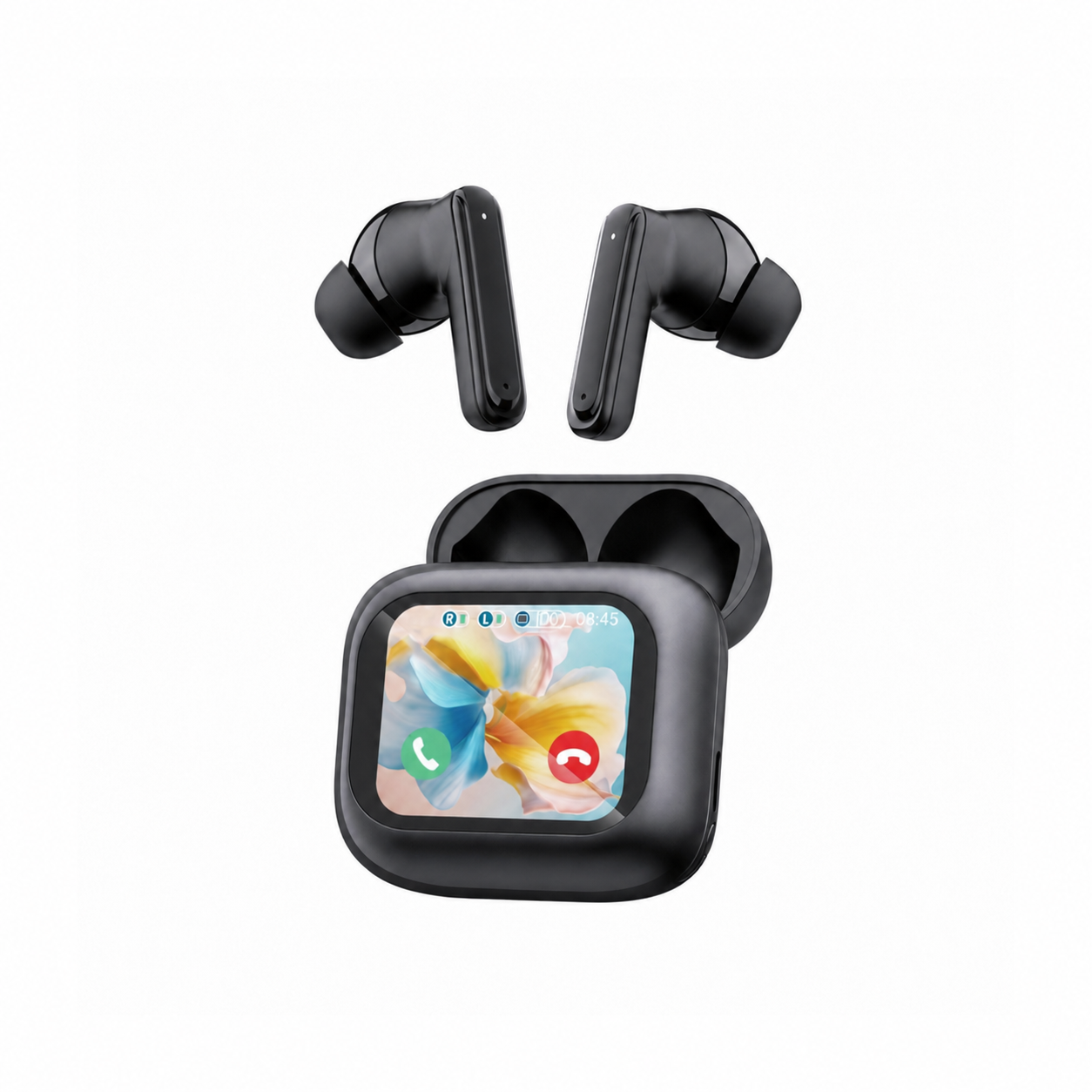
Instead of relying on an iOS app to read case telemetry, a screen-equipped charging case puts the interface right on the dock. According to the EARSOLE Smart Wireless Earbuds with LCD Touchscreen Case – Bluetooth 5.4 ANC/ENC listing (Model: EAR-LCD54-BLK-01), the earbuds pair true wireless listening with a full-color LCD touchscreen charging case that gives you access to calls, music, volume, and key settings without reaching for your phone, alongside Bluetooth 5.4, ANC + ENC noise reduction, and soft silicone tips, while no water-resistance rating is listed.
With the EARSOLE Smart Wireless Earbuds with LCD Touchscreen Case, you can check the iOS Batteries widget for your active earbuds on your iPhone screen while glancing directly at the full-color LCD touchscreen case (which supports English and Chinese on-screen menus) to manage playback, volume, and settings without hunting for an iOS app. Because no water-resistance rating is listed for this model, keep both the earbuds and the touchscreen case away from rain or heavy sweat.
2. Simple Semi-In-Ear Bluetooth Setups for Everyday iPhone Listening
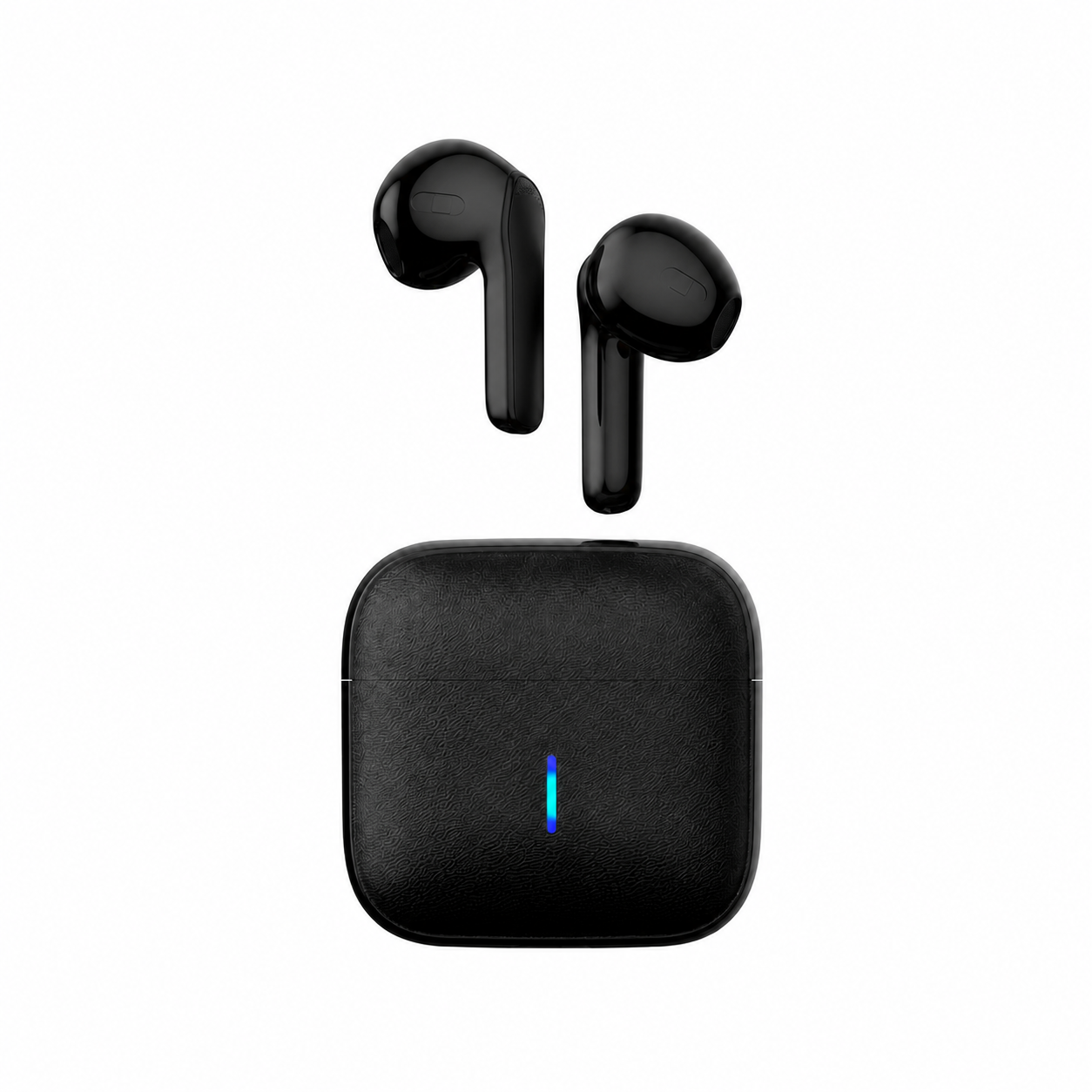
If you prefer an ultra-light, unsealed fit for desk work and quick calls and simply check your earbud percentage in the iOS Batteries widget, a straightforward Bluetooth pair keeps pairing effortless. According to the EARSOLE Wireless Earbuds – Semi-In-Ear Bluetooth Earbuds with Charging Case listing (Model: EAR-TWS-BLK-01), these true wireless earbuds combine a lightweight semi-in-ear fit without a deep in-ear seal, stereo sound, a built-in voice pickup mic, and a compact textured square charging case compatible with iPhone and Android over standard Bluetooth, with no active noise cancellation and no water-resistance rating stated.
When you take the EARSOLE Wireless Earbuds – Semi-In-Ear Bluetooth Earbuds with Charging Case out of their case and pair them in your iPhone’s Bluetooth menu, they reconnect automatically on future uses and report their active earbud level to the iOS Batteries widget. If your widget ever shows one earbud stuck at a low percentage after docking, check our troubleshooting guide on why your earbuds won’t charge to clean the charging contacts safely.
Frequently Asked Questions
Can you see your Bluetooth earbud charging case battery level on an iPhone?
For most third-party Bluetooth earbuds, no. As users in r/galaxybuds (thread 1rnfzro) note, adding the built-in iOS Batteries widget shows the connected earbuds’ battery level, “but doesn’t show the case’s battery level.” Unless the earbuds use a proprietary Apple chip or have a supported iOS companion app that relays case data through the buds, you must check the indicator light or LCD screen on the charging case itself.
Why do some third-party wireless earbuds not have an iOS app to check battery?
Standard Bluetooth audio (A2DP) and remote control (AVRCP) profiles work universally on iOS without an app, so many manufacturers either skip iOS app development or only maintain apps for older models (as noted in r/galaxybuds thread 1rnfzro, where commenters point out that only early Galaxy Buds models had iOS app support). Even without an app, your iPhone still displays the connected earbuds’ battery percentage in the iOS Batteries widget and Control Center.
How do touchscreen earbud charging cases help when using cross-brand earbuds on iPhone?
A touchscreen charging case—such as the EARSOLE Smart Wireless Earbuds with LCD Touchscreen Case (Bluetooth 5.4, ANC + ENC noise reduction, soft silicone tips)—lets you view status and manage music, volume, calls, and key settings directly on the case’s full-color LCD screen, eliminating the need for a brand-specific iOS companion app.