To turn on Active Noise Cancellation (ANC), use your headset’s dedicated listening-mode control—typically a physical NC/ANC button on over-ear earcups, a press-and-hold sensor on earbud stems, a touchscreen charging case menu, or the listening-mode toggle inside your phone’s Bluetooth settings. On many over-ear headphones, powering the headset on enables ANC automatically, and plugging in a 3.5 mm audio cable keeps ANC working only if the headphones stay powered on. If your earbuds advertise ENC (Environmental Noise Cancellation) for calls rather than ear-side ANC, there is no noise-cancelling listening mode to switch on because ENC works automatically on your microphone during phone calls.
4 Ways to Turn On Noise Cancelling Across Headphones and Earbuds
Different headphone and earbud designs place the Active Noise Cancellation switch in one of four places:
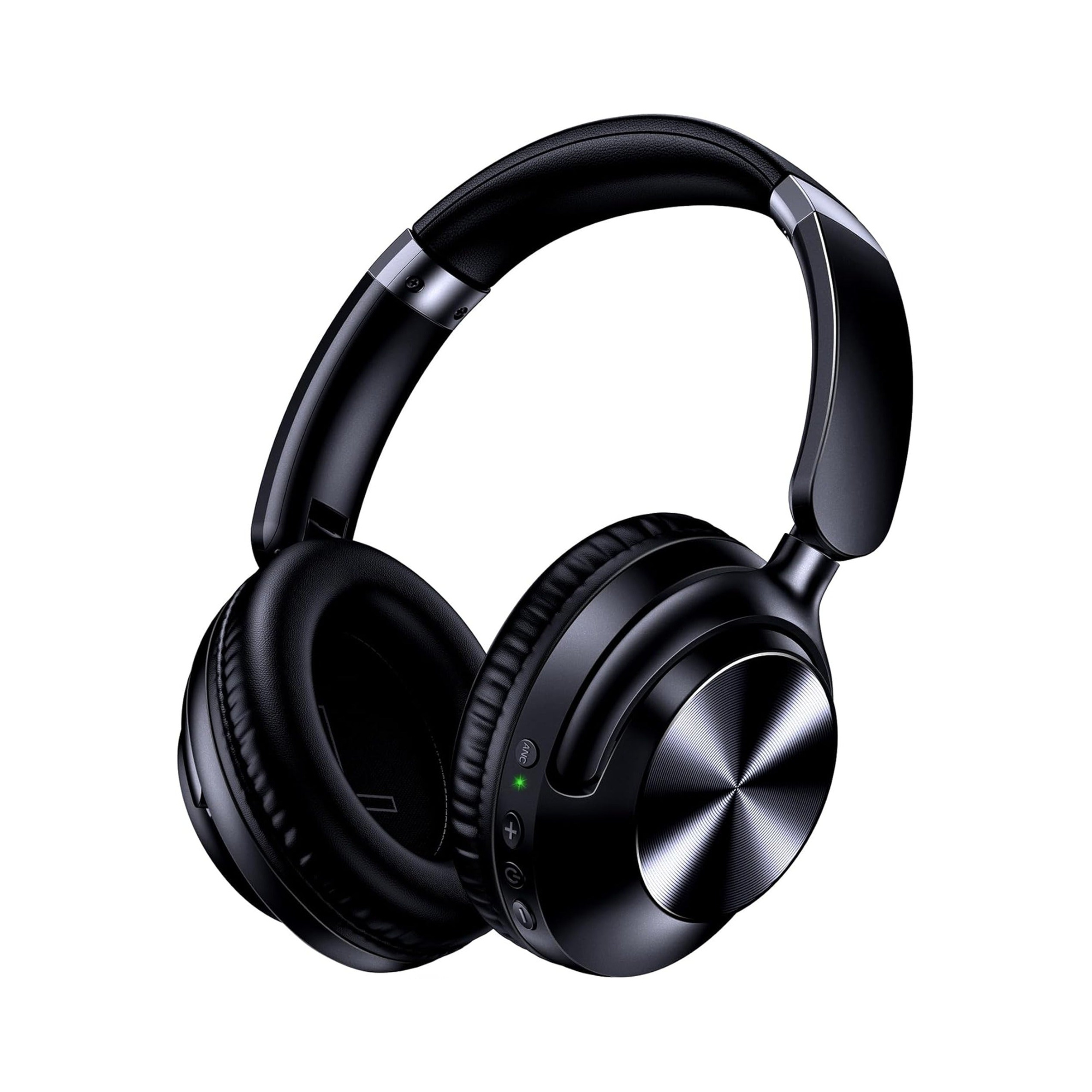
- Physical earcup button (over-ear headphones): According to Sony Support, turning on your headphones automatically enables the noise canceling function, and pressing the NC/Ambient or NC button switches between Ambient Sound Mode and Noise Canceling. Similarly, Apple Support states that when you are wearing AirPods Max 1 or AirPods Max 2, you press the noise-control listening mode button on the earcup to switch between Active Noise Cancellation and Transparency modes.
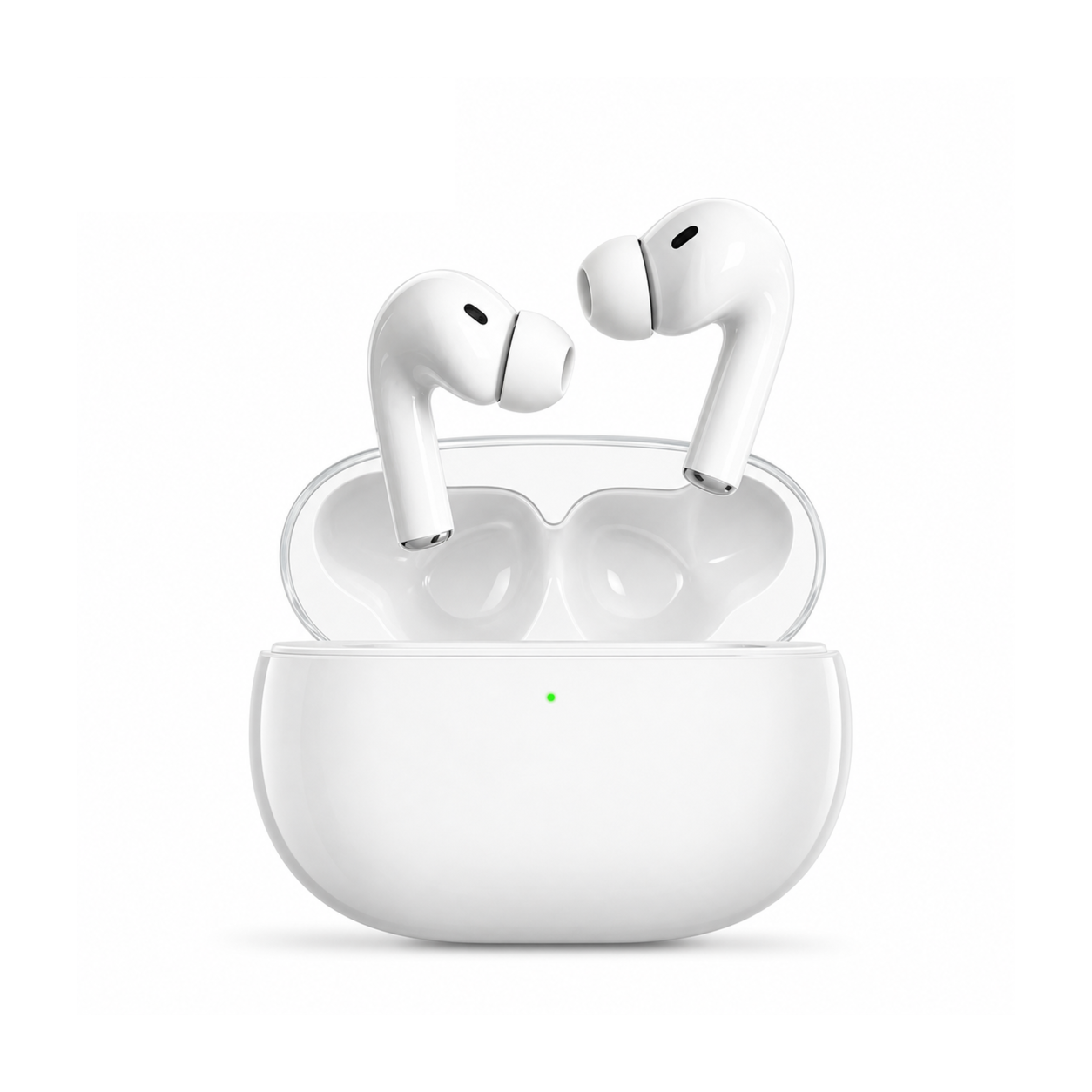
- Earbud stem press-and-hold or touch sensor: On stem-style in-ear earbuds, Apple Support explains that you press and hold the force sensor on the stem of an AirPod until a chime plays to cycle between Active Noise Cancellation and Transparency.
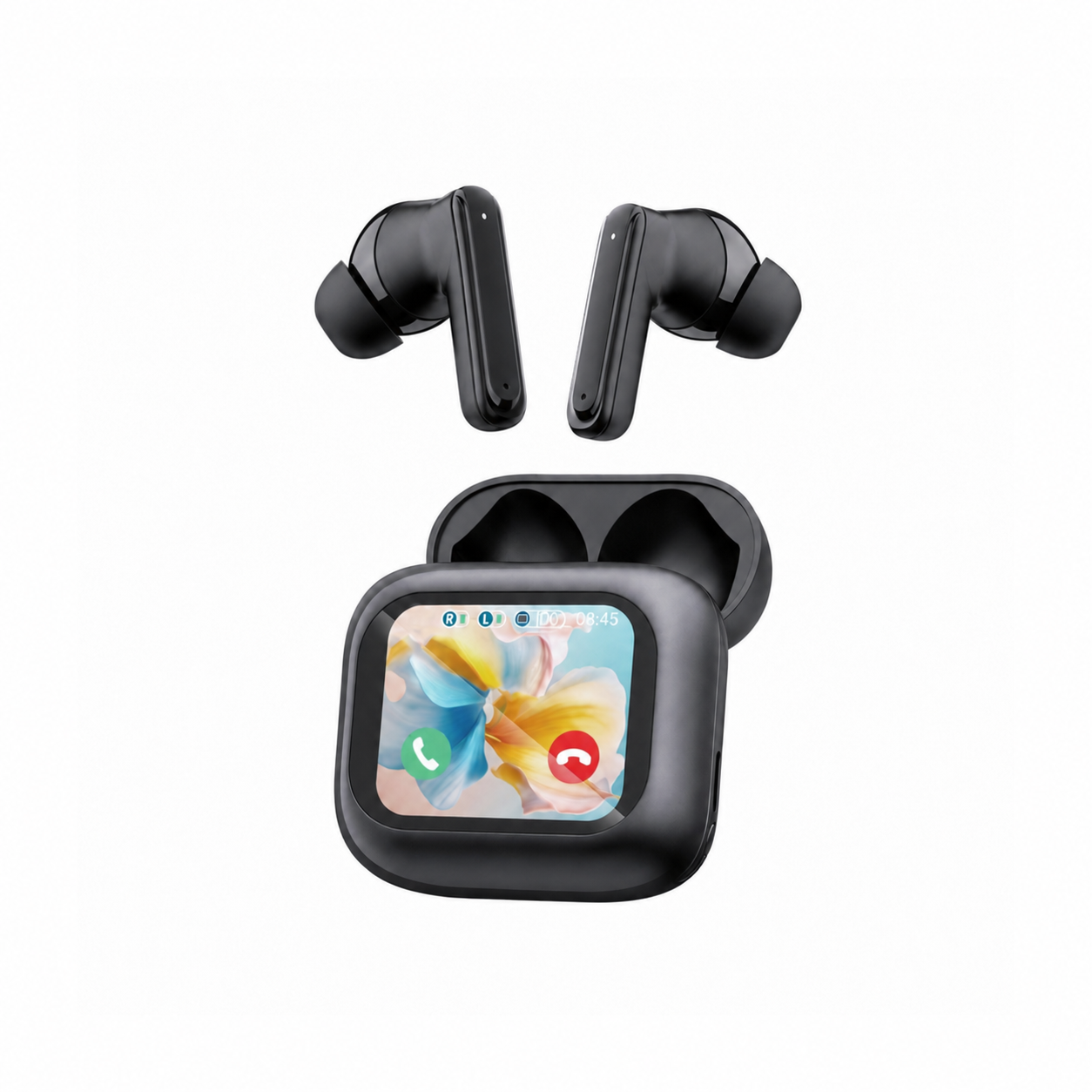
- Smart LCD touchscreen charging case: On touchscreen-case earbuds such as the EARSOLE Smart Wireless Earbuds with LCD Touchscreen Case, you can navigate listening settings directly from the full-color screen on the charging case without pulling out your phone.
- Phone or computer Bluetooth settings: When your headphones or earbuds are connected over Bluetooth, you can switch between Noise Cancellation, Transparency/Ambient, and Off inside your device’s Bluetooth settings menu or companion app.
| Control Method | Typical Device Form Factor | How to Activate ANC | Works Without a Phone App? |
|---|---|---|---|
Dedicated Earcup Button (NC / Listening Mode) | Over-ear ANC headphones | Power on (often enables ANC automatically) or press the physical earcup button | Yes |
| Earbud Stem Force / Touch Sensor | In-ear ANC wireless earbuds | Press and hold the earbud stem or touch area until a chime or prompt plays | Yes (once configured) |
| LCD Touchscreen Charging Case | Touchscreen-case wireless earbuds | Swipe and tap the noise-control menu on the charging case screen | Yes |
| Connected Device Bluetooth Menu | Supported Bluetooth ANC headsets | Open phone/tablet Bluetooth settings while wearing the paired headset | Uses built-in OS menu or companion app |
Turning On Noise Cancelling Without an App (and During Wired 3.5 mm Use)
Many listeners want to toggle noise cancellation on and off directly on the hardware without installing a companion app or dealing with accidental touch triggers.
In an r/HeadphonesAdvice thread on using noise-cancelling headphones without an app, the original poster explained their preference plainly: “I just want a pair of headphones that work exclusively off of the physical buttons on the headphones themselves. I don’t want touch functionality. I don’t want voice functionality.” In the same thread, another commenter noted that on models where touch sensors get in the way, a common workaround is to “Disable the touch, disable the proximity sensor and auto-power-off, then uninstall the app and enjoy”—relying on the physical earcup button thereafter.
What if you plug your over-ear ANC headphones into a laptop, controller, or airplane seatback screen with a 3.5 mm AUX cable? According to the Sony WH-1000XM4 Help Guide, if you connect the supplied headphone cable while using the noise canceling function with a Bluetooth connection, the Bluetooth function is turned off, but you can continue to use the noise canceling function—whereas when you turn off the headset and use the supplied headphone cable, it operates as ordinary passive headphones without active noise cancellation. In short, wired ANC requires keeping the headphones powered on so the battery can drive the microphones and anti-noise circuitry.
How ANC and ENC Controls Work on EARSOLE Headphones and Earbuds
Before looking for a noise-cancelling button, check whether your pair features ear-side ANC (which cancels steady low-frequency hum in your ears) or microphone-side ENC (which cleans up your voice for callers during phone calls). As we explain in our guide to ANC vs ENC on earbuds and our noise-cancelling earbuds buying guide, only ANC has a listening mode that you turn on and off:
- EARSOLE Noise Cancelling Over-Ear Headphones, Wireless & Wired – Series 127: The product listing describes Active Noise Cancellation tech for subway, car, or airplane engine sound, up to 100 hours of playtime on a single charge, ultra-soft protein leather ear cups that rotate up to 105 degrees, a handy travel pouch, and both wireless Bluetooth connectivity and a 3.5 mm AUX wired connection using the included 47.2-inch audio cable.
- EARSOLE Smart Wireless Earbuds with LCD Touchscreen Case: The product listing specifies Bluetooth 5.4, both ANC and ENC noise reduction, soft silicone tips in an in-ear sports design, and a Smart LCD touchscreen charging case (with Chinese and English menus) that lets you manage music, adjust volume, handle incoming calls, and navigate settings directly from the case without reaching for your phone. No water-resistance rating is listed for this model.
- EARSOLE Smart Pro 3 Wireless Earbuds with ANC, Translation & Spatial Audio: The product listing specifies Active Noise Cancellation (ANC) that works best on steady, low-frequency sound like engines, fans, and cabin hum, alongside soft silicone ear tips that provide a physical seal, spatial audio, real-time translation via a supported app, wellness readings for personal reference, and a clear-lid charging case.
- EARSOLE Noise Cancelling True Wireless Earbuds: The product listing specifies a Bluetooth 5.4 chipset, dual 14.2 mm dynamic drivers, an LED power display on the charging case, IPX7 waterproof design, and ENC calling noise cancellation technology that brings a clearer sound to your calls. Because ENC is call microphone processing rather than ear-side active noise cancellation, its touch controls skip songs, play/pause music, answer/hang up calls, and activate your voice assistant—there is no ear-side ANC listening mode to toggle on.
| EARSOLE Model | Noise Control Type Stated | How Listening / Call Noise Control Operates | Stated Connection & Power Details |
|---|---|---|---|
| EARSOLE Over-Ear Headphones – Series 127 | Active Noise Cancellation (ANC) | Over-ear ANC headset; supports wireless Bluetooth and 3.5 mm AUX cable (47.2-inch cable included) | Up to 100 hours playtime; 5-minute fast charge for 10 hours |
| EARSOLE Smart Wireless Earbuds with LCD Touchscreen Case | ANC (listening) + ENC (calls) | Navigate settings, music, and volume directly on the full-color LCD touchscreen case (Chinese/English menus) | Bluetooth 5.4; no water-resistance rating listed |
| EARSOLE Smart Pro 3 Wireless Earbuds | Active Noise Cancellation (ANC) | Ear-side ANC for steady low-frequency hum + soft silicone ear-tip seal | Clear-lid charging case; pairs via phone Bluetooth settings |
| EARSOLE Noise Cancelling True Wireless Earbuds | ENC calling noise cancellation (mic only) | Automatic microphone voice cleanup during calls; touch controls handle playback, calls, and voice assistant | Bluetooth 5.4; LED power display; IPX7 waterproof; 6–8h bud / 30h case |
Note that EARSOLE’s product listings do not specify exact tap counts or hold durations for switching ANC on the earbud stems themselves; on the Smart LCD Touchscreen Case model, you can adjust settings directly on the case screen.
Frequently Asked Questions About Turning On Noise Cancelling
How do I activate noise cancellation on my headphones?
According to Sony Support and Apple Support, most over-ear ANC headphones either enable noise canceling automatically when powered on or switch between Active Noise Cancellation and Transparency/Ambient modes when you press the dedicated NC/Ambient or listening mode button on the earcup. As the Sony WH-1000XM4 Help Guide notes, if you connect a headphone audio cable, Bluetooth turns off automatically, but you must keep the headphones powered on to continue using the noise canceling function.
How do I activate noise-cancelling on my earbuds?
As Apple Support explains, stem-style ANC earbuds typically switch between Active Noise Cancellation and Transparency when you press and hold the force sensor on the earbud stem until a chime plays, or when you toggle listening modes in your phone’s Bluetooth settings. On models with a smart charging case like the EARSOLE Smart Wireless Earbuds with LCD Touchscreen Case, you can also navigate settings directly from the case screen—whereas earbuds with ENC calling noise cancellation only clean up microphone audio during calls and do not have a manual ANC mode to turn on.