



When a 3.5 mm aux cord stops working in your car or with wired headphones, the issue almost always traces back to one of five causes: a broken internal wire inside the cable, dust or corrosion keeping the plug from contacting the jack terminals, the car stereo prioritizing an active Bluetooth connection instead of AUX-in mode, muted volume on one of the two devices, or a worn AUX port. Rather than guessing whether your car stereo or phone is broken, you can isolate the exact failure point in a few minutes by matching your audio symptom—total silence, crackly static, or music still playing out of the phone speaker—to the link in the signal chain that failed.
How to Connect an Aux Cord to Your Car (And Why Mode Selection & Bluetooth Override Matter)
Before assuming a cable or dashboard jack has failed electrically, start by verifying the input routing sequence. Many drivers searching for how to connect aux cord to car or troubleshooting an aux cord not working in car run into a silent stereo simply because the infotainment unit has not switched its active input channel.
According to iSOUL’s car AUX cable troubleshooting guide, using a car AUX-in port requires plugging one end of the 3.5 mm aux cable into your audio device and the other into the car’s aux port, and then selecting the aux-in option in the car’s media system to play audio from the connected device. Unlike modern USB data ports that often auto-launch a media screen when a phone is plugged in, a standard 3.5 mm analog jack relies on you selecting AUX or AUX-In on the head unit and turning up the volume on both your audio source device and your car stereo.
Even when the cable is plugged in at both ends, wireless settings can hijack the audio path. As iSOUL notes on Bluetooth interference, if your car stereo is connected to a device via Bluetooth, you should disconnect it to see if that resolves the issue because some systems prioritize Bluetooth over the AUX input. If your phone or a passenger’s phone automatically pairs with the dashboard over Bluetooth as soon as the ignition turns on, the stereo may ignore the physical 3.5 mm AUX input until Bluetooth is disconnected.
| Audio Symptom | What You Hear | Most Likely Cause | Fastest First Check |
|---|---|---|---|
| Total Silence on Car Speakers | Phone shows music playing, but car speakers are completely quiet | Stereo not set to AUX-In, Bluetooth override, muted phone volume, or blown fuse | Select AUX-In on the stereo, disconnect active Bluetooth, and raise volume on both devices |
| Music Plays From Phone Speaker + Static | Phone makes a brief connecting sound or static, then plays out of its own speaker | Broken internal wire in the 3.5 mm cable or worn/dirty jack contacts not registering the plug | Swap in a known-good replacement 3.5 mm cable to isolate the cord from the jack |
| Intermittent Cutouts or Crackling | Audio drops out when the cord moves or when driving over bumps | Loose electrical contacts in the AUX port, frayed cable strain relief, or dust in the port | Inspect cable ends for fraying and clean dust from the port with compressed air |
When Music Still Plays From Your Phone Speaker or Crackles with Static
One of the most frustrating scenarios happens mid-drive: your 3.5 mm cord has worked for months, and suddenly the car speakers cut out while the song starts playing out of your phone’s built-in speaker instead.
In an r/Cartalk thread on an AUX connection randomly stopping while driving (thread zmck9k), a driver of an older Toyota without Bluetooth reported that their AUX connection suddenly cut out—producing only the phone’s “connecting” sound and some static when plugged in while music kept coming from the phone speaker—and asked whether the sudden failure meant a bad cord or a broken car AUX port, noting that the weather had also turned very cold. The top commenter (SurveyLoose8086) advised trying another aux cable first because replacement cables are inexpensive, noting that if a new cable does not work, either the aux port has gone bad or the device connecting to the aux has gone bad.
Why does a failing cord cause the phone speaker to take over? A 3.5 mm jack relies on physical spring contacts pressing against the metal sleeve, ring, and tip of the plug. When an internal copper conductor snaps near the plug’s flex joint—or when cold weather stiffens a worn outer jacket until a wire breaks—the phone briefly senses the metal barrel (triggering the connecting chime and a burst of static) but loses the continuous electrical circuit needed to stay in headphone/AUX output mode.
iSOUL’s cable durability guidance highlights why car cables fail this way over time:
- Cold-weather stiffness and flex stress: iSOUL notes that cables with a rubber or fabric casing offer better flexibility, especially in cold conditions, which helps prevent cracking, while taping or reinforcing the flex points where the wire meets the connector helps prevent damage from stress and bending.
- Port contact wear: According to iSOUL, frequent plugging and unplugging of the audio jack can cause wear and tear on the electrical contacts inside the port, and the pins in the jack can twist or break over time, creating a loose connection that interrupts audio signal transmission.
Step-by-Step Checklist: Isolating the Cable, Port Debris, and Fuse
When you ask why is my aux cord not working, running through a structured isolation sequence prevents you from paying for dashboard repairs when a simple cable swap or port cleaning is all you need.
1. Swap In a Known-Good 3.5 mm Cable and Test a Second Device
Following both iSOUL’s troubleshooting checklist and the r/Cartalk community workflow, start by inspecting your existing cord for visible wear and tear such as fraying or broken wires, and test with a replacement 3.5 mm cable. Next, iSOUL advises testing with a different audio source device to determine whether the problem lies with your phone (or its adapter) rather than the cable or car.
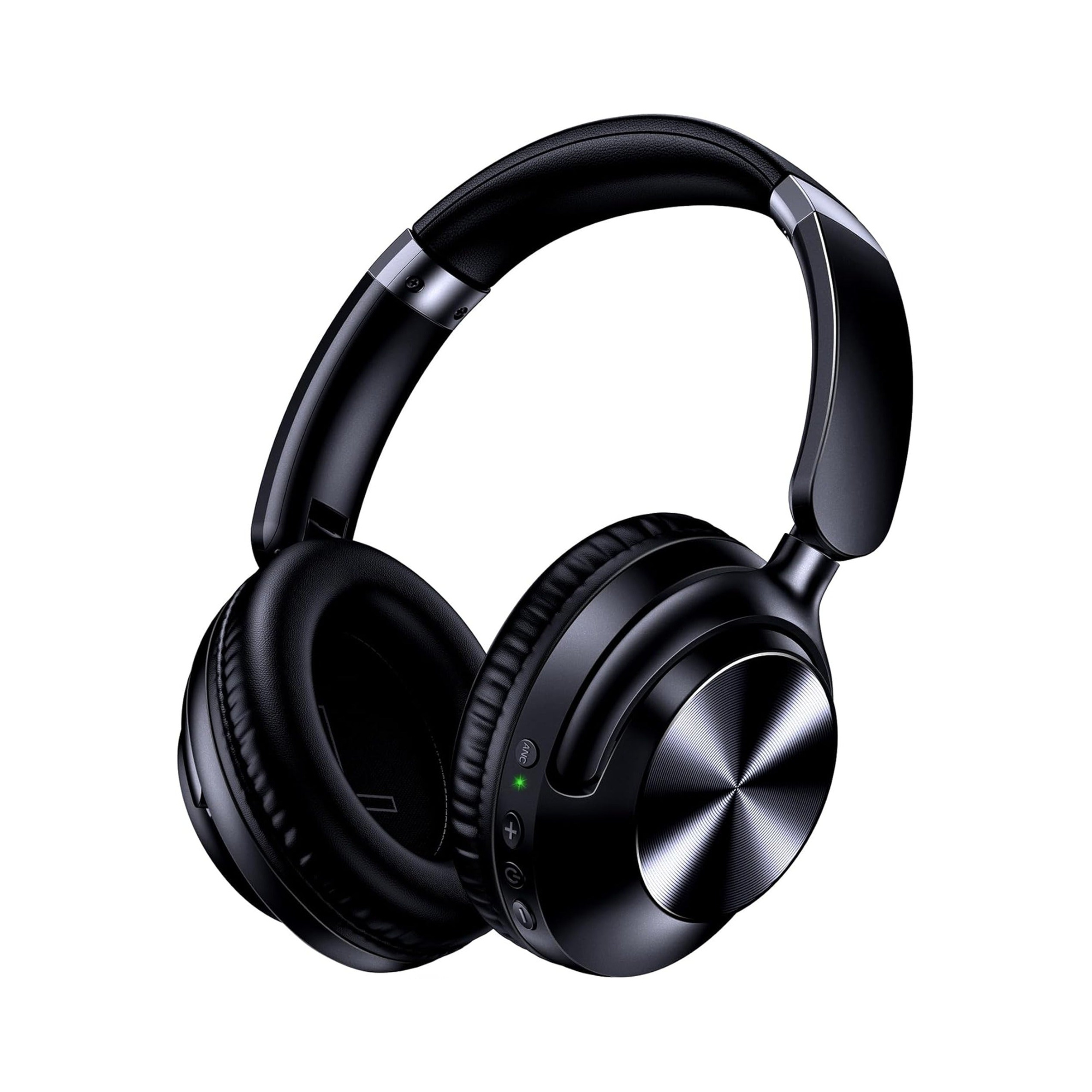
If you own dual-mode over-ear headphones that include a detachable 3.5 mm cord, you already have both a spare test cable and a secondary audio test bench on hand. According to the product listing for the EARSOLE Series 127 Noise Cancelling Over-Ear Headphones, the headphones seamlessly switch between wireless Bluetooth connectivity and a 3.5 mm AUX wired connection using the included 47.2-inch audio cable, and feature ultra-soft protein leather ear cups that rotate up to 105 degrees, an adjustable headband, and a handy travel pouch.
- To test your phone’s audio output: Plug the included 47.2-inch 3.5 mm cable from the EARSOLE Series 127 into your phone and listen through the headphones. If audio plays cleanly through the headphones in wired mode, your phone’s jack or adapter is working properly.
- To test your car’s AUX port: Use that same known-good 3.5 mm cable between your phone and the car’s AUX-in jack. And when you are listening away from your car—such as on a plane entertainment system, home stereo, or daily commute—having both a 3.5 mm wired option and wireless Bluetooth on the same headset means a worn cable never leaves you without music. For a broader look at how wired and wireless audio setups compare, see our wired vs. wireless earbuds guide.
2. Clean Dust, Lint, and Corrosion From the 3.5 mm Port
If a known-good cable still feels spongy or refuses to click all the way home, check inside both the phone jack and the car’s dashboard port. According to iSOUL, dust, dirt, and other debris can enter the AUX system and reduce the conductivity of the electrical contacts, while water or interior cleaning liquids can enter the port and cause electrical shorts and contact corrosion.
To clean the port safely, iSOUL recommends using compressed air to remove dust or debris and a soft brush to dislodge stubborn particles, or a cotton swab lightly dampened with alcohol for regular maintenance—while avoiding water, which can damage and corrode the internal contacts.
3. Check Car Battery Voltage, Blown Fuses, and Worn Jack Contacts
If you have confirmed that the stereo is set to AUX-In, Bluetooth is disconnected, your phone and cable work on another device, and the port is clean, the remaining culprits are inside the vehicle’s electrical system. According to iSOUL, a low car battery charge or a blown fuse can cause the car’s AUX system to fail, and a worn-out AUX jack with damaged internal pins can be replaced by a mechanic or electronics specialist without necessarily replacing the entire stereo head unit unless the car lacks an AUX input altogether.
| Isolation Step | What to Do | What a Pass / Fail Tells You |
|---|---|---|
| 1. Input & Volume Check | Select AUX-In on the car stereo, disconnect Bluetooth, and turn up volume on both devices | Fixes silent playback when Bluetooth priority or muted volume was blocking the signal |
| 2. Replacement Cable Test | Swap in a known-good 3.5 mm cord (such as the 47.2-inch cable included with EARSOLE Series 127) | If audio returns, the original cord had an internal wire break |
| 3. Second Source / Headphone Test | Test your phone with wired headphones, or test a second phone in the car AUX port | Isolates whether the fault is on the phone side or the car stereo side |
| 4. Port Cleaning & Fuse Check | Clear dust with compressed air (no water) and inspect the stereo/AUX fuse and battery charge | Resolves debris-blocked contacts or power interruptions to the car’s auxiliary input module |
Frequently Asked Questions
Why is no sound coming out with AUX?
According to iSOUL’s car AUX guide, no sound over an AUX connection is most commonly caused by failing to select the AUX-in option on the car’s media system, low or muted volume on either the audio source device or the car stereo, an active Bluetooth connection taking priority over the AUX input, a broken 3.5 mm cable, dust or corrosion inside the port contacts, or a blown fuse.
Why isn’t AUX working on my phone when plugged into the car?
If your phone plays music out of its own speaker or makes brief static when plugged into the car—a symptom reported by drivers in r/Cartalk thread zmck9k—either an internal wire inside the 3.5 mm cable has broken or dust and worn contacts are preventing the plug from seating firmly enough for the phone to stay in AUX output mode. As both iSOUL and r/Cartalk commenters recommend, try a known-good 3.5 mm cable first and test with a second device (or wired headphones) to isolate whether the cable, the phone, or the car port is at fault.
How do I enable AUX in my car and test if the cable is bad?
As iSOUL explains, you enable AUX in your car by plugging one end of a 3.5 mm audio cable into your phone or audio player and the other end into the car’s AUX port, disconnecting any competing Bluetooth connection, and selecting the AUX-in option on your car’s infotainment system. To test if the cable is bad, swap in a known-good 3.5 mm cord—such as the 47.2-inch 3.5 mm audio cable included with the dual-mode EARSOLE Series 127 headphones—or test the suspect cord with a pair of 3.5 mm wired headphones at home.
