



You do not need special “Dolby Atmos headphones” to hear Dolby Atmos spatial audio. Because Dolby Atmos for Headphones uses software-based binaural rendering to map 3D audio objects (including overhead height cues) onto standard left and right channels, it works with any wired 3.5 mm or wireless Bluetooth stereo headphones or earbuds—though headphones with a wider soundstage and stronger imaging make the 3D effect more noticeable.
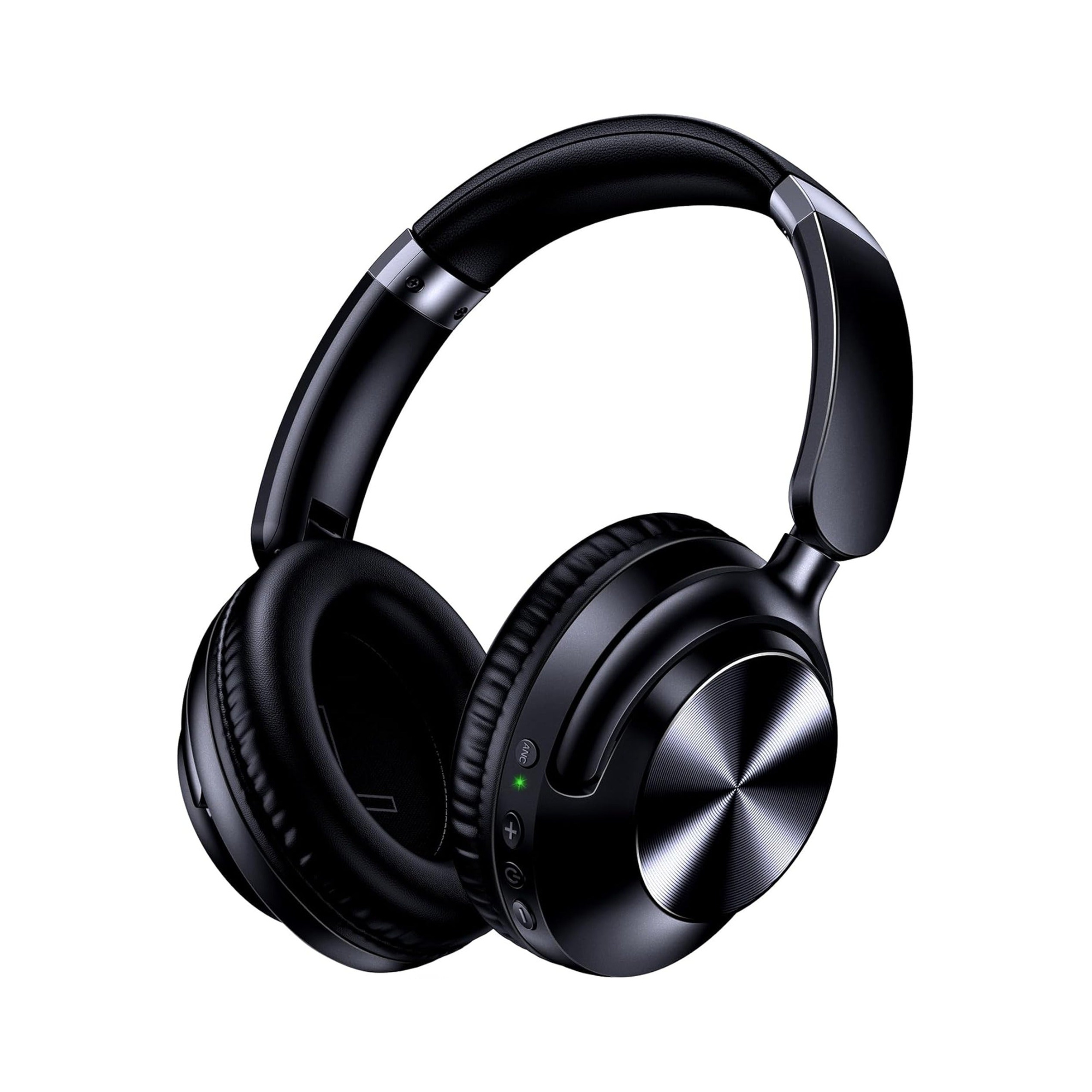
Shoppers searching for dolby atmos headphones or a 7.1 surround sound gaming headset frequently run into confusing box badges that imply you must buy proprietary hardware just to unlock 3D sound. Below, we break down how object-based virtual space decoding actually works on your PC, console, or phone, why acoustic qualities like soundstage and imaging matter more than marketing labels, and how versatile dual-mode stereo models like the EARSOLE Series 127 Over-Ear Headphones let you switch between wired console or PC listening and wireless mobile streaming.
Do You Need Special Headphones for Dolby Atmos? How Virtual 3D Rendering Works
The biggest misconception in personal audio is that Dolby Atmos requires multiple tiny speakers crammed inside each ear cup. In reality, headphone-based Atmos is processed entirely by the source device or app before the stereo signal ever reaches your headphones.
According to HifiGuides Forums and r/Dolby contributors, Dolby Atmos maps audio objects in a 3D virtual space with height cues rather than fixed speaker channels, and Dolby Atmos for Headphones works with any stereo headphones or earbuds when decoded by a compatible source device or app (such as Dolby Access on Windows/Xbox), with wider-soundstage and higher-imaging headphones making the binaural spatial effect more noticeable.
In r/Dolby (thread 1fe3l4z, “What is the cheapest Dolby Atmos supported headphones?”), a listener looking for a budget alternative to expensive flagship headsets asked what hardware is required to experience Atmos tracks and movies. Community contributors immediately pointed out that compatibility depends on the playback device rather than a special chip inside the headset, noting: “What device are you using to play the Atmos content? It’s likely that the Spatial Audio Atmos will work with any headphones.”
To see why any pair of wired or wireless stereo headphones works, compare how traditional surround formats and object-based spatial audio route sound:
- Channel-based surround (5.1 and 7.1 surround sound gaming headsets): Traditional surround mixes lock every sound effect to a fixed horizontal speaker channel (front left, center, surround right, rear left). When downmixed to headphones, virtual 7.1 processing simulates a flat ring of speakers around your head without dedicated vertical height information.
- Object-based 3D audio (Dolby Atmos for Headphones): As explained by contributors in HifiGuides Forums (thread
5303, “Best Dolby Atmos Headphones”), instead of putting sounds into fixed channels, Dolby Atmos maps sounds in a virtual space where the mixer wants them to be—including overhead height coordinates. When you enable Dolby Atmos for Headphones on Windows 10/11 or Xbox, or stream Atmos content on a compatible smartphone, the software decoder translates those 3D coordinates into a two-channel binaural stereo signal using head-related transfer function (HRTF) timing and frequency cues. - Dolby Atmos vs. generic Spatial Audio: As summarized in
r/Dolby(thread1fe3l4z), Spatial Audio is a broader umbrella term for immersive 3D sound, whereas Dolby Atmos is a specific surround sound technology that adds height for a 3D audio experience and requires Atmos-enabled content and playback gear.
| Audio Format / Setup | How Sound Is Mapped | Hardware Needed at Your Ears | Where Decoding Happens |
|---|---|---|---|
| Dolby Atmos for Headphones | Audio objects placed in a 3D virtual space including overhead height cues (HifiGuides Forums thread 5303; r/Dolby thread 1fe3l4z) | Any wired 3.5 mm or wireless Bluetooth stereo headphones or earbuds | On the source device or app (e.g., Dolby Access on Windows/Xbox, compatible mobile/streaming apps) |
| Virtual 7.1 Surround Sound | Fixed horizontal channels (7 ear-level channels + 1 low-frequency channel) | Standard stereo headphones or USB gaming headset | USB dongle DAC or PC sound card software |
| Physical Home Theater Atmos | Object-based mix distributed across ceiling and room speakers | Dedicated room receiver + multi-speaker array (HifiGuides contributors note theater setups often use 20+ physical speakers) | AV receiver in the room |
Why Soundstage and Imaging Matter More Than ‘Dolby Atmos’ Box Badges
If every stereo headphone can play a binaural Dolby Atmos signal, why do some headphones make movies and games feel wide open while others still sound like the audio is trapped inside the center of your head? The answer comes down to two acoustic properties of the headphone’s drivers and ear cups: soundstage and imaging.
In HifiGuides Forums (thread 5303), a listener testing Dolby Atmos for Headphones on Windows 10 with a closed-back gaming headset noted that while the audio sounded decent, they wanted a wider sense of space and sharper directional placement. Experienced forum members highlighted three realistic takeaways for anyone shopping for headphones for movies and Atmos games:
- Soundstage (perceived width and depth): Soundstage describes how spacious the audio environment feels around your ears. Headphones with a cramped soundstage compress binaural distance cues, making an explosion or orchestral swell feel close to your eardrums. A wider soundstage gives the Atmos binaural renderer room to project sounds outward.
- Imaging (directional precision): Imaging is how accurately a headphone places specific sounds—such as footsteps behind your left shoulder, rain falling at an angle, or an aircraft passing overhead—at distinct points within that space. As HifiGuides contributor
M0Nexplained in thread5303, with a pair of headphones offering stronger imaging and soundstage, Dolby Atmos for Headphones sounds noticeably more surround-like. - Realistic expectations vs. a physical theater: HifiGuides contributors also share an honest reality check: software binaural emulation over two headphone drivers is subtler than sitting inside a physical room surrounded by 20 or more discrete speakers. On some games and movies, turning on Dolby Atmos for Headphones adds a modest sense of 3D width and overhead cues rather than a night-and-day transformation.
Because of this, paying extra solely for a “Dolby Atmos” logo on a headset box rarely makes sense. Unless a gaming headset explicitly bundles a prepaid activation code for the Dolby Access app on Windows/Xbox, that badge simply means it is a standard stereo headset capable of playing the binaural output your device already generates.
Using Dual-Mode Wired and Wireless Stereo Headphones With Dolby Atmos Devices
Because your source device handles the Atmos processing, the most practical headphone upgrade is choosing a comfortable over-ear stereo pair that connects cleanly to every device where you watch movies, play games, or stream spatial music.
According to the EARSOLE Series 127 listing, the over-ear headphones switch between wireless Bluetooth and a 3.5 mm AUX wired connection using an included 47.2-inch audio cable.
Having both wireless Bluetooth and a plug-and-play 3.5 mm wired option in the EARSOLE Series 127 Over-Ear Headphones (EAR-AMZ-WL-127) solves the two most common device setups for Dolby Atmos listening:
- Zero-lag 3.5 mm wired mode for Xbox controllers and Windows PCs: Console gaming and competitive PC titles benefit from a direct analog cable so gunfire, dialogue, and overhead spatial cues stay locked to the video frame. You can plug the included 47.2-inch 3.5 mm audio cable straight into your PC jack or console gamepad (see our step-by-step guide on how to connect a wired headset to an Xbox controller), then enable Dolby Atmos for Headphones inside the Windows or Xbox audio settings via the Dolby Access app.
- Wireless Bluetooth mode for smartphones, tablets, and laptops: When you move from your desk to the couch or a flight, switching the Series 127 to wireless Bluetooth lets you stream Atmos-supported movies and music from compatible phones and tablets without a dangling cord.
- Over-ear seal and ergonomic fit for long movie sessions: According to the EARSOLE Series 127 listing, the headphones feature Active Noise Cancellation (ANC), protein leather ear cups, ear cups that rotate up to 105 degrees, an adjustable headband, and a travel pouch. That circumaural seal helps reduce steady background room hum so subtle binaural reverb and height cues are easier to hear at comfortable volumes. (Note: EARSOLE headphones do not include a paid Dolby Access software license; Windows and Xbox users configure Dolby Atmos through their device’s operating system and the Dolby Access app.)
Frequently Asked Questions
Does Dolby Atmos work with any wired or wireless stereo headphones?
Yes. According to HifiGuides Forums (thread 5303) and r/Dolby (thread 1fe3l4z) contributors, Dolby Atmos for Headphones works with any wired 3.5 mm or wireless Bluetooth stereo headphones or earbuds. Instead of requiring special multi-speaker hardware inside the ear cups, your source device or app (such as Dolby Access on Windows and Xbox, or a compatible mobile streaming device) decodes the Atmos track into a binaural stereo signal that any pair of headphones can play.
How does Dolby Atmos map surround sound differently from fixed speaker channels?
Traditional 5.1 and 7.1 surround formats assign audio to fixed horizontal speaker channels. According to HifiGuides Forums and r/Dolby contributors, Dolby Atmos instead maps audio objects in a 3D virtual space with overhead height cues. The Atmos decoder then adapts that 3D map to your playback setup—either routing sounds across a multi-speaker theater room or rendering them binaurally for standard left-and-right stereo headphones, where wider soundstage and stronger imaging help the 3D effect stand out.
Can I use dual-mode Bluetooth and 3.5mm over-ear headphones for Dolby Atmos?
Yes. Any stereo headphone works with Dolby Atmos once your playback device enables Atmos rendering. According to the EARSOLE Series 127 listing, the over-ear headphones switch between wireless Bluetooth and a 3.5 mm AUX wired connection using an included 47.2-inch audio cable. That lets you use the 3.5 mm wired connection with an Xbox controller or Windows PC running Dolby Atmos for Headphones, and switch to wireless Bluetooth for compatible phones and tablets.
