



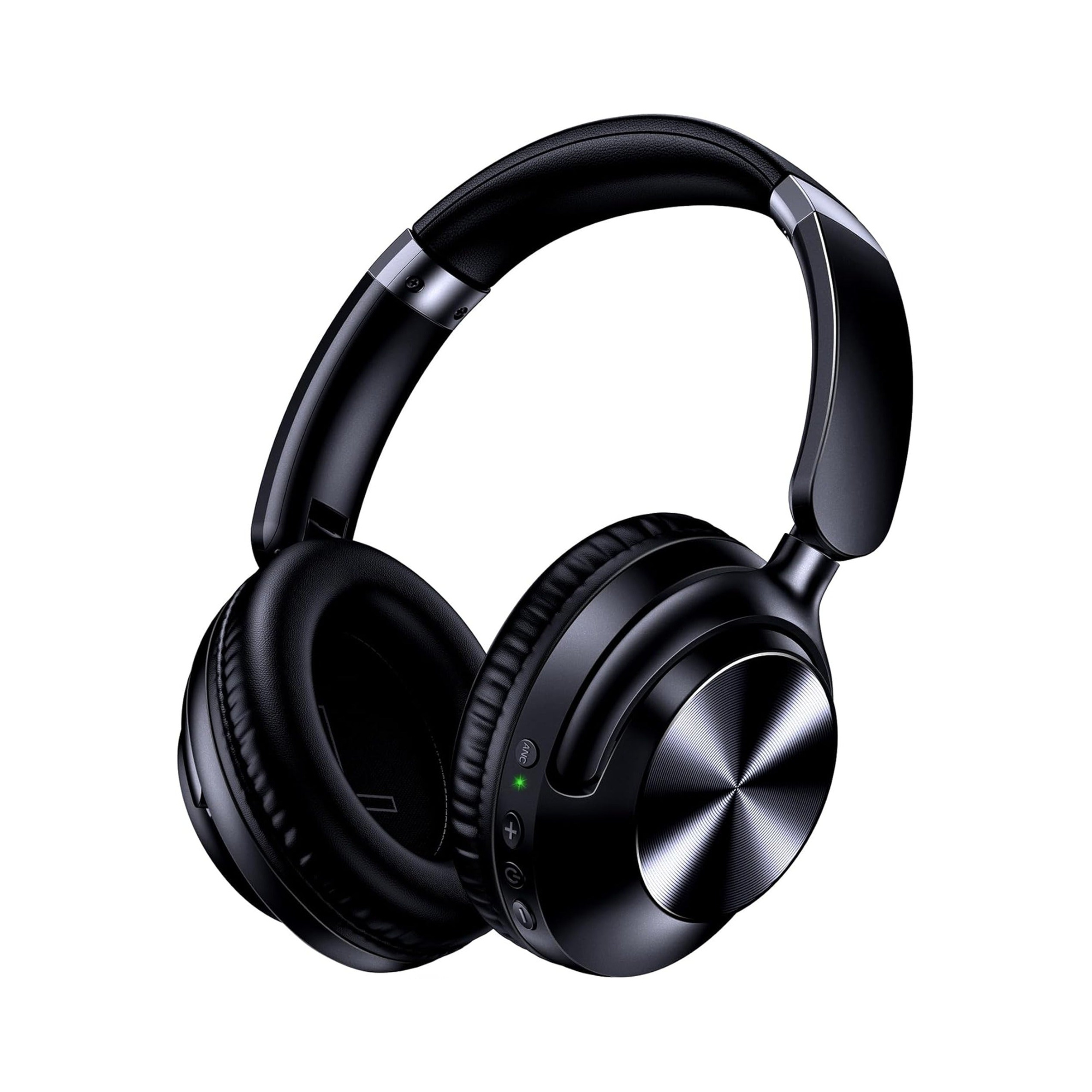
You can only make wireless headphones wired if wired mode is built into the headphone’s hardware—specifically through a 3.5mm auxiliary jack, a USB-C port engineered for digital audio transmission, or a brand-specific wired adapter. If your Bluetooth headphones only have a charging-only port and no 3.5mm AUX input, no cable can convert them into wired headphones; you need dual-mode headphones that support both Bluetooth and a 3.5mm audio cable.
Many listeners reach for a cable when Bluetooth introduces a slight audio delay during gaming, or when they want to plug into an airplane entertainment screen or home stereo that lacks wireless pairing. That practical flexibility is a big reason why wired headphones are coming back alongside dual-mode headsets. Below, we cover how to check whether your current wireless headphones support wired playback, why charging-only Bluetooth headsets cannot carry audio over a power cord, and how dual-mode over-ear models like the EARSOLE Series 127 Over-Ear Headphones switch between wireless Bluetooth and a 3.5mm AUX connection.
Can Wireless Headphones Be Wired? The 3 Hardware Requirements That Decide
Whether a pair of Bluetooth headphones can work with a wire comes down to the internal circuitry built into the ear cups by the manufacturer. According to Eleksis, wireless headphones can only operate in wired mode if the hardware includes a built-in 3.5 mm auxiliary jack, a USB-C port capable of audio transmission (rather than charging-only), or a manufacturer-specific wired adapter; wireless-only headphones without an audio input port cannot be converted to wired mode.
In its guide (How to Make Your Wireless Headphones Wired), Eleksis notes that you should check your headphone model’s technical specifications on the official brand website and look for one of three physical connection paths:
- A built-in 3.5mm auxiliary (AUX) port (or 2.5mm sub-mini jack): This is the most universal dual-mode design on over-ear headphones. A round auxiliary port on the bottom rim of one ear cup accepts a standard TRS or TRRS audio cable and routes analog audio directly to the headphone drivers.
- A USB-C port that explicitly supports audio transmission: While nearly all modern wireless headphones use a USB-C port to recharge their battery, only select models wire that USB-C port to an internal digital-to-analog converter (DAC) or analog pass-through circuit. If the specification sheet supports USB-C audio, you can connect a USB-C-to-USB-C data/audio cable or a compatible USB-C-to-3.5mm AUX cable.
- A manufacturer-specific wired adapter: Certain wireless headphones ship with or support a proprietary brand adapter designed specifically to bridge the headphone’s port to a 3.5mm auxiliary source. Eleksis recommends always using certified cables or accessories so you do not damage the port.
| Headphone Hardware Type | Physical Ports on Ear Cup | Can You Make It Wired? | Cable Required | Best Everyday Use Cases |
|---|---|---|---|---|
| Dual-mode 3.5mm AUX + Bluetooth | Power/USB charging port + dedicated 3.5mm (or 2.5mm) AUX audio jack | Yes — built-in analog wired input (Eleksis) | Standard 3.5mm auxiliary audio cable (such as the 47.2-inch cable included with EARSOLE Series 127) | Wireless commuting plus wired gaming, home stereo listening, or airplane entertainment systems |
| Dual-mode USB-C Audio + Bluetooth | Single USB-C port wired for both battery charging and digital audio transmission | Yes — if the model’s specifications confirm USB-C audio capability (Eleksis) | Certified USB-C audio cable or USB-C-to-AUX cable supported by the manufacturer | Laptop, tablet, or smartphone wired listening on models engineered for USB-C audio |
| Wireless-only Bluetooth headset (charging-only port) | Single USB-C or Micro-USB port wired strictly to the battery charging circuit; no AUX jack | No — charging-only ports lack audio input circuitry (r/headphones thread 1gmmf5l) | Cannot be converted with a cable; requires upgrading to a dual-mode headset | Cordless Bluetooth playback only |
Why Charging-Only Bluetooth Headphones Cannot Be Converted With a Cable
What if your wireless headphones have no 3.5mm jack at all—can you plug a USB-to-3.5mm adapter into the charging port or wire a cable onto the headset to get rid of Bluetooth latency?
In r/headphones (thread 1gmmf5l), a listener asked how to convert a wireless-only JBL Tune 510BT headset into a wired pair without breaking the wireless system because there was a slight delay during use, and community members confirmed that it cannot be done (“Nope”), recommending dual-mode headphones that natively support both connections instead.
Here is why a charging-only Bluetooth headset cannot be turned into wired headphones with a cable or adapter:
- Power pins only, no audio data path: On entry-level and on-ear wireless-only headphones, the USB port is wired solely to the battery management chip (+5V power and ground). The internal circuit board does not connect the USB data pins to an audio DAC or to the speaker drivers. Plugging a USB-C-to-3.5mm adapter or USB data cord into a charging-only port will only charge the battery (or do nothing at all)—no audio signal can enter the headphones through that port.
- Why DIY soldering risks ruining the wireless system: As the
r/headphonesthread1gmmf5lquestion highlights, trying to open a sealed Bluetooth ear cup to solder an external wire onto the delicate voice-coil leads bypasses the internal amplifier impedance matching, breaks the acoustic seal of the ear cup enclosure, and risks shorting the Bluetooth receiver board. - Check specifications before buying cables: If your current headphones only have a single USB charging port and their manual does not list “USB-C audio” or “wired mode,” buying third-party cables will not add wired playback. As Eleksis advises, when your current headphones do not support wired connections or lack the features you need for low-latency situations like gaming or non-Bluetooth devices, the reliable solution is choosing a headphone model engineered with both wireless and wired modes built in.
How Dual-Mode Over-Ear Headphones Switch Effortlessly Between Bluetooth and 3.5mm Wired Mode
Instead of modifying a wireless-only headset, dual-mode over-ear headphones give you both connection types in a single frame: wireless Bluetooth when you want freedom from cords, and a dedicated 3.5mm auxiliary input when you want a direct physical link.
According to the EARSOLE Series 127 listing, the over-ear headphones switch between wireless Bluetooth and a 3.5 mm AUX wired connection using an included 47.2-inch audio cable.
In addition, the EARSOLE Series 127 listing states Active Noise Cancellation, ultra-soft protein leather ear cups that rotate up to 105 degrees, an adjustable headband, and a travel pouch for carrying the headset.
Step-by-Step: How to Connect Dual-Mode Headphones With a Wire
If your headphones include a 3.5mm auxiliary input—like the EARSOLE Series 127 Over-Ear Headphones (EAR-AMZ-WL-127, $44.75)—switching from wireless Bluetooth to wired mode takes only a few seconds:
- Locate the 3.5mm AUX port on the ear cup: Inspect the bottom rim of the ear cups to distinguish the round 3.5mm audio jack from the oval USB charging port. (Note that on the EARSOLE Series 127, wired audio connects strictly through the 3.5mm AUX jack using the included 47.2-inch audio cable, not through the charging port.)
- Lower the source volume before plugging in: Turn the volume down to around 25–30% on your laptop, gaming controller, home stereo, or airplane armrest jack so you do not hear a sudden pop when the connector seats.
- Insert both ends of the 3.5mm audio cable firmly: Push one 3.5mm plug all the way into the headphone’s AUX jack until it clicks flush against the ear cup bevel, and plug the other end into your audio source (or into a certified USB-C/Lightning-to-3.5mm dongle on phones without a headphone jack).
- Select the wired headphone output on your device: Most smartphones, PCs, and consoles automatically switch audio output to the 3.5mm headphone jack as soon as the plug is detected and pause or disconnect active Bluetooth audio.
Frequently Asked Questions
Do all wireless headphones support wired connections?
No. According to Eleksis, not all wireless headphones offer a wired listening option; wired mode must be built into the headphones via a 3.5mm auxiliary port, a USB-C port that supports audio transmission, or a compatible manufacturer adapter. If a Bluetooth headset only includes a charging-only port and no audio input circuit—like the wireless-only headset discussed in r/headphones thread 1gmmf5l—it cannot be converted to wired operation with a cable. Always check your model’s official product specifications to confirm whether wired playback is supported.
Why do people use wireless headphones with a wire?
As noted by Eleksis and headphone users in r/headphones (thread 1gmmf5l), listeners switch wireless headphones to a wired connection for three main reasons: eliminating wireless Bluetooth delay during gaming or video playback, connecting to devices without Bluetooth support (such as airplane entertainment systems, desktop audio interfaces, or home stereos, as highlighted in the EARSOLE Series 127 listing), and enjoying uninterrupted listening with slightly better, lower-latency signal transmission.
How do I switch dual-mode headphones from Bluetooth to wired mode?
First, verify which wired input your headphones support (Eleksis): a 3.5mm audio jack, a USB-C port with audio capability, or a brand-specific adapter. On dual-mode over-ear models with an auxiliary jack—such as the EARSOLE Series 127, which according to its listing switches between wireless Bluetooth and a 3.5mm AUX wired connection using an included 47.2-inch audio cable—simply plug one end of the 3.5mm cable firmly into the headphone’s AUX port and the other end into your device’s 3.5mm headphone jack (or phone dongle).
