Earbuds for a Gaming PC Without Triggering the Windows Hands-Free Telephony Drop
Competitive PC players transitioning from heavy over-ear headsets to compact in-ear monitors often encounter an abrupt audio degradation the instant voice chat activates. In modern Windows operating systems, pairing conventional Bluetooth earbuds produces rich stereo sound during single-player exploration, only to collapse into muffled, low-bandwidth telephone quality whenever Discord, TeamSpeak, or in-game voice engines initialize the microphone. This jarring acoustic downgrade destroys spatial imaging and positional accuracy when competitive gamers need it most.
The root cause of this sound degradation lies in legacy Bluetooth architecture and how Windows handles bidirectional audio bandwidth. Standard Bluetooth consumer protocols separate high-fidelity stereo playback from bidirectional voice communications, forcing operating systems into severe compression compromises. Understanding how to bypass this operating system bottleneck enables PC enthusiasts to enjoy lightweight in-ear comfort alongside studio-grade directional sound and crystal-clear squad coordination.
The Architectural Limits of A2DP and Windows Telephony Profiles
Bluetooth audio operates under distinct standardized profiles that dictate maximum bandwidth allocation across the 2.4 GHz radio spectrum. High-resolution music and game audio rely on the Advanced Audio Distribution Profile, which transmits uncompressed stereo sound over high-bitrate codecs. However, A2DP is strictly unidirectional; it cannot send microphone input back to the host computer while maintaining wideband stereo transmission.
When a multiplayer title or communication client requests microphone access, the Windows audio engine instantly switches the earbuds into the Hands-Free Profile or Headset Profile. To squeeze two-way voice and game sound into archaic bandwidth envelopes, HFP downsamples all incoming audio to mono eight-kilohertz or sixteen-kilohertz streams. This sudden transition eliminates sub-bass impact, crushes high frequencies, and erases the subtle stereo cues required to pinpoint footsteps.
| PC Connection Topology | Playback Protocol Standard | Microphone Sample Rate | Spatial Audio Fidelity | Windows Service Routing |
|---|---|---|---|---|
| Standard PC Bluetooth (HFP) | Mono HFP / HSP Profile | 8kHz / 16kHz Narrowband | Collapsed (Zero Imaging) | Automatic Telephony Switch |
| Dedicated 2.4 GHz USB Dongle | Proprietary Full-Duplex RF | 32kHz / 48kHz Wideband | Full 24-bit / 96kHz Spatial | Native USB Audio Class Device |
| Dedicated USB Desk Mic + BLE | Stereo A2DP (aptX / AAC) | 48kHz Studio Cardioid | Preserved Uncompressed | Telephony Service Disabled |
| 3.5mm TRRS Motherboard Port | Analog Realtek / ESS DAC | 48kHz TRRS Dual-Line | Native Discrete Stereo | Direct Hardware I/O Line |
Strategic Hardware Solutions to Preserve Uncompressed Stereo
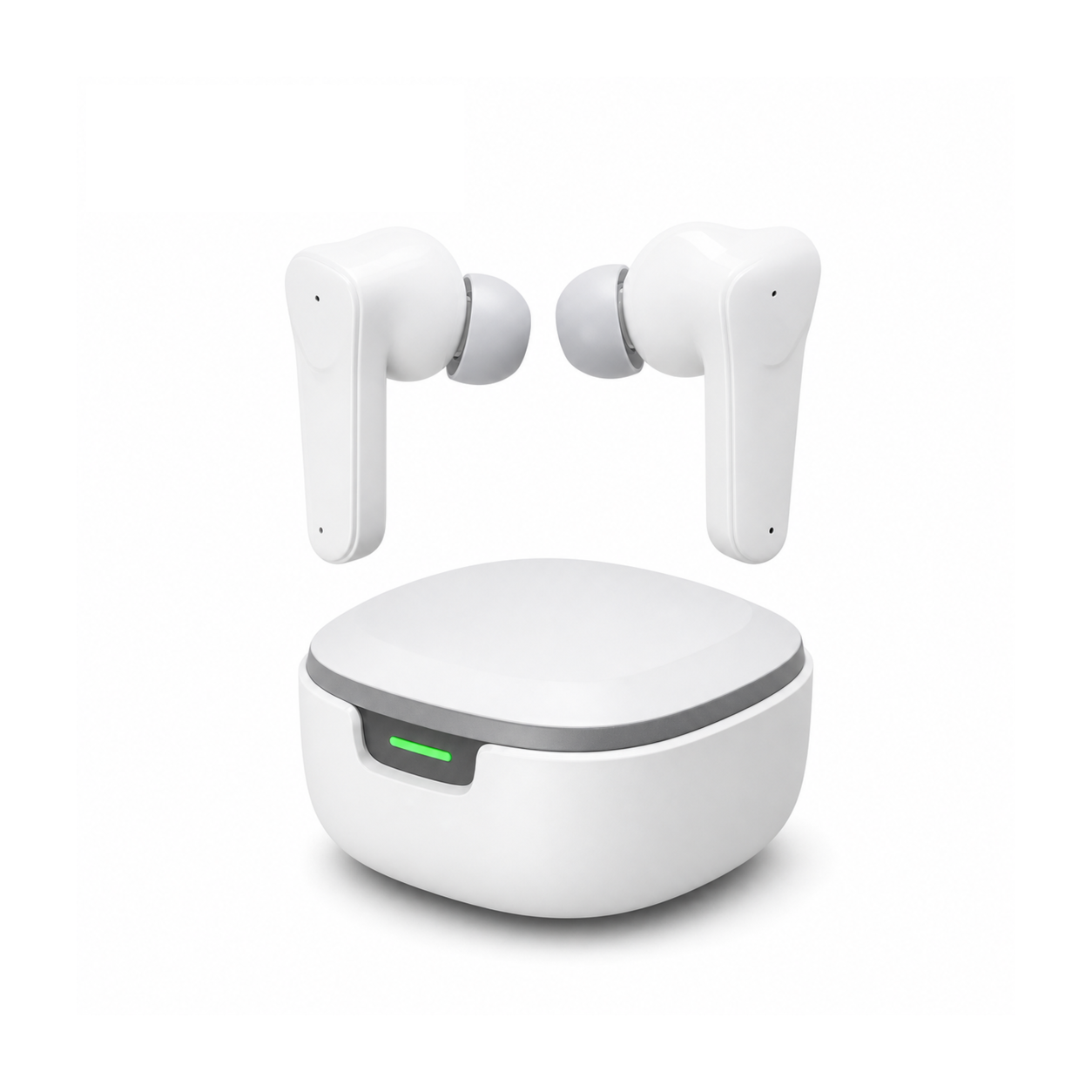
Eliminating the Windows telephony bottleneck requires architectural isolation between your listening stream and voice transmission hardware. The most seamless solution utilizes dedicated 2.4 GHz gaming earbuds equipped with custom USB-C transceivers. These specialized dongles bypass the Windows Bluetooth stack entirely, enumerating as a high-bandwidth USB audio composite device that delivers simultaneous high-resolution stereo audio and wideband microphone transmission.
Alternatively, PC gamers utilizing standard wireless earbuds can pair their listening devices with an independent desktop USB microphone. By navigating into Windows Device Manager and disabling the Bluetooth Hands-Free Telephony service, the operating system is physically prevented from degrading the earbud driver into voice mode. This hybrid configuration locks your earbuds into pristine stereo A2DP playback while routing crisp vocal communication through a dedicated studio capsule.
Alleviating Cranial Exhaustion and Concha Compression Post-Raid
Desktop battlestation sessions often subject players to intense auditory sensory bombardment, with high-gain gunshot transients straining inner ear hair cells while synthetic leather pads trigger cutaneous perspiration. Prolonged exposure leaves acoustic nerve pathways hyper-reactive, making silence feel jarring when the PC shuts down. Providing your auditory cortex with a structured downshift sequence expedites cognitive unwinding after adrenaline-heavy competitive matches.
Flat, stemless earbuds for sleeping on your side, with a dynamic sleep-support mode and a starlight glow charging case. See the three colors at EARSOLE.
Adopting miniature side-sleeping transducers enables nighttime sonic relaxation without exerting focal torque on the tragus or antihelix. Because the housing embeds seamlessly within lateral ear cavities, side-sleepers experience zero pillow obstruction or awkward driver tilt. Drifting off to filtered acoustic noise masks nocturnal ambient disruptions, ensuring esports athletes wake up with fully restored acoustic sensitivity and razor-sharp reaction times.
Windows Sound Control Panel Configuration Protocol
Achieving an uncompromised audio profile on modern personal computers requires an explicit registry and control interface checklist. First, press Windows Key plus R, enter mmsys.cpl, and ensure your stereo audio output device is designated as both the Default Device and Default Communication Device, immediately disabling any duplicate Hands-Free virtual endpoints present in the list.
Furthermore, access the Bluetooth settings panel, expand More Devices and Printer settings, open the specific earbud properties, and uncheck Handsfree Telephony under the Services tab to extinguish background SCO profile triggers. Finally, verify that competitive games and voice platforms explicitly capture your separate cardioid desktop microphone, cementing pristine wideband spatial sound without unwanted operating system interference.
Frequently Asked Questions
Can disabling Hands-Free Telephony disable the built-in earbud microphone on Windows?
Yes, unchecking the Handsfree Telephony service in Windows device settings completely disables the earbud microphone, requiring you to use a dedicated desktop USB microphone for voice communication.
Why do 2.4 GHz USB dongle earbuds avoid the Windows audio drop entirely?
Dedicated 2.4 GHz USB dongles communicate via custom RF protocols that enumerate as standard USB sound cards, bypassing the bandwidth limitations of the standard Windows Bluetooth telephony stack.