



When you search for how to clean headphone jack or cleaning headphone jack, the usual symptom is a 3.5 mm plug that refuses to click all the way in, pops back out, or only plays audio while you hold it down. In most pocket devices, that gap is caused by lint packed against the bottom of the socket so the grooved tip of the plug cannot reach the internal spring contact.
Before you poke inside the port, it helps to compare what phone manufacturers advise against the shortcuts that circulate in forum threads. Below is how a 3.5 mm socket latches onto a plug, what Apple and Motorola support pages say to avoid before you start, and how community members tease packed lint out without trapping moisture or debris.
Signs the Jack Needs Cleaning (and Why Lint Blocks the Spring Contact)
According to Wikipedia’s phone connector article, the plug’s grooved tip is held firmly by the socket’s spring tip contact, and when not mated, that spring connects to the flat switch contact for detecting a plug.
In Reddit’s r/lifehacks thread on getting lint out of a headphone jack, the original poster reported that the headphone jack of their iPod was full of pocket lint so they could not completely get their headphones into it and could not fit tweezers inside because the jack was so small.
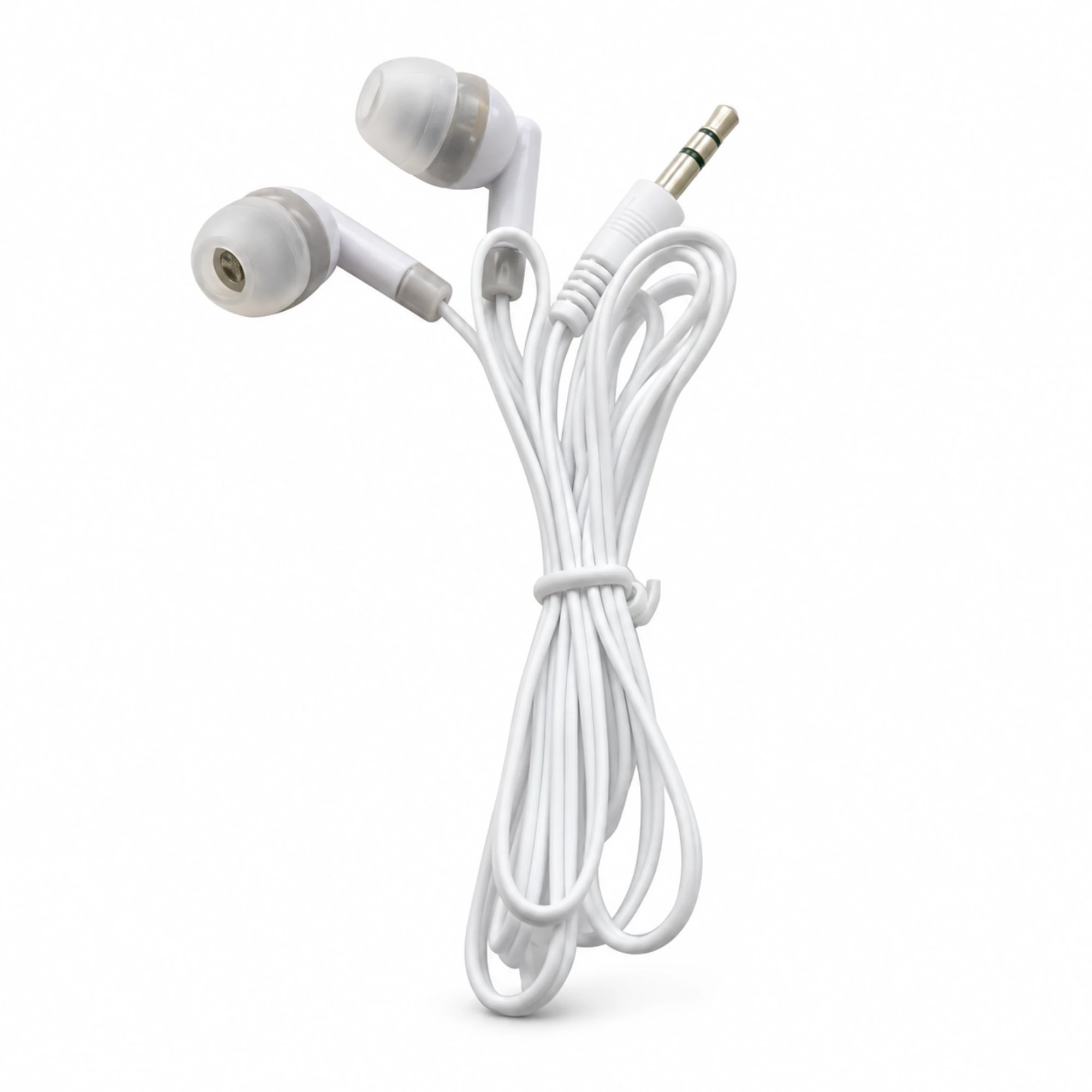
On the EARSOLE White 3.5 mm Wired Earbuds product page, the listing describes white wired earbuds with soft in-ear tips and a straight 3.5 mm plug for devices with a compatible headphone output.
When lint packs at the base of the barrel, the plug stops a millimeter or two short, preventing the spring contact from dropping into the tip groove. If your plug seats flush with a firm click and one side is still quiet, check our troubleshooting guide on why earbuds sound quiet instead of scraping inside the jack.
What Manufacturers Say Before You Start (Apple and Motorola Rules)
Manufacturer support pages do not publish step-by-step instructions for digging lint out of a 3.5 mm socket, but they set clear rules on power, moisture, and compressed air around device openings.
According to Motorola Support’s device cleaning guide, Motorola recommends that when disinfecting or cleaning your device, you turn it off and avoid getting any moisture in its openings, including the charging port, headphone jack, microphones, and speakers.
According to Motorola Support’s device cleaning guide, Motorola also states not to submerge your Motorola phone in any cleaning agents and to avoid using any cleaners with bleach or abrasives.
According to Apple Support’s Cleaning your iPhone guide, the section covering iPhone 6s, iPhone 6, and iPhone SE (1st generation) instructs owners to unplug all cables, turn the iPhone off, avoid getting moisture in openings, and not use window cleaners, household cleaners, compressed air, aerosol sprays, solvents, ammonia, or abrasives.
How Forum Users Tease Lint Out (and Which Tips to Skip)
Because official support pages stop at powering off and keeping openings dry, device owners often turn to forum threads for mechanical ways to lift compacted pocket lint. The table below compares the approaches discussed by users against the manufacturer precautions above.
| Method Mentioned Online | How It Is Used | Key Caveat |
|---|---|---|
| Short bursts of breath | Blowing into the opening before lint is tightly packed | Only moves loose dust; can introduce moisture if not careful |
| Wooden or plastic toothpick | Touching the bottom of the hole and dragging lint up the side | Top-voted community reply in r/lifehacks; avoid forcing the side spring contact |
| Swab with cotton thinned out | Twisting a trimmed swab against loose fibers | Standard swab tips are too wide unless cotton is removed; fibers can snag |
| Compressed air or liquid alcohol | Spraying air or wiping wet alcohol into the port | Conflicts with Apple’s no-compressed-air rule and Motorola’s no-moisture-in-openings rule |
| Chewed gum or putty | Pressing sticky material into the port | Downvoted in r/lifehacks; the poster warned it could leave you in a worse situation |
In Reddit’s r/lifehacks thread on cleaning a headphone jack, the top-voted reply by commenter IDemandManyCookies was simply a toothpick.
In that same r/lifehacks thread, commenter RockinOutCockOut wrote that their first approach is blowing in short, powerful bursts into the hole when lint is not too packed down, and if it is packed down, using an unfolded staple, paper clip, or plastic toothpick to carefully touch the bottom of the hole and drag it up the sides.
In that same r/lifehacks thread, commenter Veggiemon suggested a straightened paper clip and commenter roythehamster suggested bending a hook into a safety pin or sewing needle, though no manufacturer source endorses putting metal tools near socket contacts.
In that same r/lifehacks thread, commenter Dizchord suggested a Q-tip while noting you might have to remove some cotton, whereas a downvoted reply (-6) by yourseed suggested chewed-up bubble gum or silly putty while warning they had not tried it and you might end up in a worse situation than when you started.
Step-by-Step Checklist and When to Stop
- Unplug all cables and power the device completely off: Follow the baseline precaution from both Apple and Motorola before inspecting the port.
- Shine a flashlight into the 3.5 mm barrel: Confirm that you can actually see a mat of gray or dark pocket lint at the bottom of the hole rather than a bent internal contact.
- Keep liquids, sprays, and sticky putty out of the port: Skip compressed air cans, liquid alcohol inside the socket, and sticky materials that can lodge behind the spring contact.
- Know when to stop and repair or replace: If the bottom of the jack is clean and the plug seats flush but audio still cuts out, the fault is likely in the socket hardware or the headphone cable itself; see our guide on whether headphone and earbud repairs are worth it or browse replacement EARSOLE Wired Earbuds.
Can I use compressed air to clean a headphone jack?
According to Apple Support’s Cleaning your iPhone guide, Apple explicitly states not to use compressed air when cleaning an iPhone, including headphone-jack models such as the iPhone 6s, iPhone 6, and first-generation iPhone SE.
Can I clean a headphone jack with rubbing alcohol?
According to Motorola Support’s device cleaning guide, Motorola recommends turning the device off and avoiding getting any moisture in its openings, including the charging port, headphone jack, microphones, and speakers.
Why does my headphone plug pop out or only work while held down?
According to Wikipedia’s phone connector article, the plug’s grooved tip is held firmly by the socket’s spring tip contact, and when not mated, that spring connects to the flat switch contact for detecting a plug. On the EARSOLE White 3.5 mm Wired Earbuds product page, the listing describes white wired earbuds with soft in-ear tips and a straight 3.5 mm plug for devices with a compatible headphone output.
