



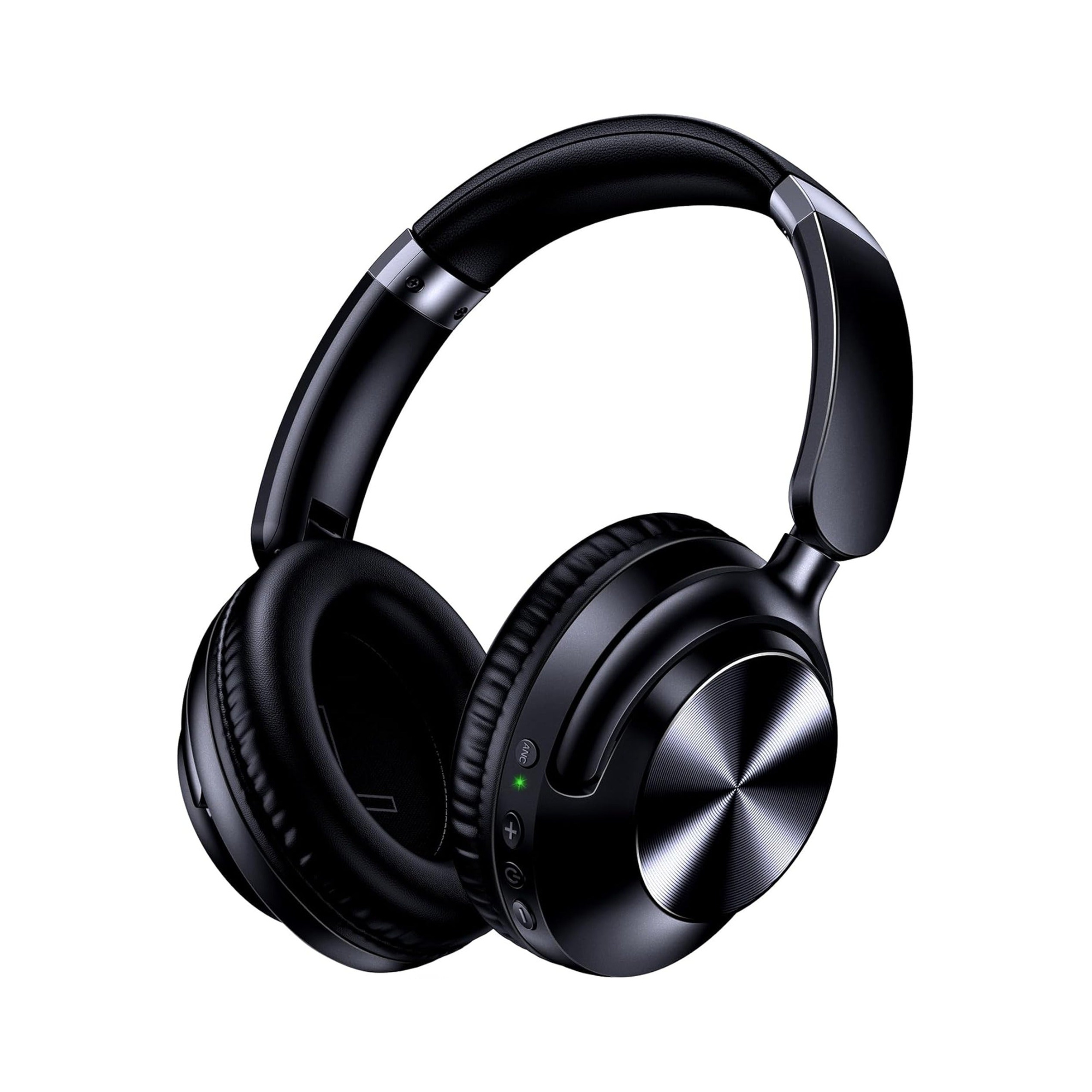
Gadget Review states that to make a wired headset wireless, you need to connect your headset to a Bluetooth adapter instead of plugging the audio cable directly into your computer or console headphone jack. In Reddit’s r/headphonemods community, users who convert wired headsets with a Bluetooth adapter warn that many adapters only use their own built-in microphone rather than passing a 4-pole headset microphone, while the EARSOLE Noise Cancelling Over-Ear Headphones, Wireless & Wired – Series 127 listing describes switching between wireless Bluetooth connectivity and a 3.5 mm AUX wired connection using an included 47.2-inch audio cable.
If you are weighing whether to convert an existing wired pair or buy a dedicated wireless set, see our comparison of wired vs. wireless earbuds first.
How to Make Wired Headphones Wireless With a Bluetooth Adapter
Gadget Review outlines a four-step setup for converting wired headphones with a Bluetooth audio adapter:
- Choose a compatible adapter with sufficient battery life: Gadget Review advises purchasing a Bluetooth 5.0 transmitter and receiver that works with your wired headsets and looking for relatively high hours of battery life for the Bluetooth adapter.
- Plug the headphone cable into the adapter: Gadget Review instructs plugging the audio cable of your headset into the Bluetooth audio adapter instead of your device’s headphone jack, noting that while there is still a wired connection to the adapter, it is no longer plugged directly into your computer or console.
- Power on the adapter and open Bluetooth settings: Gadget Review states that you turn the Bluetooth 5.0 transmitter and receiver on and then open the Bluetooth settings on your computer or console.
- Select the adapter in your Bluetooth device list: Gadget Review explains that you choose the Bluetooth adapter from the list of connection options and allow the pairing connection to complete.
Gadget Review also notes that when you use wired headphones plugged directly into a device, you have to take caution when getting up so you do not rip the audio and charging cable out of your device.
What Happens to a 4-Pole Headset Microphone Over a Bluetooth Adapter
If your wired headphones include a microphone on a 4-pole plug—the kind covered in our guide to using a 3.5 mm headset on a PC—a standard Bluetooth adapter can create microphone issues:
- Adapter built-in mic vs. headset mic: In an r/headphonemods thread (
1bgayi9), the original poster reported searching for hours and finding that the Bluetooth adapters they checked did not allow a 4-pole AUX connection for the headset microphone, instead using only the adapter’s own built-in microphone. - Confirmed frustration from other modders: A commenter in the same r/headphonemods thread agreed that many adapters made for converting wired headphones only support their own internal microphone.
- Receivers that accept 4-pole plugs and Bluetooth call limits: Another commenter in r/headphonemods (
1bgayi9) stated that the Qudelix 5K and, they believed, the FiiO BTR5 and BTR3K support 4-pole mic jacks, while adding that using a microphone over Bluetooth locks the connection into the Bluetooth hands-free protocol, which is only good enough for voice calls. - Wi-Fi router audio forwarding: In the same r/headphonemods post, the poster noted trying AudioRelay to send audio through a phone over a Wi-Fi router, reporting that although it mostly worked well on a capable router, the extra step through the router still caused occasional connection errors.
How to Use Wireless Headphones Wired (Dual-Mode 3.5 mm Headphones)
For readers searching the reverse question—how to make wireless headphones wired—the practical route is choosing headphones built with both a Bluetooth radio and a 3.5 mm AUX port.
The merchant listing for the EARSOLE Noise Cancelling Over-Ear Headphones, Wireless & Wired – Series 127 states the following specifications:
| Feature | Listed Specification on EARSOLE Series 127 |
|---|---|
| Connection modes | Switches between wireless Bluetooth connectivity and a 3.5 mm AUX wired connection |
| Included audio cable | Comes with a 47.2-inch audio cable for home stereos or plane entertainment systems |
| Single-charge playtime | Lists up to 100 hours of playtime on a single charge and 10 hours of music from a 5-minute fast charge |
| Ear cup and headband fit | Ultra-soft protein leather ear cups that rotate up to 105 degrees with an adjustable headband |
| Portability | Foldable design that comes with a travel pouch |
Scope and Limitations
- No internal battery or soldering modifications: This guide covers external plug-in Bluetooth adapters and dual-mode headphones; it does not provide internal circuit-board soldering instructions.
- Unstated wired-mode details on Series 127: The EARSOLE Series 127 product listing states that it switches between Bluetooth and a 3.5 mm AUX wired connection, without stating whether the headphones operate passively when the battery is depleted or whether active noise cancellation functions while the 3.5 mm cable is connected.
- Community adapter reports: The comments in r/headphonemods regarding the Qudelix 5K, FiiO BTR5, FiiO BTR3K, and AudioRelay reflect user experiences rather than laboratory measurements.
What is the easiest way to make wired headphones wireless?
Gadget Review explains that you can make wired headphones wireless by plugging the audio cable of your headset into a battery-powered Bluetooth audio adapter instead of your device’s headphone jack, turning the adapter on, and pairing the adapter in your computer or console Bluetooth settings.
Will my wired headset microphone work with a Bluetooth adapter?
In Reddit’s r/headphonemods (1bgayi9), the poster and a commenter noted that many Bluetooth adapters for wired headphones do not support a 4-pole headset microphone and instead use only the adapter’s built-in microphone. Another commenter in the thread noted that the Qudelix 5K and, they believed, the FiiO BTR5 and BTR3K support 4-pole mic jacks, but added that using a mic over Bluetooth switches the audio to the hands-free protocol, which is only suitable for calls.
How can you use wireless headphones as wired headphones?
The EARSOLE Series 127 over-ear headphones listing describes switching between wireless Bluetooth connectivity and a 3.5 mm AUX wired connection using the included 47.2-inch audio cable for a home stereo or plane entertainment system.
