True Wireless Stereo (TWS) earbuds without physical buttons use the charging case as their primary control hub and capacitive touch panels on the stems or outer shells for playback and reset commands. Opening the lid or removing the earbuds wakes them into pairing mode, while placing both inside and closing the lid for 10 to 15 seconds forces a hard power cycle. Because tap counts and hold durations vary by brand, knowing how case sensors and touch gestures work lets you pair, wake, and reset button-free TWS earbuds without the paper leaflet.
What TWS Mode Means and How Case-Based Auto-Pairing Works
When you search for a tws earbud manual or tws earbuds instructions, the key distinction is how True Wireless Stereo hardware connects compared with one-piece wireless headphones. In a TWS pair, the left and right earpieces have no wire between them; both independent earbuds first sync with each other as a stereo pair and then appear as one Bluetooth target on your phone or laptop.
According to Blackview’s guide to resetting buttonless Bluetooth earbuds, button-free earbuds rely on the charging case, touch sensors, and timed sequences to manage power and pairing states—where the charging case replaces physical buttons and touch surfaces replace long-press button sequences.
For initial setup and daily listening, follow this pairing routine (or see our wireless earbud pairing guide):
- Dock both earbuds in the charging case first: Confirm both earpieces rest cleanly on the charging pins.
- Open the lid (or lift both earbuds out together): Waking both earpieces together gives their processors a few seconds to link left and right channels into stereo TWS mode.
- Select the earbuds once in your phone’s Bluetooth menu: After initial pairing, modern TWS earbuds reconnect automatically on later uses when you open the case.
| Action | Case-Based Method | Capacitive Touch Gesture | Operating Note |
|---|---|---|---|
| Power On & Pair | Open lid or remove both buds | Simultaneous long press (models with manual wake) | Waking both together prevents mono pairing |
| Power Off & Charge | Dock both buds and close lid | Long press or inactivity timeout | Closing lid disconnects Bluetooth |
| Hard Power Cycle | Close both inside case for 10–15 s | Simultaneous 8–15 s touch-and-hold | Tap counts and hold times vary by brand |
| Stereo Re-Sync | 10 s single-bud isolation, then 15 s both closed | Simultaneous touch-and-hold | Forces left/right processors to re-sync |
How to Turn On TWS Earbuds With or Without the Charging Case
Owners carrying loose earpieces in a pocket often ask how to turn on earbuds without case after an inactivity timeout shuts them down. Whether your earbuds wake up outside the case depends on their standby circuit.
In an r/Earbuds discussion on turning modern earbuds on without the charging case (thread 1rlkqpv), owners highlight a split in TWS behavior: the original poster noted that while their older QCY T13 allowed manual power-on via a long press, many newer models turn off after a timeout and cannot wake up until placed back in the charging case, while commenters noted that models such as the OnePlus Buds Pro 2 and 3, QCY MeloBuds Pro, and Tozo NC20 still support turning on via touch control without the case.
- Try a simultaneous touch-sensor hold: Press and hold both capacitive touch areas squarely with your fingertips for several seconds without brushing. If your model keeps its touch panels active in standby, an LED flash or prompt will confirm power-on.
- Check for case-dependent deep sleep: If holding the touch sensors does nothing despite charged batteries, your earbuds use the charging case as their wake trigger and must be docked briefly to turn back on.
How to Reset Button-Free TWS Earbuds and Re-Sync Left & Right Audio
When earbuds fail to appear in Bluetooth discovery, drop connection, or play through only one ear, Blackview outlines four reset methods for buttonless TWS earbuds:
- 10–15 second closed-case power cycle: According to Blackview, for buttonless earbuds the charging case is usually the control hub—placing both earbuds in the charging case and closing the lid for at least 10–15 seconds before reopening the lid forces the earbuds into a hard power cycle, which clears temporary pairing data and often resets the internal sync between left and right earbuds.
- Capacitive touch-sensor sequences: Outside the case, Blackview notes that typical reset gestures include touching and holding both earbuds simultaneously for 8–15 seconds, touching and holding one earbud until the LED turns off and repeating on the other, or performing triple-tap or quadruple-tap sequences followed by a long hold while covering the touch area fully.
- 30-second Bluetooth memory refresh: Blackview also recommends deleting or “forgetting” the earbuds in your phone or laptop’s Bluetooth settings, turning Bluetooth off and back on, and placing the earbuds into their case for 30 seconds before removing them to force a fresh pairing identity.
- Left-and-right isolation cycle: When one earbud stops working or the earpieces fail to pair with each other, Blackview advises removing both earbuds from the case, placing only one earbud back into the case and closing the lid for 10 seconds, taking it out and repeating with the other earbud for 10 seconds, and then placing both earbuds into the case together and closing the lid for 15 seconds. Isolating each earbud’s internal processor forces them to renegotiate their stereo link when removed together.
Checking Charge Status and Controls on Screen-Equipped Cases
Charging cases built with a numeric LED battery display or an interactive LCD touchscreen remove indicator guesswork:
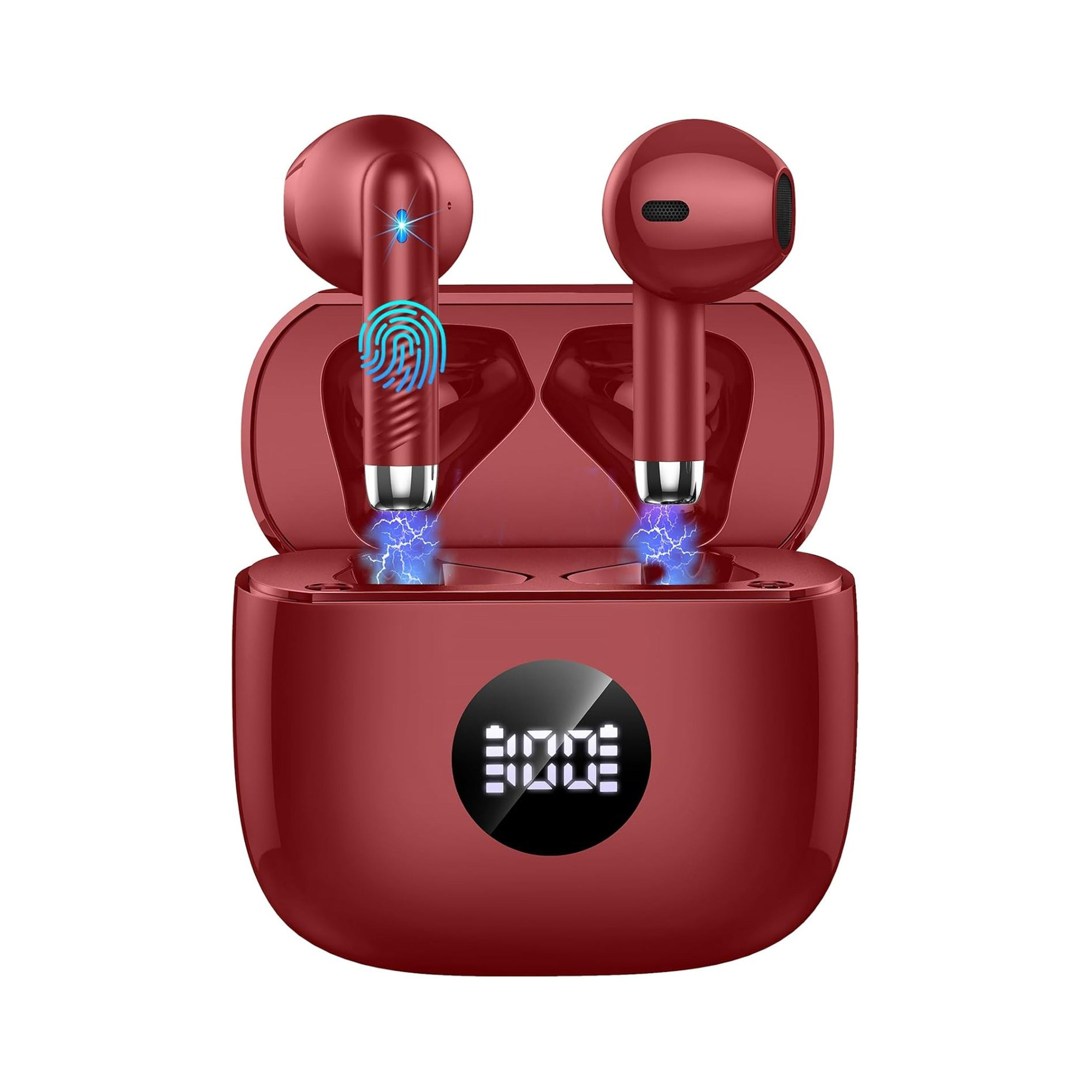
- Real-time LED battery display: According to the EARSOLE Wireless Earbuds with LED Display, IPX7 – Series 113 (catalog listing), the charging case features an LED display that shows the remaining battery of each earbud and the charging case in real time, and on a full charge of 1 hour the earbuds last up to 8 hours while the fully charged case provides about 4 recharges. The Series 113 listing also specifies Bluetooth 5.4 auto-reconnection when opening the case lid, touch control keys on each 3 g semi-in-ear earbud (working together for stereo sound or alone), 13 mm dynamic speakers with ENC call noise reduction, and IPX7 waterproof nano-coating.
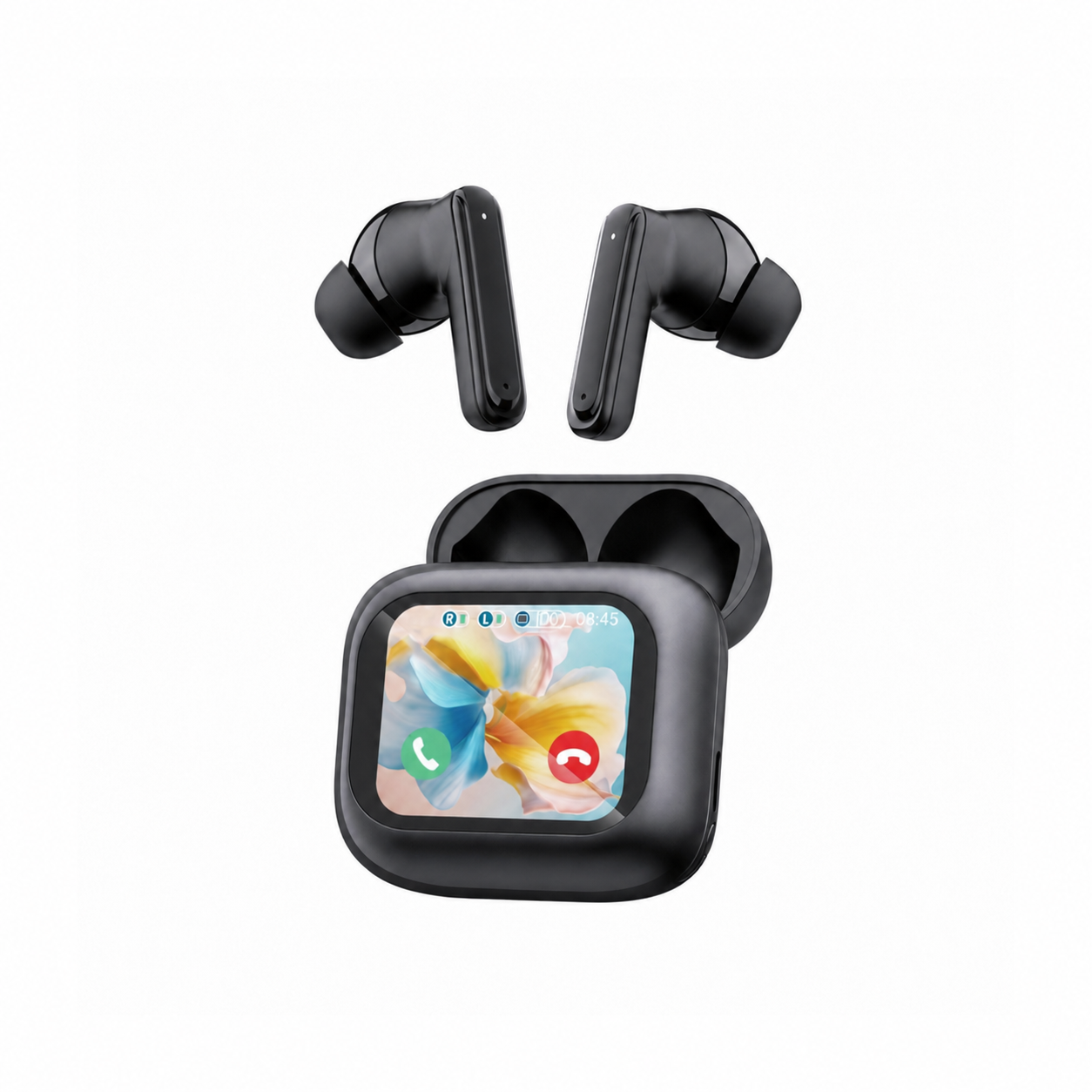
- Full-color LCD touchscreen control hub: According to the EARSOLE Smart Wireless Earbuds with LCD Touchscreen Case – Bluetooth 5.4 ANC/ENC (catalog listing), the earbuds pair with a full-color LCD touchscreen charging case that lets you manage music, adjust volume, handle incoming calls, and navigate settings directly from the case in Chinese or English. The listing specifies Bluetooth 5.4 (open the case, pick the earbuds in phone settings once, and reconnect on later uses), ANC + ENC noise reduction, a built-in microphone, and soft silicone tips, while noting that no water-resistance rating is listed for this model.
Frequently Asked Questions
What is TWS mode on earbuds?
TWS stands for True Wireless Stereo, where the left and right earbuds link to each other wirelessly as a stereo pair before connecting to your phone or laptop. As Blackview notes, on button-free TWS earbuds the charging case acts as the control hub, and closing both earbuds inside the case for 10–15 seconds forces a hard power cycle that resets the internal sync between the left and right earbuds.
Can you turn on TWS earbuds without the charging case?
It depends on your earbud model. In r/Earbuds (thread 1rlkqpv), owners note that while some TWS models (such as the QCY T13, QCY MeloBuds Pro, OnePlus Buds Pro 2 and 3, and Tozo NC20) let you power them on manually outside the case via a long press on the touch sensors, many newer button-free models cannot wake from an auto-shutdown timeout until briefly returned to the charging case.
How to know when true wireless earbuds are fully charged or need a reset?
Your charging case indicates battery status through its LEDs or screen, while one-sided audio or pairing failures indicate that a reset is needed. For instance, the EARSOLE Series 113 listing states a real-time LED display showing the remaining battery of each earbud and the charging case (tying a 1-hour full charge to up to 8 hours of use plus about 4 case recharges), while the EARSOLE Smart Wireless Earbuds with LCD Touchscreen Case provide a full-color LCD touchscreen for managing controls and settings. When earbuds fail to sync even with a charged battery, Blackview recommends closing both inside the case for 10–15 seconds—or running a 10-second single-earbud isolation cycle followed by 15 seconds with both closed inside—to reset their stereo link.