



To get a broken headphone jack out of a phone, tablet, laptop, or Chromebook without ruining the audio port, hold the device with the headphone socket facing downward so gravity assists you and start with a non-adhesive mechanical sleeve—either by pushing the empty, ink-free bottom end of a ballpoint pen (Biro or Bic) ink tube firmly over the stuck 3.5 mm tip or by sliding a thin-walled extraction cylinder like the iFixit GripStick between the socket wall and the broken plug. According to MakeUseOf and school IT technicians in Reddit’s r/k12sysadmin community, mechanical friction sleeves grip the broken metal cylinder cleanly without risking liquid glue seizing the internal spring contacts. If a sleeve cannot get purchase on the snapped tip, you can escalate carefully to hooking the plug’s plastic insulating ring with a bent L-shaped thumbtack, embedding a heated L-shaped paperclip into the plastic ring, or using a tiny, pre-tacky dab of hot glue or superglue on a narrow applicator—while never attempting to glue a snapped 3.5 mm plug back together for reuse.
Why 3.5mm Headphone Plugs Snap Off (And Why Your Speakers Go Silent)
When users search how do you get a broken headphone jack out or troubleshoot a headphone stuck in jack emergency, the fracture almost always happens at the exact same structural point on the connector. According to Christian Cawley’s broken headphone plug removal guide on MakeUseOf, the small metal cylinders on 3.5 mm audio plugs are structurally weak where the black plastic insulating rings appear along the length of the barrel—a vulnerability shared across standard wired earphones and headsets. You can see how those insulating rings separate the tip, ring, and sleeve conductors in our guide to TRS vs TRRS 3.5mm aux cable anatomy.
MakeUseOf also notes that cheaper earphones are particularly prone to poorly manufactured plugs, creating a dual risk when a cord is yanked sideways from a laptop, tablet, or smartphone: the plug itself snaps at the insulating ring, and the jagged fracture can scrape or bend the socket contacts inside your device.
Why a Broken Tip Mutes Your Device’s Built-In Speakers
Beyond blocking you from plugging in replacement earphones, a snapped tip trapped at the bottom of the 3.5 mm port usually silences the device’s internal speakers:
- The “Headphone Mode” trap: As MakeUseOf explains, if you play audio and hear nothing from your phone, tablet, or laptop speakers, the broken metal tip inside the socket is still depressing the port’s detection contact and telling the operating system that earphones are plugged in.
- Audio routed to nowhere: As far as your smartphone, iPad, or laptop is concerned, it is actively sending audio down the 3.5 mm jack to your earphones—resulting in total silence during media playback and phone calls until you either extract the broken tip or switch your audio output to wireless Bluetooth.
- Gravity-assisted orientation: Before attempting any DIY extraction method, MakeUseOf advises holding your device with the earphone socket pointing straight downward so gravity helps the dislodged tip slide out rather than wedging deeper into the barrel. Be aware that all DIY extraction methods are performed at your own risk, as excessive force or spilled adhesive can permanently damage the port.
Decision Matrix: 6 Ways to Remove a Broken Headphone Jack Ranked from Safest to Last Resort
In school districts and office IT departments where technicians pull broken 3.5 mm tips out of student Chromebooks and laptops every week, non-destructive mechanical sleeves are strongly preferred over liquid adhesives. In an r/k12sysadmin troubleshooting thread on broken-off headphone jacks (thread 135k6ti), an IT administrator asked for a reliable way to pull out a broken jack other than dissecting the laptop chassis. Responders who had extracted 20 to 30+ stuck jacks in minutes without damage pointed to thin-walled sleeve tools like the iFixit GripStick and the open ink-free end of a Bic ballpoint pen ink tube—corroborating MakeUseOf’s mechanical methods while avoiding glue accidents.
Use the comparison matrix below to choose the safest extraction method for how your plug broke:
| Safety Rank | Extraction Method | Required Tools | How It Grips the Broken 3.5mm Tip | Port Damage Risk | Best Used When… |
|---|---|---|---|---|---|
| 1 (Safest DIY) | Ballpoint Pen (Biro / Bic) Ink Tube Sleeve | Plastic ink cartridge pulled from a standard ballpoint pen (plus optional nail, heat, or slipper tap) | The hollow, ink-free bottom end of the plastic tube slides over the broken metal cylinder and grips it by friction | Very Low (soft plastic tube will not scratch metal contacts; zero liquid adhesive) | A clean cylinder section of the broken tip is accessible inside the socket with a thin gap around its rim |
| 2 (Safest Pro Tool) | Dedicated Extraction Sleeve (iFixit GripStick) | Thin-walled metal GripStick headphone plug extraction tool | Slides into the microscopic gap between the socket wall and the broken tip to clamp the cylinder mechanically | Very Low (purpose-built cylinder; K-12 IT techs report reusing a single tool across many extractions) | You manage multiple laptops/Chromebooks, want to avoid warranty send-aways, or the pen tube is too thick |
| 3 (Moderate) | Bent L-Shaped Thumbtack / Drawing Pin | Standard thumbtack or drawing pin + hammer to bend the very tip into an “L” hook | The bent point is pushed and twisted into the exposed black plastic insulating ring at the top of the broken piece | Moderate (sharp steel point can scratch side spring contacts if your hand slips) | The plug snapped directly across a black plastic insulating ring, leaving soft plastic exposed at the fracture face |
| 4 (Moderate-High) | Heated L-Shaped Paperclip | Unwound metal paperclip bent 90° into an “L”, heatproof grip, and lighter or stove | The heated tip melts slightly into the exposed black plastic ring and hardens as it cools over a few minutes | Moderate-High (excess heat can deform plastic port housings if touched against the socket wall) | You have no glue or sleeve tube on hand and the broken piece has an exposed plastic ring at the break |
| 5 (Controlled Adhesive) | Toothpick + Tiny Dab of Cooled Hot Glue | Narrow wooden or plastic toothpick + hot glue gun | A tiny bead of slightly cooled hot glue presses against the top of the debris and solidifies before withdrawal | Moderate-High (hot glue strings can smear onto internal contacts, though easier to peel than cyanoacrylate) | Mechanical sleeves cannot slide around the tip and you want a milder adhesive than cyanoacrylate superglue |
| 6 (Last Resort) | Tacky Superglue on Cocktail Stick or Plug Shaft | Cocktail stick (or remaining plug shaft), tiny dab of superglue, plus rubbing alcohol & Q-tip | A tiny blob of superglue waited until tacky bonds to the fractured metal end after 30+ seconds of downward pressure | High (wet superglue wicking onto socket walls will permanently seize the port) | All sleeve and hook methods have failed and you can apply a microscopic, partially dried tacky dab with steady hands |
Method 1 & Method 2: Non-Destructive Mechanical Sleeve Extraction (Pen Ink Tube & GripStick)
Mechanical sleeve extraction is the safest way to answer how to remove broken headphone jack from laptop, tablet, or phone ports because nothing sharp pry-bars against the internal spring tabs and no liquid glue enters the chassis.
Method 1: The Ballpoint Pen (Biro / Bic) Ink Tube Technique
As MakeUseOf points out, the plastic ink tube running up the inside of a standard ballpoint pen (Biro) has almost the exact same internal diameter as a 3.5 mm earphone plug. In r/k12sysadmin (thread 135k6ti), school IT technicians likewise report good field success using the open end of a ballpoint ink tube out of a Bic pen, depending on where the plug fractured.
Follow MakeUseOf’s step-by-step procedure with the device’s headphone port facing downward:
- Extract the pen’s inner ink tube: Pull the writing nib out of a standard disposable ballpoint pen and remove the clear plastic inner tube that holds the ink.
- Locate the ink-free open end: Flip the plastic tube around so you are working with the empty bottom end where there is no ink.
- Push firmly over the broken tip: Insert the ink-free open end straight into the earphone socket and push it firmly over the stuck 3.5 mm tip.
- Wait and withdraw slowly: Pause for a moment so the plastic sleeve settles tightly around the metal cylinder, then pull the tube straight out. The friction fit should bring the broken tip out with it.
4 Escalation Tweaks If the Pen Tube Slips on the First Pull
If the plastic ink tube does not grab the broken connector on your first attempt, MakeUseOf outlines four progressive adjustments you can make to the tube:
- Widen the tube mouth slightly: Push a nail gently into the open, ink-free end of the plastic tube to flare the opening just enough to slide snugly over the broken plug’s shoulder.
- Soften the tube rim with brief heat: Quickly warm the empty end of the plastic tube to soften it, push it immediately into the socket over the broken plug, and leave it for a moment to cool and harden around the metal contours before pulling it out.
- Add a micro-dab of adhesive inside the tube rim: Place a tiny dab of hot glue, superglue, or even chewing gum onto the very end of the tube before pushing it over the plug so the adhesive stays contained inside the sleeve rim.
- Cut a 2-inch sleeve and tap it flush: For a stubborn tip, cut a two-inch length of the pen tube (or similar narrow tubing), insert it into the earphone socket over the broken fragment, and tap it gently into place with something firm—such as the sole of a shoe or slipper—to ensure the tube grips the lost part before pulling it out.
Method 2: The Dedicated GripStick Extraction Sleeve
When DIY pen tubes are slightly too thick for a tight-tolerance laptop or smartphone jack, MakeUseOf highlights the GripStick broken headphone jack removal tool as the purpose-built pro solution. Although buying a dedicated extraction tool costs more than household items, MakeUseOf notes that it is far less expensive than paying a repair shop to disassemble your device—and avoids the hassle of mailing a phone or tablet away under warranty or smartphone insurance just to clear a blocked port.
- How it works: You slide the ultra-thin metal cylinder of the GripStick into the earphone socket so it slips between the socket wall and the broken plug, push it firmly into place over the tip, and pull it straight out using the attached pull ring.
- Field durability in school IT labs: While the tool packaging describes the thin metal sleeve as single-use, a K-12 technician in
r/k12sysadmin(thread135k6ti) noted that the iFixit GripStick Headphone Plug Extraction Tool works remarkably well and reported keeping and reusing the exact same tool for ages across repeat student laptop extractions.
Method 3 & Method 4: Mechanical Hooking and Thermal Embedding Into the Plastic Ring
Because 3.5 mm plugs almost always snap along their black plastic insulating rings, the top surface of the stuck tip inside your jack often exposes a ring of plastic rather than solid brass or nickel. MakeUseOf details two ways to anchor into that plastic ring without using glue.
Method 3: The Bent L-Shaped Thumbtack (Drawing Pin)
If you want a quick mechanical hook without disassembling pens, MakeUseOf recommends modifying a standard thumbtack or drawing pin:
- Bend the point into an “L” hook: Take a normal metal thumbtack and tap the very tip with a hammer to bend the point into a tiny “L” shape.
- Seat the point against the plastic ring: Holding your phone, tablet, or laptop with one hand (socket pointing downward), slide the bent thumbtack into the earphone socket until the point touches the exposed black plastic insulating ring of the broken connector.
- Push and twist to burrow in: Push firmly and twist the thumbtack slightly so the bent L-point burrows into the plastic ring.
- Pull straight out: Once you feel confident the hook has solid purchase in the plastic, pull the thumbtack smoothly out of the jack to bring the broken tip with it.
Method 4: The Heated L-Shaped Paperclip
When you have no glue on hand and a thumbtack is too short to reach the bottom of a recessed port, MakeUseOf suggests using heat to embed a bent paperclip into the broken connector’s plastic ring:
- Shape the paperclip: Unwind a standard metal paperclip and bend the main shaft out 90 degrees at the tip to form a narrow “L” shape.
- Heat the bent tip safely: Grip the paperclip with pliers or a heatproof holder and heat the bent L-tip over a lighter or stove.
- Press into the plastic ring and cool: Carefully guide the heated paperclip straight into the audio socket—without touching the side walls of the port—and push firmly against the plastic ring of the broken headphone jack. Wait a few minutes for the melted plastic to cool and solidify around the L-bend.
- Withdraw slowly: Once cooled, slowly pull the paperclip straight out to extract the embedded tip.
Method 5 & Method 6: Controlled Adhesive Extraction (And Critical Superglue Safety Rules)
Adhesive extraction is the most widely repeated tip online—and also the fastest way to ruin a motherboard audio jack if liquid glue runs down the side walls of the socket. Both MakeUseOf and r/k12sysadmin technicians emphasize strict restraint whenever glue is brought near a 3.5 mm port.
Method 5: Toothpick with a Tiny Dab of Cooled Hot Glue
Before touching cyanoacrylate superglue, MakeUseOf recommends trying a wooden or plastic toothpick paired with a tiny dab of hot glue, provided the toothpick is narrow and long enough to reach the broken plug at the bottom of the socket:
- Apply and pre-cool: Dab a tiny amount of hot glue onto the tip of the toothpick and wait a moment for it to cool slightly so it is not runny.
- Contact the broken plug: Carefully insert the toothpick straight down the center of the earphone socket until the glue touches the top of the broken debris.
- Wait to dry and pull: Hold steady until the hot glue cools and dries completely onto the broken tip, then withdraw the toothpick straight out.
Method 6: Tacky Superglue on a Cocktail Stick or Remaining Plug Shaft
If every other method fails and you decide to use superglue, MakeUseOf stresses one non-negotiable mechanical principle: never insert wet, freshly applied superglue into the headphone jack.
- Wait until the glue is tacky: As MakeUseOf explains, superglue binds most effectively in this scenario when you let it dry slightly until it becomes tacky before bringing the two surfaces together. Using a cocktail stick (or another narrow applicator), place a microscopic blob of superglue onto the remaining fractured end of the earphone plug (or the flat tip of the applicator) and wait per the packet instructions until it turns tacky rather than liquid.
- Press for 30 seconds and cure: Slide the tacky tip straight into the socket without brushing the side walls, push down firmly against the stuck piece for 30 seconds or so, and wait a little longer for the bond to set before pulling straight out.
- Clean any residue immediately: MakeUseOf warns that using too much glue leaves residue inside the port that causes contact problems later. If a trace of residue remains, apply a little rubbing alcohol to a Q-tip (cotton swab) and swiftly clean inside the socket.
- Never reuse the snapped plug: Even if the extracted tip remains glued onto the end of your broken headphone plug and looks whole again, MakeUseOf warns that it cannot be used—do not attempt to re-insert a snapped and glued headphone jack into any socket, or it will immediately snap off inside the port again.
What If the Broken Tip Won’t Come Out? How Dual-Mode & Detachable-Cable Headphones Prevent Repeat Breaks
Once you finish extracting a broken 3.5 mm tip—or if a deeply wedged fragment refuses to budge—you have two hardware priorities: restoring audio output right away and making sure a tugged cord never snaps off inside your laptop, tablet, or phone again.
Immediate Check If the Broken Tip Remains Stuck
If the broken piece cannot be dislodged safely without opening the chassis, MakeUseOf advises testing whether your device’s built-in speaker volume still works by playing an audio track. If the broken tip is holding the internal jack switch closed and muting your speakers, MakeUseOf notes that switching to Bluetooth headphones is the most reliable way to bypass the blocked 3.5 mm socket and eliminate broken earphone connectors in the future.
Preventing Future Port Breaks with Dual-Mode (Bluetooth + Detachable 3.5mm AUX) Headphones
When a hardwired budget earphone plug snaps off, the entire pair of earphones is ruined because the fractured plug can never be reused. By contrast, over-ear headphones that combine wireless Bluetooth with a detachable 3.5 mm AUX audio cable solve both problems at once:
- Cord-free daily movement: Using Bluetooth when walking, commuting, or shifting around a desk removes physical side-load leverage on your laptop or phone’s 3.5 mm socket altogether.
- Replaceable 3.5 mm cable for wired sessions: When you do want a wired 3.5 mm connection for an airplane entertainment system, home stereo, or desktop PC, the detachable AUX cord can be unplugged and swapped in seconds if its connector ever wears down—without discarding the headphones.
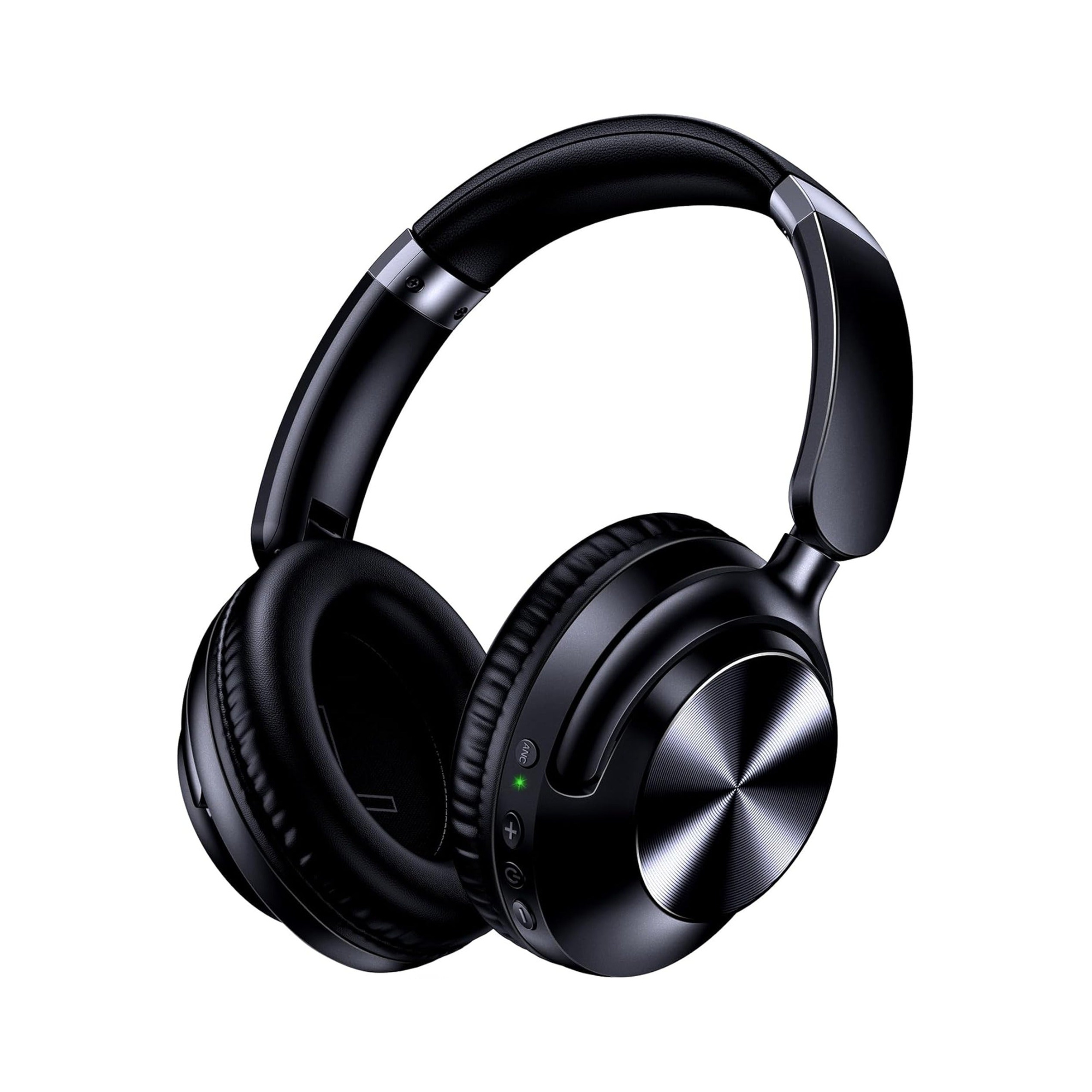
According to the merchant product listing for the EARSOLE Series 127 Noise Cancelling Over-Ear Headphones, the headset is designed to switch seamlessly between wireless Bluetooth connectivity and a 3.5 mm AUX wired connection using the included 47.2-inch audio cable. Per the EARSOLE Series 127 listing specifications (which are merchant statements rather than independent lab tests), the headphones also feature:
- Battery & Fast Charging: Up to 100 hours of playtime on a single charge, with fast-charging support listed at 10 hours of music from a 5-minute charge.
- Active Noise Cancellation: Stated up to 95% ambient noise reduction for subways, cars, or airplane cabins.
- Ergonomics & Portability: A lightweight 0.54 lb frame with ultra-soft protein leather ear cups that rotate up to 105 degrees, an adjustable headband, and an included travel pouch for storing the folded headphones and detachable 47.2-inch AUX cord safely in a bag.
| Headphone Design Type | Risk of Snapping a Plug in Your Device | What Happens If a 3.5mm Plug Ever Breaks | Works If Your Device’s 3.5mm Port Is Blocked? |
|---|---|---|---|
| Hardwired Cheap 3.5mm Earphones | High (MakeUseOf notes cheaper earphones often have poorly made plugs that break at the plastic rings and can damage sockets) | Entire headphone set must be thrown away (MakeUseOf warns never to re-insert a glued plug) | No (requires a clear, undamaged 3.5 mm socket) |
| Bluetooth-Only Wireless Headphones | Zero (no physical plug inserted into the 3.5 mm audio port) | Not applicable (no 3.5 mm cord) | Yes (routes audio digitally over Bluetooth, bypassing the 3.5 mm port) |
| Dual-Mode Over-Ear with Detachable Cable (EARSOLE Series 127) | Very Low (use wireless Bluetooth when moving; plug in the 47.2-inch 3.5 mm AUX cord only when stationary) | Only the detachable 3.5 mm AUX cable needs replacement; the headphones continue working wirelessly and with any replacement 3.5 mm cord | Yes (switches seamlessly between wireless Bluetooth and the 47.2-inch 3.5 mm wired connection) |
Frequently Asked Questions
Does a hollow ballpoint pen ink tube or GripStick tool get a broken headphone jack out without opening the laptop?
Yes. Both MakeUseOf and school IT technicians in Reddit’s r/k12sysadmin (thread 135k6ti) recommend mechanical sleeve extraction before considering chassis disassembly or glue. Because the ink-free open end of a standard ballpoint pen (Biro or Bic) ink tube has nearly the same internal diameter as a 3.5 mm headphone plug, pushing it firmly over the broken tip with the socket facing downward lets you pull the stuck cylinder straight out by friction. For tighter sockets or frequent IT repairs, the thin-walled metal iFixit GripStick slides between the socket wall and the broken tip—and r/k12sysadmin technicians note that a single GripStick can be reused many times without damaging the port.
Is it safe to use superglue to pull out a stuck headphone jack tip?
Applying liquid superglue directly into a 3.5 mm audio port is high-risk because excess glue can bond the broken tip permanently to the socket walls or foul the internal spring contacts. MakeUseOf advises using only a tiny amount of superglue applied with a cocktail stick, waiting until the glue dries slightly and becomes tacky before sliding it into the downward-facing socket, holding it against the broken piece for about 30 seconds, and pulling straight out once set. If any residual glue remains inside the port, MakeUseOf recommends swiftly cleaning the socket with a little rubbing alcohol on a Q-tip.
Can you reuse headphones after the 3.5mm plug snaps off in a jack?
No—you must never reuse the snapped 3.5 mm plug itself. MakeUseOf explicitly warns that even if a broken headphone jack tip comes out attached to the rest of the plug via superglue and appears repaired, it cannot be used and you must never attempt to put it back into a socket. If your earphones have a permanently attached cord, the earphones must be replaced. However, if you use dual-mode headphones with a detachable cord—such as the EARSOLE Series 127 Over-Ear Headphones, which include a detachable 47.2-inch 3.5 mm audio cable alongside wireless Bluetooth—you can simply discard the damaged cord, switch to Bluetooth immediately, or plug in a fresh 3.5 mm AUX cable.
