


How to Charge Wireless Earbuds: Series 194 Steps
Learning how to charge wireless earbuds properly ensures long-term battery health and reliable everyday playback. For the EARSOLE Lightweight True Wireless Earbuds, Series 194, charging revolves around standard low-voltage USB power and moisture prevention.
Series 194 recommends a standard 5V USB charger (5V/1A). Fast chargers are not required. The charging port and earbuds must be completely dry before charging.
Following these core charging guidelines prevents circuit damage and maintains battery longevity over hundreds of charge cycles.
Key takeaways
- Standard 5V power: Series 194 recommends a standard 5V USB charger (5V/1A), meaning high-wattage fast chargers are unnecessary.
- Moisture check: Always ensure the charging port and earbuds are completely dry before inserting the charging cable.
- Auto-pairing lid: Opening the lid of the charging case connects both earphones automatically to paired iOS and Android devices.
- Power source: Connect the included USB-C cable to a standard USB wall adapter, computer port, or low-current power bank.
How to charge wireless earbuds
Charging the Series 194 earbuds correctly takes three simple, verifiable steps:
- Connect a standard 5V/1A USB power source: Series 194 recommends using a standard 5V USB charger (5V/1A). Fast chargers and high-output laptop bricks are not required and deliver no speed benefit to compact earbud batteries.
- Inspect the USB-C port for moisture: Ensure the USB-C charging port on the bottom of the case is completely dry and free from dust or pocket lint before plugging in the cable.
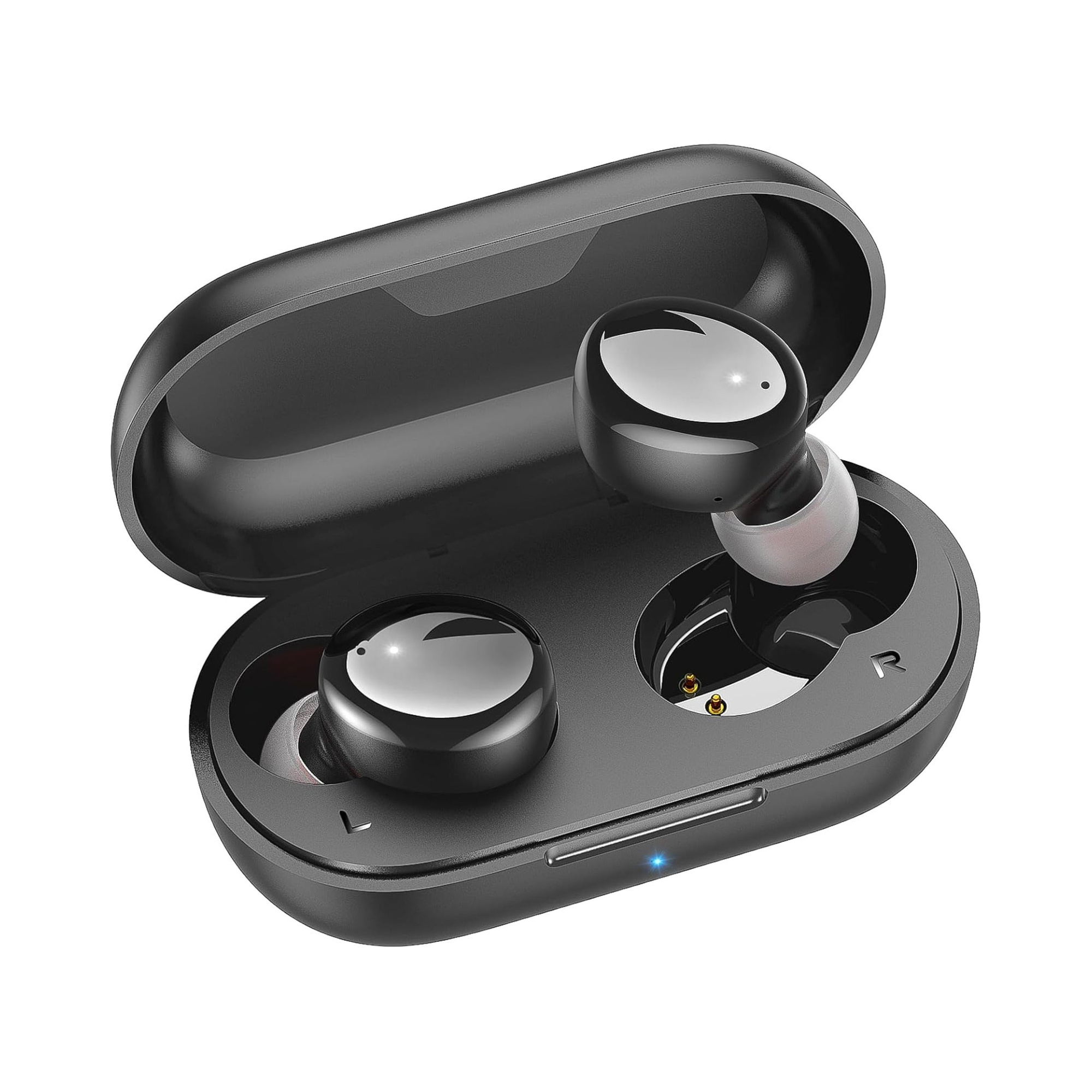
- Seat both earbuds firmly in the case: The earbuds charge from the internal case battery via contact pins. Ensure the earpieces are clean and completely dry before closing the lid to begin charging.
Keeping your earbuds docked inside the charging case between listening sessions protects the delicate acoustic diaphragms while keeping them topped up for your next commute.
Open the lid after charging
Once charging is complete, reconnecting your earbuds takes just a moment:
Series 194 features Bluetooth 5.3 wireless connectivity. Simply open the lid of the charging case, and both earphones connect automatically to your preferred source device, with full compatibility across iOS and Android.
This one-step auto-pairing mechanism activates immediately upon opening the case lid, allowing the left and right buds to synchronize stereo audio before you even place them in your ears.
Can a wireless charger charge earbuds?
The Series 194 lightweight case is designed exclusively for wired USB-C input and does not include an inductive Qi wireless charging receiver. Placing the case onto a wireless charging pad will not transfer power.
If you specifically require Qi charging pad compatibility, explore our companion breakdown on wireless charging on Series 215, which features dual wireless and USB-C power options.
How long to charge true wireless earbuds?
Typical true wireless earbud cases recharge fully within 90 to 120 minutes when connected to a standard 5V/1A power adapter. The internal earbud batteries usually reach a full charge inside the case within 60 to 90 minutes.
Because compact lithium-ion cells charge fastest during their initial phase, a short 15-minute top-up often provides enough power for an hour or more of podcast playback. Avoid leaving earbuds plugged into active chargers continuously for days at a time to prevent unnecessary cell stress.
Troubleshooting earbuds not charging
If you find your earbuds not charging when plugged in or docked, verify the following core checks:
- Check the power supply: Confirm that the wall adapter outputs standard 5V power and that the USB-C cable seats completely into the port.
- Clean the charging contacts: If an individual earbud stays dead inside the case, clean the gold pogo pins and earbud contact pads using a dry cotton swab to remove skin oils or earwax buildup.
- Verify port dryness: If moisture is detected in the port, allow the case to air dry completely in a warm, ventilated room before connecting power.
If your charging case shows no indicator lights at all, consult our detailed walkthrough on earbuds not charging in the case.
Recommended Power Input: 5V/1A Standards
Compact wireless earbuds use sensitive battery management systems tuned specifically for low-current charging. Using a standard 5V USB charger (5V/1A) provides the exact electrical specifications designed for Series 194. Connecting to standard computer USB ports, keyboard pass-through ports, or 5W wall blocks delivers gentle, stable power that avoids excess thermal buildup.
Wireless Earbud Battery Care and Safe Charging Practices
To maximize the operating lifespan of miniature lithium-ion earbud cells, follow these proven maintenance practices:
| Practice | Recommendation | Benefit |
|---|---|---|
| Charger Rating | Standard 5V USB charger (5V/1A) | Prevents thermal stress on compact charging circuits |
| Moisture Precaution | Keep charging port and earbuds dry | Prevents short circuits and contact corrosion |
| Storage Temperature | Store between 15°C and 25°C | Protects battery chemistry from extreme heat or cold |
| Docking Habit | Return earbuds to case after use | Keeps contacts aligned and batteries safely shielded |
Troubleshooting Common Charging Problems
- Review the Series 194 product page for complete technical specifications and included accessories.
- Read Wireless charging on Series 215 if you want an ear-hook design with dual Qi and USB-C support.
- See our guide on earbuds not charging in the case for step-by-step pin cleaning and reset procedures.
- Explore the broader everyday wireless earbuds collection to compare battery capacities and form factors.
Frequently Asked Questions About Charging Earbuds
How do you charge wireless earbuds?
To charge wireless earbuds, place both earpieces into their designated magnetic slots inside the charging case, ensure the contacts and USB-C port are completely dry, and connect the case to a standard 5V/1A USB charger using the supplied cable.
Do earbuds charge while the case is charging?
Yes. When the case is plugged into a 5V USB charger, incoming power charges both the internal case battery and the docked earbuds simultaneously, ensuring both components reach full capacity.
Can you overcharge wireless earbuds?
Modern true wireless earbuds incorporate integrated protection circuits that halt current flow once the battery reaches 100% capacity. However, disconnecting chargers once full is best practice for long-term cell health.
