



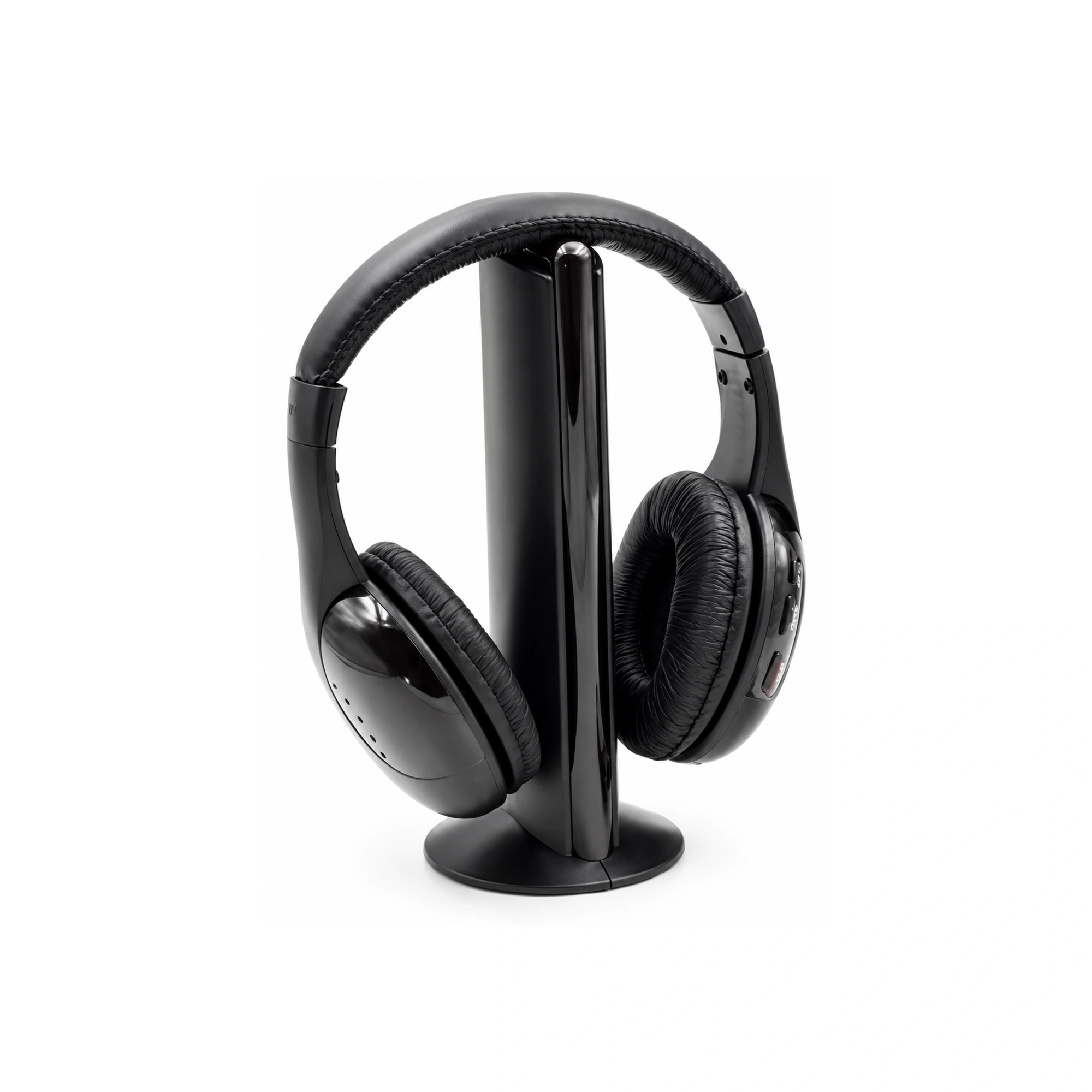
Connecting wireless headphones to a television without built-in Bluetooth requires plugging an external audio transmitter into one of your TV’s existing audio output ports—specifically a 3.5mm headphone jack, RCA red/white audio outputs, or an Optical (TOSLINK) audio output (QCY Support). Once the transmitter is powered via a USB port or wall adapter and the TV’s internal speakers are switched to External Audio Out, it broadcasts television audio wirelessly to your headset (QCY Support). In the Earsole catalog, the MH2001 Black Wireless TV Headphones ($22.99) pairs black headband headphones and padded earcups with an included transmitter base, while the SY-T10 Gray Wireless Headphones ($22.99) provides oval earcups, wide cushions, and a padded headband in a gray finish for listeners who use a separate Bluetooth transmitter or streaming stick.
Step 1: Check Your Non-Bluetooth TV’s Audio Output Ports
As QCY’s support guide notes, some older or budget-friendly televisions omit Bluetooth functionality altogether, and even some newer TVs only support Bluetooth for remote controls rather than audio output (QCY Support). However, televisions still provide physical audio output ports on the rear or side panel that can feed a wireless transmitter (QCY Support).
| Connection Method | TV Hardware / Port Used | How It Routes Sound to Headphones | Source Limitation / Setup Requirement |
|---|---|---|---|
| External Audio Transmitter (Optical, RCA, or 3.5mm) | 3.5mm headphone jack, RCA red/white audio outputs, or Optical (TOSLINK) audio output | Transmitter plugs into the TV’s audio output, draws power from a USB port or wall adapter, and broadcasts sound wirelessly | Requires setting the TV’s internal speakers to External Audio Out and using aptX Low Latency (aptX-LL) hardware to minimize audio lag |
| Streaming Device with Built-in Bluetooth | Amazon Fire TV Stick, Apple TV, Google Chromecast with Google TV, or Android TV boxes | Pairs Bluetooth headphones directly in the streaming box settings (Settings > Controllers & Bluetooth Devices > Other Bluetooth Devices) | Works only when TV sound comes through the streaming box—not through regular TV channels or a USB thumb drive plugged into the TV |
| 3.5mm AUX Wired Fallback | 3.5mm headphone output (or RCA via adapter) | Connects a 3.5mm AUX cable directly between the TV output and headphones that support passive wired mode | Eliminates wireless freedom in exchange for zero audio lag and no headphone battery drain |
Why Streaming Stick Bluetooth Doesn’t Cover Every TV Source
If you already use an Amazon Fire TV Stick, Apple TV, Google Chromecast with Google TV, or an Android TV box, pairing Bluetooth headphones directly to the streaming device is convenient for streaming apps (QCY Support). However, QCY’s guide points out that streaming-device Bluetooth only works when the audio originates inside that streaming box, not on regular television channels (QCY Support). In a r/hometheater thread on connecting headphones to a non-Bluetooth Samsung TV (Reddit r/hometheater discussion), poster Mahdrek confirmed that after pairing Bluetooth headphones to a Google Chromecast plugged into an HDMI slot, movies and series played from a USB thumb drive plugged directly into the TV’s USB port did not route audio to the headphones. Plugging a transmitter into the TV’s own Optical, RCA, or 3.5mm output avoids that input restriction.
Step 2: Dedicated TV Transmitter Docks vs. Standalone Optical-to-Bluetooth Transmitters
When you connect to the TV’s physical audio output ports, community discussions highlight two wireless architectures:
- Dedicated TV Headphone + Transmitter Dock Systems
- In a
r/HeadphoneAdvicethread on wireless TV headphones (Reddit r/HeadphoneAdvice discussion), contributorFromWitchSideexplained that dedicated TV wireless systems—such as Sennheiser’s RS line (for example, RS 120 or RS 175)—comprise a pair of headphones and a larger transmitter that acts like a stationary dock for the headset, and often support more than one headphone pair simultaneously.
- In a
- Optical-to-Bluetooth Transmitters Paired with Standard Bluetooth Headphones
- In the
r/hometheaterthread (Reddit r/hometheater discussion), contributorsk9592noted that while an external DAC and high-quality wired headphones can cost $300–$500, buyers who want affordable wireless convenience can pair an optical-to-Bluetooth transmitter with standard Bluetooth over-ear headphones. - To prevent noticeable lip-sync delay when watching movies or shows over Bluetooth, QCY recommends choosing a Bluetooth transmitter and headphones that support aptX Low Latency (aptX-LL) (QCY Support).
- In the
Step 3: Comparing Earsole’s Two $22.99 Over-Ear Headphones for TV Setups
Our catalog offers two over-ear wireless headphone models priced at $22.99 (2299 cents) that align with these two setup preferences. Because our catalog records do not list unverified internal electronics specs—such as exact Bluetooth codec support, wireless carrier frequency, battery runtime hours, or included audio cables—we compare both models strictly on their verified catalog attributes.
| Catalog Attribute | MH2001 Black Wireless TV Headphones | SY-T10 Gray Wireless Headphones |
|---|---|---|
| SKU | EAR-1688-578133329942 | EAR-1688-826853605120 |
| Category | TV Headphones | Wireless Headphones |
| Price | $22.99 | $22.99 |
| Transmitter Hardware | Transmitter base included | Headset only (pair with an external Bluetooth transmitter or streaming stick) |
| Ear Cup & Cushion Features | Padded earcups | Oval earcups and wide cushions |
| Headband Structure | Headband headphones | Padded headband |
| Finish / Color | Black finish (Black) | Gray finish (Gray) |
1. MH2001 Black Wireless TV Headphones ($22.99)
The MH2001 Black Wireless TV Headphones (SKU EAR-1688-578133329942, category TV Headphones, $22.99) features headband headphones, a vertical transmitter base, padded earcups, and a black finish.
- Best fit: Living-room or bedroom televisions where you want a dedicated headset accompanied by its own tabletop transmitter base rather than pairing multi-use portable headphones.
- Catalog boundary: Earsole’s product record verifies the headband headphones, transmitter base, padded earcups, and black finish at $22.99. Specific transmitter input jacks (such as 3.5mm, RCA, or optical), wireless transmission protocol, and battery life are not specified in the catalog listing.
2. SY-T10 Gray Wireless Headphones ($22.99)
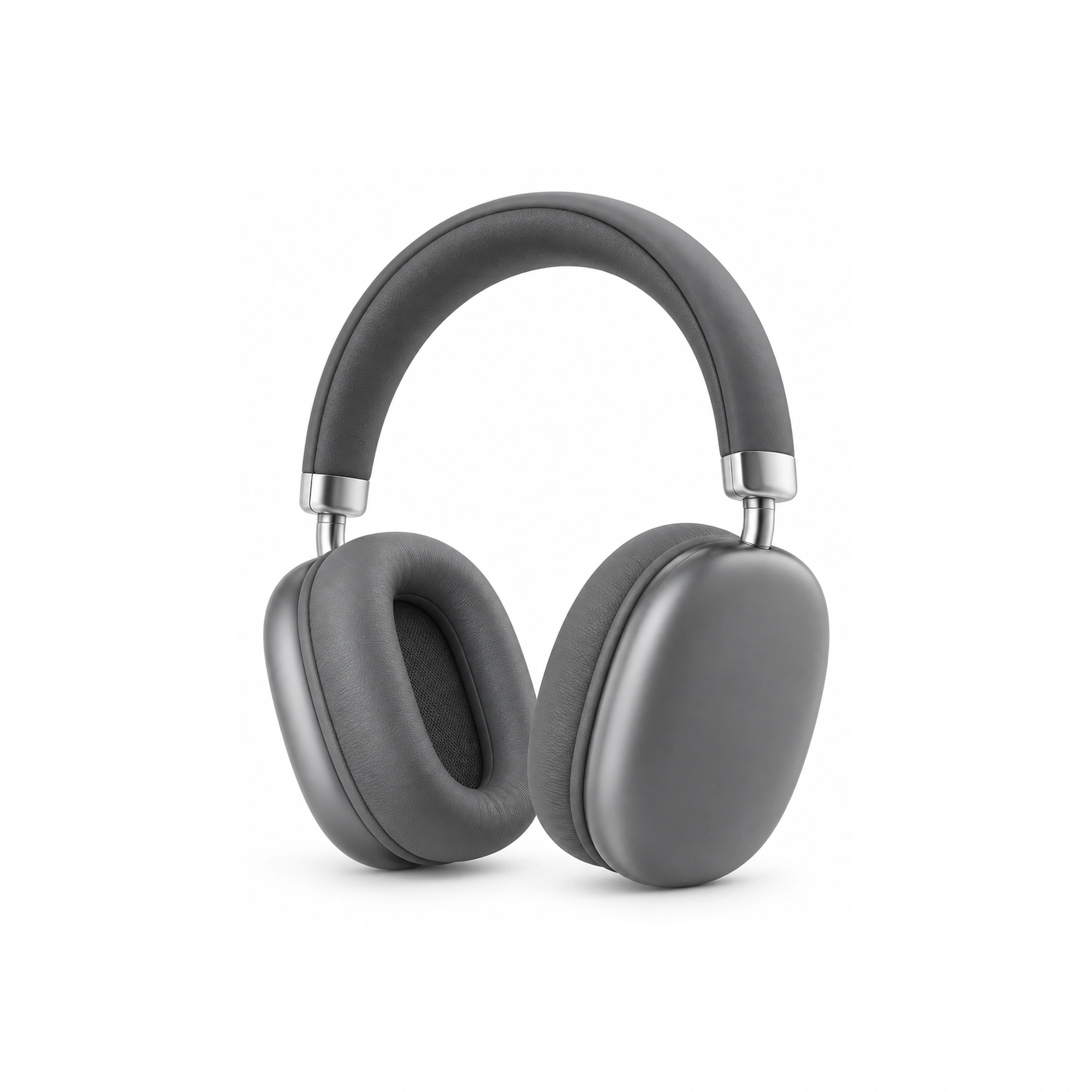
The SY-T10 Gray Wireless Headphones (SKU EAR-1688-826853605120, category Wireless Headphones, $22.99) features oval earcups, a padded headband, wide cushions, and a gray finish.
- Best fit: Listeners who already use a standalone Bluetooth audio transmitter plugged into their TV’s 3.5mm, RCA, or Optical port—or who listen through a Bluetooth-enabled Fire TV Stick, Apple TV, Chromecast with Google TV, or Android TV box—and want oval earcups with wide cushions and a padded headband.
- Catalog boundary: Earsole’s product record verifies the oval earcups, padded headband, wide cushions, and gray finish at $22.99. Exact Bluetooth version, aptX Low Latency support, driver diameter, and battery runtime are not listed in the catalog record.
Step 4: Step-by-Step Transmitter Connection Checklist
To connect an external Bluetooth audio transmitter to a non-Bluetooth TV, follow the four-step sequence outlined in QCY’s setup guide (QCY Support):
- Plug the Transmitter into Your TV’s Audio Output
- Connect the transmitter to your television’s 3.5mm headphone jack, RCA red/white audio outputs, or Optical (TOSLINK) audio output (QCY Support).
- Connect Transmitter Power
- Power the transmitter using a USB port or a wall adapter (QCY Support).
- Set Your TV Speakers to External Audio Out
- In your television’s sound menu, make sure the internal speakers are set to External Audio Out so the television routes sound to the transmitter port (QCY Support).
- Put Your Headphones into Pairing Mode
- Place your wireless headphones into pairing mode so the transmitter connects and broadcasts your TV sound wirelessly (QCY Support).
Frequently Asked Questions
How do I connect wireless headphones to a TV without Bluetooth?
Plug an external Bluetooth audio transmitter into your television’s 3.5mm headphone jack, RCA red/white audio outputs, or Optical (TOSLINK) audio output, power the transmitter via a USB port or wall adapter, set your TV’s internal speakers to External Audio Out, and put your wireless headphones into pairing mode (QCY Support). Alternatively, you can choose a TV headphone set that includes a transmitter base, such as the MH2001 Black Wireless TV Headphones ($22.99), or pair over-ear headphones like the SY-T10 Gray Wireless Headphones ($22.99) with a standalone transmitter.
Can I pair wireless headphones to a Fire TV Stick, Apple TV, or Chromecast instead of buying a TV transmitter?
Yes—streaming devices such as Amazon Fire TV Stick, Apple TV, Google Chromecast with Google TV, and Android TV boxes often support Bluetooth audio directly through their device settings (QCY Support). However, this only routes audio that plays through the streaming box itself, not regular TV channels (QCY Support) or media played from a USB thumb drive plugged directly into the television (Reddit r/hometheater discussion).
How do I avoid audio lag when using Bluetooth headphones with a non-Bluetooth TV?
To prevent lip-sync lag where spoken dialogue does not match the actors’ lips on screen, QCY recommends using a Bluetooth transmitter and wireless headphones that support aptX Low Latency (aptX-LL) (QCY Support), or connecting via a 3.5mm AUX cable in passive wired mode when zero delay is required (QCY Support).
