



In r/headphones thread 1dknxbn, commenters explain that 10-foot, 15-foot, and 25-foot 3.5 mm cable runs work cleanly when you use a higher-quality, thicker shielded cable carrying a low-impedance line-level audio signal and avoid running the cord in parallel with power cables. Because a standard 3.5 mm TRS aux cord carries an unbalanced analog audio signal, cable construction, source impedance, and room routing determine whether your living-room setup stays quiet or picks up audible hum.
When your listening distance stretches across a large room or around AC power strips, understanding the electrical limits of unbalanced 3.5 mm cables—and when to switch a dual-mode headset between its 3.5 mm AUX cord and wireless Bluetooth—helps you keep clear audio without cable clutter.
What Is the Longest Aux Cord Sold vs Practical Home Length?
When you search online for a long 3.5mm audio cable to connect a television, desktop computer, or stereo receiver to headphones or speakers across the room, retail listings can make it look as if any length works identically.
In an r/headphones discussion on whether a long 3.5 mm cable works well for TV listening (thread 1dknxbn), original poster patopansir asked whether replacing a 6-foot cable with a longer 3.5 mm aux cable for a TV would cause interference, and commenters replied that CowntChockula recommends getting a higher-quality, thicker cable with more shielding, dirthurts already uses a 15-foot cable, blargh4 notes that 10 feet is perfectly fine if it is not the lowest-quality cable, and Pusfilledonut uses a 25-foot cable with a 99% servo shield and double conductors.
Rather than hitting a single universal footage cutoff where every 3.5 mm cord suddenly stops working, an auxiliary cable’s performance depends on how well its shielding and signal level handle the environment between your audio source and your ears.
| Aux Cable Scenario | Typical Setup Approach | Signal & Routing Considerations |
|---|---|---|
| Desk or Bedside Setup | Short desktop or bedside run | Minimal exposure to room power wiring; focus on strain relief and case-friendly plugs |
| Couch-to-TV Living Room Run | Shielded 3.5 mm home cable run | Works cleanly with a thicker copper-shielded cable, low-impedance output, and separation from AC power cords |
| Multi-Obstacle Room Layout | Dual-mode wireless Bluetooth or balanced wiring | Avoids running unbalanced 3.5 mm cords alongside crowded AC power strips |
Why Long 3.5mm Cables Pick Up Hum: Shielding, Impedance, and Power Cords
To understand why some long 3.5 mm runs sound crystal clear across a living room while others buzz, it helps to look at how an unbalanced 3.5 mm TRS cable carries audio compared with balanced studio wiring:
- Unshielded cables and high-impedance sources: In r/headphones thread
1dknxbn, commenterhellotanjentexplains that a super cheap unshielded cable connected to a high-impedance, low-voltage source can pick up noticeable hum from power cables next to it or devices like old cell phones. - Shielded cables, low-impedance signals, and parallel power cords:
hellotanjentnotes that a shielded cable carrying a low-impedance line-level audio signal usually will not pick up any audible interference, that a shielded cable carrying a balanced audio signal is almost immune to interference, and that a 10-foot run is not long enough to worry about unless you use the cheapest cables and run them in parallel with your power cables.
Physical build quality matters just as much as electrical impedance when routing a cord around furniture or plugging into cased devices. According to Magnasonic’s AC03 3-foot 3.5 mm auxiliary audio cable page (which describes the 3 ft / 1 m Nyrius stereo audio cable), the cable features a braided nylon and rubber jacket, a tangle-free flexible cord, and enhanced strain relief that withstands stress from bending to maintain superior signal integrity, while gold-plated connections and copper shielding result in pure signal transfer and a reduction in electronic interference, and the metal headshell’s beveled step-down design allows the plug to be fully seated without physical interference from a smartphone or tablet case.
When a 3.5 mm plug is blocked by a thick phone or tablet case and fails to click all the way into the jack, the ground sleeve makes poor contact—creating buzzing or dropped channels that users often mistake for cable-length signal loss.
How to Set Up a Clean 10–15 Foot TV or Desk Run (Or Switch to Dual-Mode Wireless)
If you are setting up a long 3.5 mm audio run across a living room or studio desk, follow a practical hardware checklist before laying the cord along your baseboards:
- Choose copper shielding and a thicker jacket: Avoid paper-thin unshielded cords; select a thicker 3.5 mm cable with copper shielding and strain relief to guard against electromagnetic interference and sharp bends.
- Keep the aux cord away from parallel AC power cables: Do not bundle a long 3.5 mm audio cable inside the same cable sleeve or baseboard channel as AC power strips and TV power cords.
- Check for a beveled step-down connector barrel: Make sure the 3.5 mm plug headshell clears any protective case on your phone, tablet, or portable player so the TRS contacts seat completely.
- Drive the cable from a low-impedance headphone or line output: Low-impedance outputs maintain a stronger voltage signal against ambient noise than unamplified high-impedance connections.
When routing a long 3.5 mm cord across walkways or past crowded power strips is impractical, dual-mode over-ear headphones let you choose between a direct 3.5 mm AUX cable at your desk and wireless Bluetooth across the room:
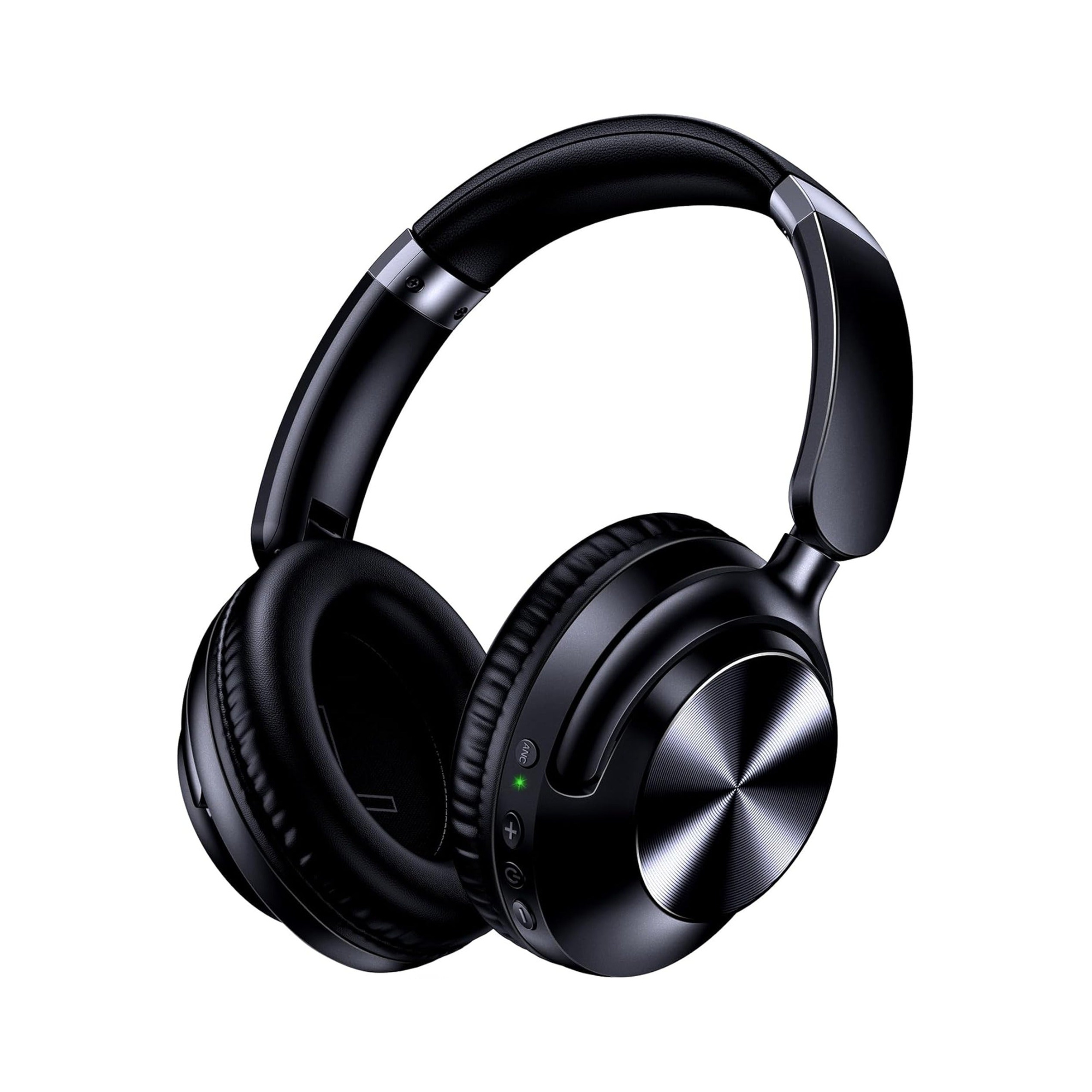
- EARSOLE Noise Cancelling Over-Ear Headphones, Wireless & Wired – Series 127: According to the EARSOLE Series 127 product listing, these over-ear headphones let you seamlessly switch between wireless Bluetooth connectivity and a 3.5 mm AUX wired connection using the included audio cable, and specify ultra-soft protein leather ear cups for a cushioned feel during long listening sessions, ear cups that rotate up to 105 degrees, an adjustable headband, Active Noise Cancellation, and a handy travel pouch.
For a broader look at how cabled and cordless audio setups compare in daily listening, see our guide to wired vs wireless earbuds.
Frequently Asked Questions About Aux Cord Length and Sound Quality
What is the maximum length of an AUX cable?
In r/headphones thread 1dknxbn, commenters note that 10-foot and 15-foot 3.5 mm cable runs—and even a 25-foot cable with a 99% servo shield and double conductors—work cleanly when you use a higher-quality, thicker shielded cable carrying a low-impedance line-level signal and avoid running it in parallel with power cables.
Does a longer AUX cable affect sound quality?
In r/headphones thread 1dknxbn, commenter hellotanjent explains that a shielded cable carrying a low-impedance line-level audio signal usually will not pick up any audible interference over a 10-foot run, whereas a super cheap unshielded cable connected to a high-impedance, low-voltage source can pick up noticeable hum from power cables next to it or devices like old cell phones.
How do I stop a long 3.5mm audio cable from buzzing or humming?
In r/headphones thread 1dknxbn, commenters CowntChockula and hellotanjent explain that you can avoid noticeable hum and audible interference on a longer 3.5 mm cable by choosing a higher-quality, thicker cable with more shielding, driving it with a low-impedance line-level audio signal rather than a high-impedance, low-voltage source, and avoiding running the cable in parallel with power cables.
