Smart Translation Earbuds With QR-Bound Companion Apps and Touchscreen Charging Cases
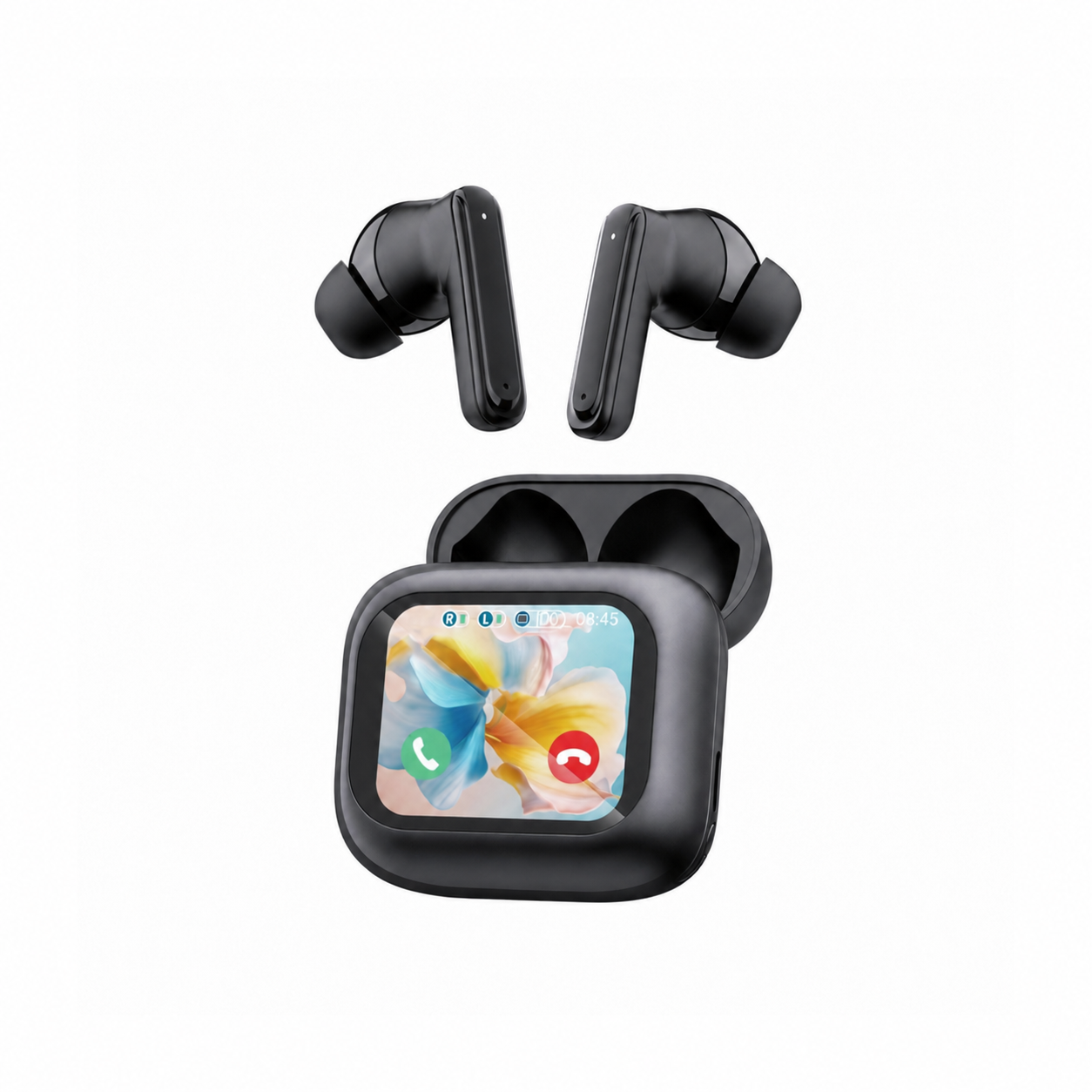
Modern smart translation earbuds combine two distinct hardware control planes into a single pocketable kit: an interactive LCD touchscreen built into the charging case lid and a cloud-connected AI translation suite running on your smartphone. While the charging cradle’s capacitive display handles local Bluetooth Low Energy (BLE) commands—such as EQ curve switching, ANC mode toggling, and acoustic bud-finding—bilingual speech processing requires binding the hardware to its companion app via a serialized QR activation token.
Understanding which tasks execute locally on the charging case microcontroller and which require an authenticated GATT bridge to the smartphone app prevents setup frustration. If you only pair the earbuds through your phone’s system Bluetooth menu without completing the in-app QR handshake, media playback works normally, but the neural translation engine remains locked.
How QR Device Binding and Dual-Channel Bluetooth Work Together
Because neural Automatic Speech Recognition (ASR) and cloud translation APIs incur per-minute server compute costs, hardware manufacturers embed a cryptographic license or device UUID inside the manual or on the charging case screen itself. When you open the companion app and scan that QR code while the earbuds are actively connected over Bluetooth, the app verifies the hardware MAC address and unlocks the translation modes without requiring a monthly subscription.
Under the hood, the earbuds maintain two simultaneous wireless pathways: a classic Bluetooth A2DP/HFP audio pipe to stream voice packets to and from the phone, and a low-power BLE GATT control link between the earpieces, the LCD charging case, and the companion app. Swiping the case screen sends a lightweight hex command over BLE to adjust equalizer bands or trigger the phone camera shutter instantly.
| Feature / Function | Execution Hardware | Wireless Protocol Used | Requires Companion App Open? | Works Offline Without Internet? |
|---|---|---|---|---|
| ANC / Transparency Toggle | Earbud DSP + LCD Case MCU | Internal BLE / Pogo-Pin UART | No (controlled directly on case screen) | Yes (100% local firmware execution) |
| 5-Band EQ & Volume Trim | Earbud DSP + LCD Case Screen | Local BLE GATT Command | No (stored in earbud NVRAM) | Yes (instant local register update) |
| Find My Earbud Tone | LCD Case Screen → Earbud Driver | Local BLE Wake & High-Freq Beep | No (triggered from case menu) | Yes (works within 10 m RF range) |
| Live Speech Translation | Phone NPU / Cloud ASR + Earbuds | Bluetooth HFP/A2DP + App Bridge | Yes (foreground or active background) | Only if offline language pack installed |
Navigating Touchscreen Charging Case Controls Without Drawing Your Phone
Having a full-color capacitive screen on the charging case eliminates the need to memorize cryptic triple-tap stem gestures or unlock your smartphone during a flight or meeting. Swiping across the case display lets you check independent left and right earbud battery percentages, switch between bass-boost and vocal-clarity equalizer presets, enable spatial audio, or set a countdown timer directly from your desk.
When using the earbuds for bilingual meetings, you can also display the device binding QR code directly on the charging case LCD screen if you switch from a personal phone to a work handset. Just make sure you never submerge or rinse the charging cradle—while the earbuds themselves carry IPX4 or IPX5 sweat protection, the LCD assembly and USB-C port on the case must stay completely dry.
Switching From Feature-Rich Daytime Hardware to Sleep Comfort
Touchscreen charging cases and multi-mic translation stems pack impressive utility into your daytime carry, yet bright LCD screens and structured polycarbonate earbud shells are the last things you want on your nightstand at 11:00 PM. Lying on your side with a standard commuter or translation earpiece drives the rigid housing straight into your ear canal.
Flat, stemless earbuds for sleeping on your side, with a dynamic sleep-support mode and a starlight glow charging case. See the three colors at EARSOLE.
When your workday wraps up, swapping your smart LCD translation earbuds for an ultra-flat sleep earbud removes side-sleeping ear pressure while offering a soft, eye-friendly starlight case glow in the dark. Your ears get weightless acoustic masking all night while your daytime translation kit recharges for tomorrow.
Best Practices for Maintaining Your QR License and Case Display
Take a clear photo of the activation QR card included in your packaging and save it to your cloud photo favorites on day one, especially if your model prints the single-use binding code on a paper insert rather than displaying it dynamically on the case screen. If you upgrade your smartphone later, unbind the earbuds inside the old phone’s app settings before scanning the code on your new device so the license server does not flag a duplicate seat.
To maximize the charging case’s standby battery life, set the LCD auto-sleep timeout to 15 seconds and disable accidental wake-on-tap before slipping the case into a tight jeans pocket. For a deeper look at how the translation software operates once bound, read our guide on setting up live translation earbuds across Touch, Speaker, and Free-Talk modes.
Frequently Asked Questions
Why does the companion app ask for a QR code when my earbuds are already paired in Bluetooth settings?
Standard phone Bluetooth pairing only links the audio channel; scanning the QR code inside the companion app authenticates your hardware license on the translation server and binds the BLE data pipe required for speech recognition.
Does the touchscreen on the charging case display live translated subtitles?
On most smart translation earbud architectures, the charging case LCD handles local hardware controls—like ANC modes, EQ, battery levels, and music transport—while live bilingual transcripts render on your smartphone’s larger screen where the ASR engine runs.