Setting Up Live Translation Earbuds Across Touch, Speaker, and Free-Talk Modes
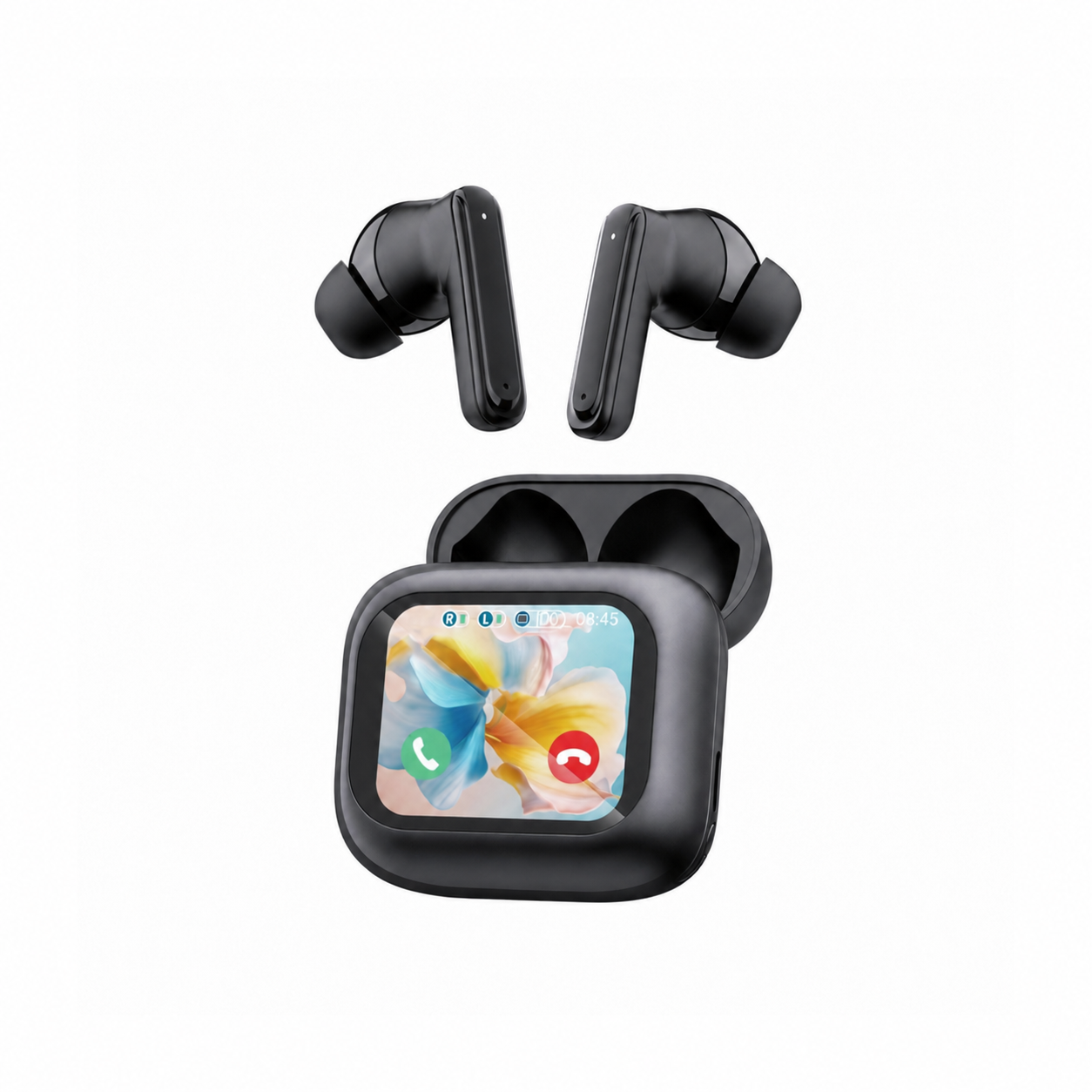
Pairing a set of live translation earbuds to your smartphone Bluetooth menu only establishes the basic media and hands-free audio transport; the actual bilingual routing happens inside the companion app’s interaction matrix. If you walk into a noisy street market with the app left in hands-free Free-Talk mode, passing scooters and background chatter will continuously trigger the Voice Activity Detector and flood your ear with irrelevant fragments.
Every translation scenario requires a specific microphone gating topology. Knowing when to hand a sanitized secondary earpiece to a colleague in Touch Mode, when to project responses through your phone’s loudspeaker at a hotel check-in counter, and when to enable continuous duplex listening keeps cross-border conversations smooth and accurate.
Matching Interaction Modes to Acoustic Environments
Companion apps divide live interpretation into three primary workflows based on who holds the microphone and how background noise is rejected. Touch Mode assigns one earbud to each speaker and keeps both microphone arrays muted until a participant physically holds or taps the capacitive stem sensor, providing clean acoustic boundaries even in 75 dBA exhibition halls.
Speaker Mode keeps both earbuds in your own ears while using your smartphone’s bottom microphone and loudspeaker to communicate with a stranger, avoiding the hygiene awkwardness of sharing an in-ear silicone tip with a taxi driver or cashier. Free-Talk Mode opens both earbud microphones simultaneously for hands-free dialogue over dinner or in a quiet meeting room where ambient noise stays below 55 dBA.
| Translation Mode | Hardware Distribution | Microphone Trigger Method | Ideal Acoustic Setting (< dBA) | Primary Limitation |
|---|---|---|---|---|
| Touch Mode (1-on-1) | 1 earbud per person (split pair) | Manual capacitive tap-and-hold or tap-to-toggle | Crowded trade floors & cafes (up to 75 dBA) | Requires sharing one earpiece with partner |
| Speaker Mode | Both earbuds in user’s ears + phone | Tap earbud to speak; hold phone toward partner | Quick retail, transit & hotel desks (up to 70 dBA) | Phone speaker output audible to bystanders |
| Free-Talk (Duplex) | 1 earbud per person (split pair) | Automatic VAD energy and pause detection | Quiet office or dining table (under 55 dBA) | Cross-talk if both people speak simultaneously |
| Listen / Lecture Mode | Both earbuds in user’s ears + phone | Continuous phone mic capture toward podium | Conference keynotes & university halls | One-way comprehension only; no vocal reply |
Step-by-Step Permission and Audio Routing Setup
Before starting your first bilingual session, grant the companion app persistent microphone access, local network/Bluetooth device discovery, and unrestricted background battery execution in iOS or Android settings. If your mobile operating system puts the companion app to sleep when the screen dims after 30 seconds, the ASR transcription pipeline will freeze mid-sentence even though the earbuds remain paired.
Next, select the exact regional locale pair—such as Mexican Spanish versus Castilian Spanish—so the acoustic model applies the right phonetic dictionary, and test the input gain bar before handing over an earpiece or lifting the phone. In Speaker Mode, hold the smartphone 20 to 30 centimeters from your conversation partner’s chest rather than pressing it directly against their mouth, which prevents plosive clipping on the phone’s MEMS capsule.
Unwinding After a Full Day of In-Ear Translation Sessions
Wearing rigid stem-style earbuds through back-to-back client negotiations, factory tours, and airport transfers leaves the concha bowl and tragus tender from hours of mechanical contact and continuous vocal playback. Once you check into your room for the night, thick daytime housings cannot be worn comfortably if you sleep on your side.
Flat, stemless earbuds for sleeping on your side, with a dynamic sleep-support mode and a starlight glow charging case. See the three colors at EARSOLE.
Rotating from daytime AI translation earbuds to a flush silicone sleep housing lets your outer ear rest flat against the pillow without localized cartilage pressure. Gentle background rain or pink noise masks unfamiliar hotel HVAC hum so you recover deeply before the next morning’s itinerary.
Pre-Conversation Hygiene and Battery Management Checklist
Whenever you plan to split a pair of earbuds for Touch Mode or Free-Talk Mode, carry alcohol prep pads and spare silicone ear tips so your guest can snap on a fresh tip in seconds. Keep the two earpieces within two meters of the host smartphone placed flat on the table between you; if one person leans back beyond the Bluetooth body-shadowing threshold, uplink packets will drop and clip word endings.
Monitor battery drain carefully during continuous duplex translation, since keeping the Bluetooth SCO microphone channel open consumes roughly 35% more current than passive music streaming. To understand why translated speech takes a moment to play back after each clause, read our technical guide on real-time translation earbuds and ASR pause latency.
Frequently Asked Questions
Can I use live translation earbuds without handing one of my earbuds to the other person?
Yes. Switch the companion app to Speaker Mode so you keep both earbuds in your ears; when the other person speaks into your smartphone microphone, you hear the translation privately in your earbuds, and your spoken reply plays aloud through the phone speaker.
Why does Free-Talk Mode keep translating background voices in a restaurant?
Free-Talk Mode relies on automatic Voice Activity Detection, which cannot always distinguish nearby table conversations from your partner’s voice in loud rooms; switching to Touch Mode forces the microphone to record only when you press the earbud sensor.