If you are shopping for usb c headphones for iphone 16 (or usb c headphones for iphone 15), or wondering why an old pair of USB-C earphones from a drawer plays sound through your iPhone’s speakers instead of the buds, the culprit is almost always the difference between passive analog USB-C audio and digital USB-C audio with a built-in DAC. Ever since Apple replaced the Lightning port on the iPhone 15 and iPhone 16 lineup, the USB-C port outputs digital audio packets rather than raw analog speaker voltage.
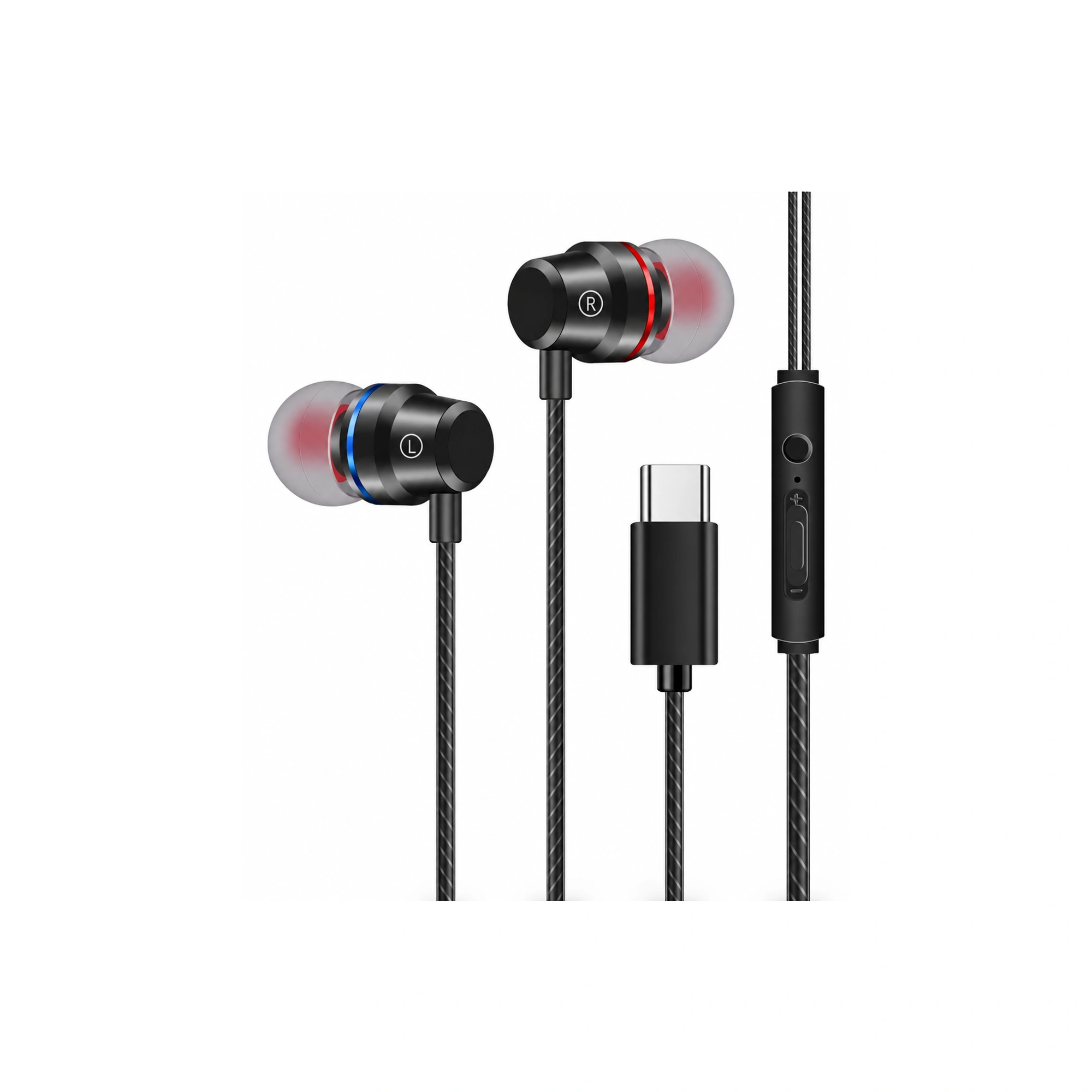
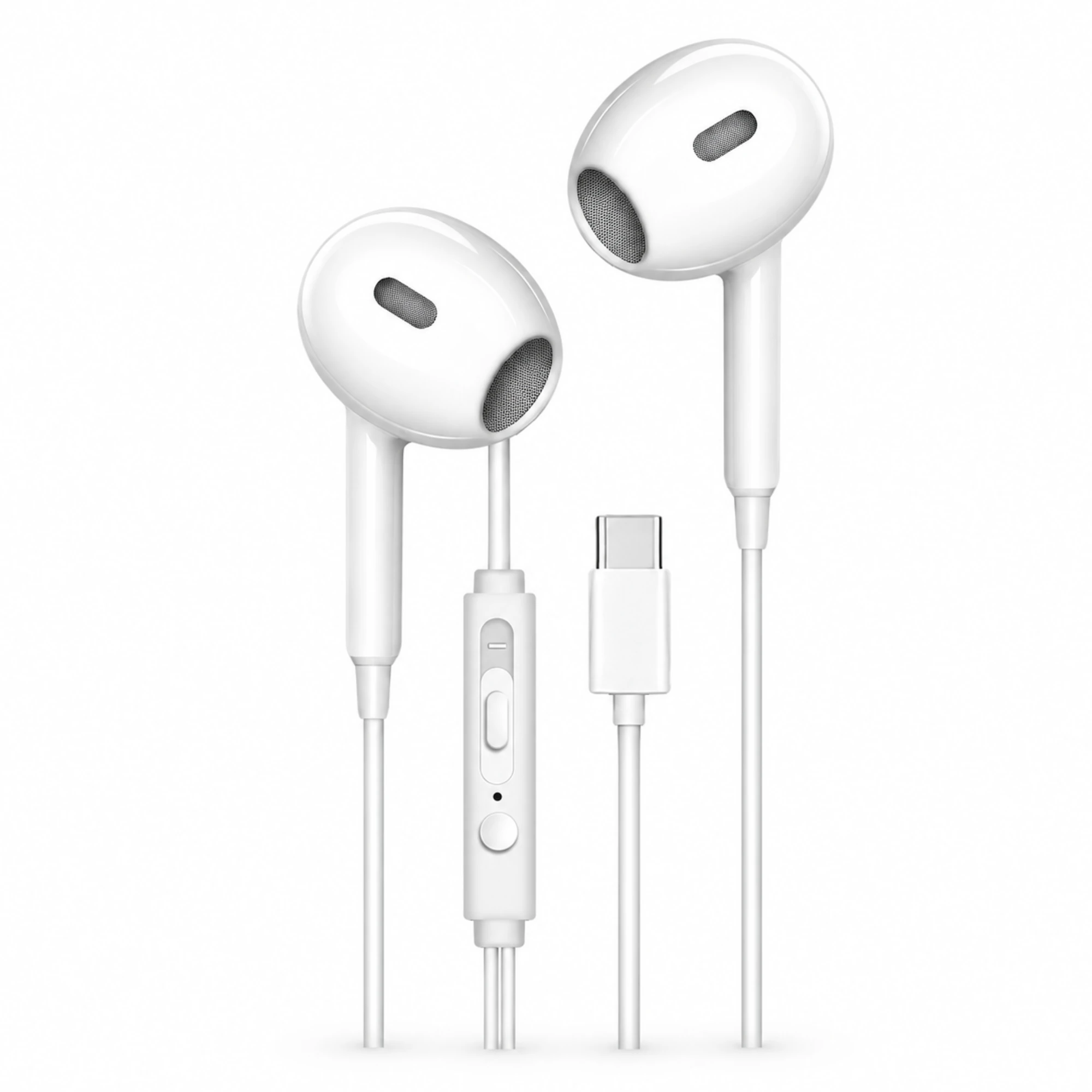
Below, we explain why modern iPhones require USB-C headphones with an integrated Digital-to-Analog Converter (which we cover in detail in our USB-C DAC headphones explainer), walk through the r/iphone troubleshooting steps when a working pair of USB-C earphones suddenly fails to register on iPhone 16, and compare two wired styles in the EARSOLE catalog: the open-fit EARSOLE White USB-C Earbuds with Inline Controls and the silicone-tipped EARSOLE Black Red-and-Blue Ring USB-C Earbuds.
Why iPhone 15 and iPhone 16 USB-C Ports Require Earphones With a Built-In DAC
When USB Type-C first appeared on early smartphones, some budget phones routed analog left/right audio directly over the USB-C pins using a shortcut called Analog Audio Adapter Accessory Mode. However, the USB Implementers Forum later moved the industry away from passive analog routing. According to Wikipedia’s USB-C reference, USB Type-C is a 24-pin reversible connector published by the USB Implementers Forum (and adopted as IEC 62680-1-3) that supersedes legacy USB connectors and Apple’s Lightning connector, transfers data, power, and audio/video signals to peripheral devices and speakers, and lists Analog Audio Adapter Accessory Mode as deprecated.
Because Apple’s iPhone 15, iPhone 16, and iPad USB-C ports strictly follow digital USB Audio Class standards, they do not output analog audio over the USB-C pins:
- Digital (Active DAC) USB-C Earphones: Contain a tiny Digital-to-Analog Converter (DAC) and amplifier chip inside the USB-C plug housing or inline remote. When plugged into an iPhone 16, iOS recognizes the plug as a digital USB audio peripheral and routes music and call audio to the earbuds immediately.
- Passive (Analog-Only) USB-C Earphones: Contain only bare wires inside the USB-C plug with no DAC chip. When plugged into an iPhone 15 or iPhone 16, the iPhone completely ignores them.
In r/iphone (thread 1wpnw3u, “USB-C earphones not working on iPhone 16”), an iPhone 16 owner asks: “Having issues with using my usb-c earphones. My iPhone 16 is not recognizing it but it’s working on my brother’s iPhone 17 Pro,” and a commenter explains the hardware rule for non-Apple buds: “Others? They need a DAC in the USB-C port or they won’t work.”
Troubleshooting USB-C Earphones Not Working on iPhone 16 (r/iphone Real-World Reports)
What if your USB-C earphones worked yesterday—or work on another phone—but your iPhone 16 suddenly acts as if nothing is plugged in? In r/iphone15 (thread 1poqjwj), an owner describes what happens when an incompatible passive USB-C earphone is plugged in—“After Connecting the earphone the sound came from the phone speaker like i didn’t connect anything”—while another user in r/iphone (thread 1wpnw3u) notes that even active USB-C earphones and USB-C mic receivers can temporarily fail to enumerate on iOS until the port and OS handshake are checked.
Run through this four-step checklist to isolate the cause:
- Test the USB-C Earbuds on a Second Device (iPad, Mac, or Second Phone): As the r/iphone thread (
1wpnw3u) shows, testing the exact same USB-C earbuds on a second USB-C phone or laptop immediately tells you whether the earbuds’ internal DAC/cable failed or whether your iPhone 16 port is refusing the USB data handshake. - Flip the Reversible 24-Pin USB-C Plug 180 Degrees and Check for Pocket Lint: Even though USB-C is a 24-pin reversible connector, compacted pocket lint at the bottom of the iPhone 16 receptacle—or a single oxidized data pin on one side of the tongue—can allow battery charging to work while blocking USB audio enumeration.
- Check iOS USB Accessories Permission & Force-Restart the iPhone: Go to Settings > Face ID & Passcode (scroll down to Allow Access When Locked) and make sure USB Accessories is toggled on so iOS does not block USB-C audio accessories plugged in while the screen is locked, then perform a quick volume-up, volume-down, side-button force restart.
- Verify Audio Output in iOS Control Center: Swipe down from the top-right corner of your iPhone 16, tap the AirPlay / Audio Output icon on the media card, and check whether your USB-C headphones appear as a selectable output alongside iPhone Speaker.
| USB-C Headphone Symptom on iPhone 16 | What It Means | Recommended Fix |
|---|---|---|
| Brand-new cheap USB-C buds never register; audio plays from iPhone speaker (r/iphone15 1poqjwj) | Passive analog USB-C earphones with no built-in DAC chip | Switch to digital USB-C earbuds or use an active USB-C DAC adapter |
| USB-C buds work on one iPhone/laptop, but not on your iPhone 16 (r/iphone 1wpnw3u) | Lint/oxidation on iPhone USB-C data pins or locked USB Accessories setting | Clean port gently, flip USB-C plug 180°, enable USB Accessories when locked, and restart iOS |
| Audio plays, but inline remote buttons don’t pause or adjust volume | Inline remote doesn’t send standard USB HID media commands | Use on-screen iOS volume or choose USB-C earbuds with full inline controls |
Comparing Semi-In-Ear vs In-Ear USB-C Wired Earbuds with Inline Controls
When choosing usb c headphones for iphone 16 that plug straight into the bottom port without dongles or battery charging, your main decision is whether you prefer an unsealed semi-in-ear shell or a sealed silicone-tipped in-ear fit:
- For Pressure-Free Calls, Podcasts & Desk Work (Semi-In-Ear USB-C): According to the EARSOLE White USB-C Earbuds with Inline Controls listing, the wired earbuds feature a semi-in-ear shape, visible speaker grilles, and inline controls designed to connect through a USB-C audio port. If you dislike the plugged-ear feeling of deep rubber tips during FaceTime calls or office work, the EARSOLE White USB-C Earbuds with Inline Controls rest lightly in the outer ear and give you quick inline button access.
- For Commutes & Stronger Passive Seal (In-Ear Tipped USB-C): According to the EARSOLE Black Red-and-Blue Ring USB-C Earbuds listing, the black wired earbuds feature red and blue accent rings, in-ear tips, a USB-C connector, and inline control. If you ride transit or want soft tips that seal the ear canal and distinguish left and right buds at a glance with red and blue rings, check out the EARSOLE Black Red-and-Blue Ring USB-C Earbuds.
Frequently Asked Questions
Do all USB-C headphones work on iPhone 16 and iPhone 15?
No. Because USB-C deprecated passive Analog Audio Adapter Accessory Mode (Wikipedia USB-C) and iPhones output digital audio over the 24-pin USB-C port, third-party USB-C earphones must include a built-in Digital-to-Analog Converter (DAC) to work on an iPhone 15 or iPhone 16 (as highlighted by users in r/iphone thread 1wpnw3u). Passive analog USB-C earbuds will leave sound playing from the phone’s built-in speakers.
Why do my USB-C earphones work on another phone but not on my iPhone 16?
If your USB-C earphones work on another iPhone or laptop (as reported in r/iphone thread 1wpnw3u), the earphones already have a working DAC chip. The most common causes on the non-working iPhone are pocket lint preventing the plug’s USB data pins from seating fully, iOS blocking USB accessories when the lock screen is active, or a stuck iOS USB audio session that clears after a force restart.
Should I choose semi-in-ear or in-ear USB-C wired earbuds for an iPhone 16?
Choose semi-in-ear wired buds like the EARSOLE White USB-C Earbuds with Inline Controls if you want an open, unsealed fit that stays comfortable during long calls and lets you hear your surroundings. Choose in-ear tipped wired buds like the EARSOLE Black Red-and-Blue Ring USB-C Earbuds if you want a snugger ear-canal seal for music on louder commutes.