Even in offices filled with wireless headsets, corded earbuds with microphone support and usb-c wired headphones with microphone controls remain a staple inside laptop bags and desk drawers. A corded headset never drops out mid-sentence during a 90-minute video call because of a dead battery, never asks Windows or macOS to renegotiate Bluetooth hands-free profiles, and lets you adjust volume or pause audio with a physical inline button.
Yet choosing the right wired earbuds with mic for work involves two practical decisions that spec sheets rarely connect: matching your plug type (4-pole 3.5mm TRRS vs USB-C) to your computer and phone, and picking an earpiece shape that matches how often coworkers interrupt you at your desk.
How Inline Microphones and Remote Controls Work on 3.5mm TRRS and USB-C Corded Earbuds
When you plug a corded headset into a laptop, tablet, or smartphone, the cable must carry both two-channel stereo audio to the drivers and a return path for your inline remote and voice signal.
According to Wikipedia’s Phone connector (audio) reference, a three-conductor TRS connector is used for stereo headphones without a microphone, whereas a four-conductor TRRS (tip-ring-ring-sleeve) 3.5mm connector provides an additional contact conductor to carry stereo audio alongside a microphone signal and inline remote signaling.
When comparing corded earbuds with microphone or inline-remote pods across your work devices, here is how the two physical connectors differ:
- 3.5mm 4-Conductor TRRS Plugs: Identifiable by three insulating black or white rings separating four metal contact zones (Left, Right, Ground, and Mic/Control). Almost all modern business laptops, MacBooks, and docking stations use a single combo 3.5mm TRRS headset jack. Pressing the inline button briefly shorts the mic/control line through a specific resistor value, telling the host device to play/pause or answer a call.
- USB-C Corded Headsets: Modern smartphones (iPhone 15/16, Samsung Galaxy, Google Pixel) and ultra-thin notebooks omit the 3.5mm jack or make USB-C the most accessible port on the side of the chassis. USB-C wired headphones with microphone or inline controls send digital USB Human Interface Device (HID) commands when you press
+,-, or the center button, keeping playback and volume controls consistent across USB-C hosts.
| Plug & Fit Style | Host Port Required | Ear Canal Seal | Best Office Scenario |
|---|---|---|---|
| USB-C Semi-In-Ear Corded Earbuds | USB-C port (phones, tablets, modern laptops) | Unsealed outer-bowl rest (natural room awareness) | Collaborative desks where coworkers stop by to talk |
| 3.5mm TRRS Silicone-Tipped In-Ear Buds | 3.5mm combo headset jack (laptops, docks) | Sealed ear-canal fit (passive noise isolation) | Noisy open offices when you need focus without distractions |
| 3.5mm On-Ear Wired Headphones | 3.5mm combo jack (right-angle plug reduces desk strain) | Supra-aural padded cushions on the outer ear | Easy slip-on / slip-off wear between scheduled video calls |
Solving the Office Desk Dilemma: Silicone In-Ear Tips vs Semi-In-Ear & Open Designs (r/Earbuds)
Most people shopping for inline microphone earbuds assume that deeper passive noise isolation is always better for work. If you sit in a loud call center and never speak to anyone in the room around you, soft silicone ear tips that seal the ear canal do a great job muffling keyboard clatter and HVAC hum.
However, if you work at a collaborative office desk where colleagues walk up every few minutes to ask a quick question, a deep silicone seal creates two annoying problems: the “occlusion effect” (where your own voice booms inside your head if you try to speak with the tips inserted) and physical ear-canal irritation from repeatedly yanking the rubber tips in and out.
In r/Earbuds (thread 1v83c0h, “Thoughts on clip style buds for office wear”), an office listener explains the everyday frustration of sealed in-ear tips at a busy desk: “I practically live with headphones on at work. But I got really sick of pulling a silicone tip out of my ear every five minutes whenever someone walked up to my desk. I tried transparency mode for a bit, but listening to office noise through a mic just sounds artificial and gives me a headache after a few hours.”
Instead of relying on sealed tips or artificial electronic mic passthrough, leaving the ear canal unsealed makes quick desk conversations effortless. In the same r/Earbuds thread (1v83c0h), the poster notes that switching to an unsealed fit let them “just hit pause when a coworker starts talking to me,” and a commenter agrees: “Yeah, I wear my ear clips and ear hooks all day long - the natural open ear transparency is a game changer for my productivity.”
You get that same unsealed, hit-pause-and-talk convenience in a corded format by choosing semi-in-ear wired earbuds rather than deep-sealing canal tips. Because a semi-in-ear housing rests gently in the outer concha bowl without plugging the ear canal, you can tap the inline pause button and talk to a coworker naturally without pulling an earbud out of your ear.
Comparing EARSOLE Corded Options: Semi-In-Ear USB-C, 3.5mm In-Ear, and On-Ear Wired Headphones
Depending on whether your laptop or phone uses USB-C or a 3.5mm jack—and whether your workday calls for unsealed desk awareness or passive isolation—you can match the exact corded design in the EARSOLE catalog:
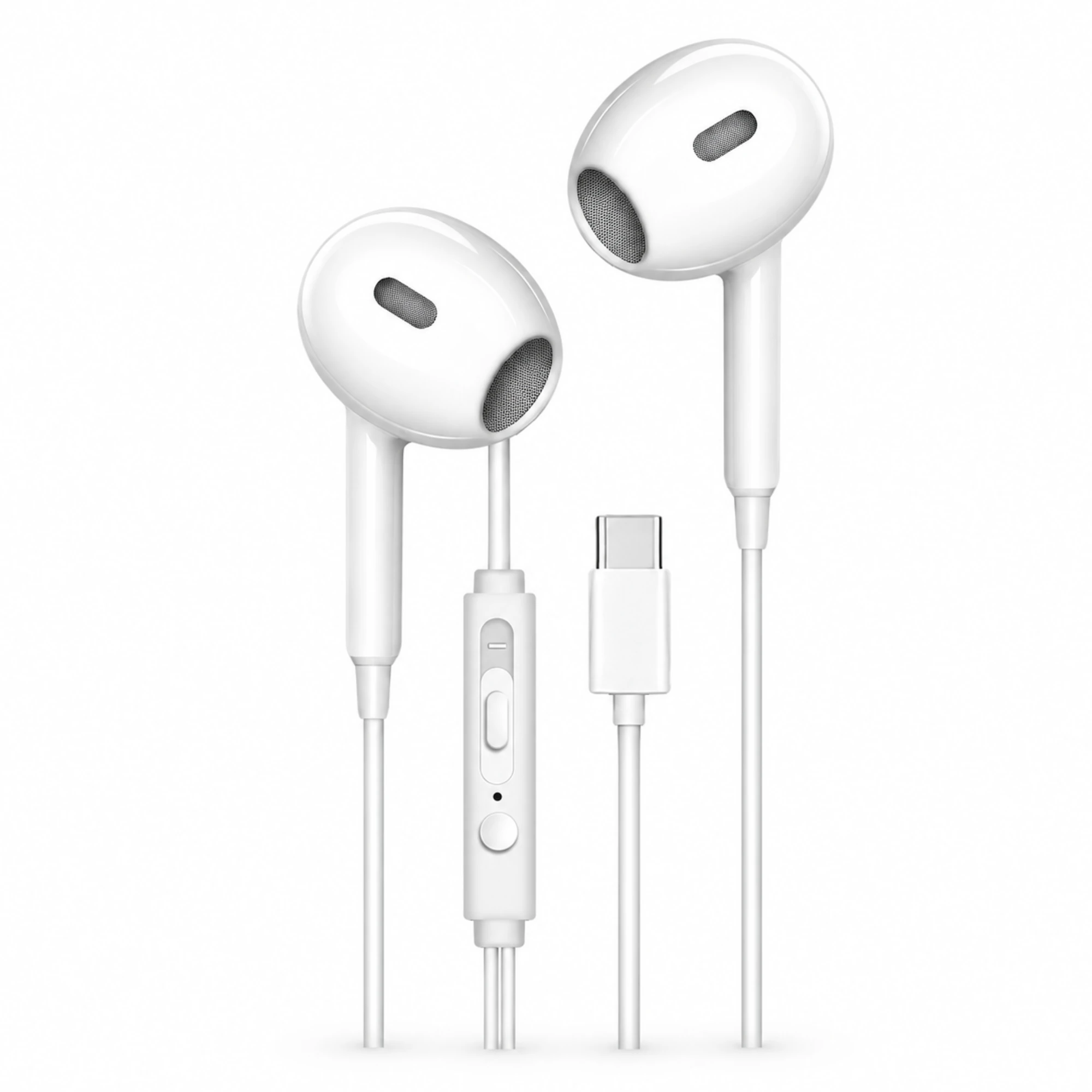
- For Unsealed Desk Comfort & Direct USB-C Connection: According to the EARSOLE product catalog, the EARSOLE White USB-C Earbuds with Inline Controls ($5.26) feature a contoured semi-in-ear shell with no deep silicone ear tips, a 3-button inline remote pod (+, center action button, and -) on the right-side branch, and a straight USB-C connector for compatible USB-C phones, tablets, and laptops. Because the semi-in-ear shell does not seal your ear canal, you can press the center inline button to pause audio and speak with a colleague at your desk without removing the earbuds.
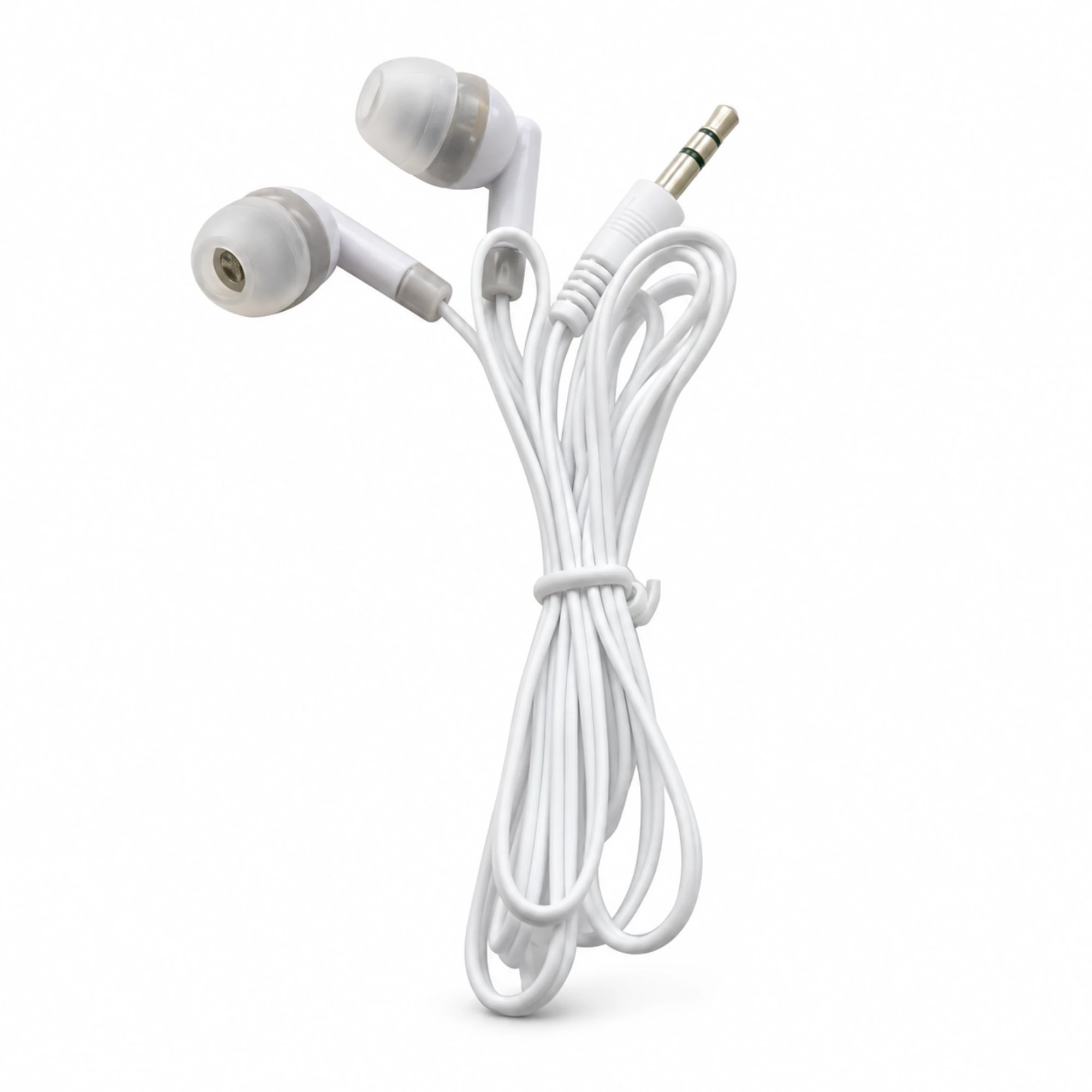
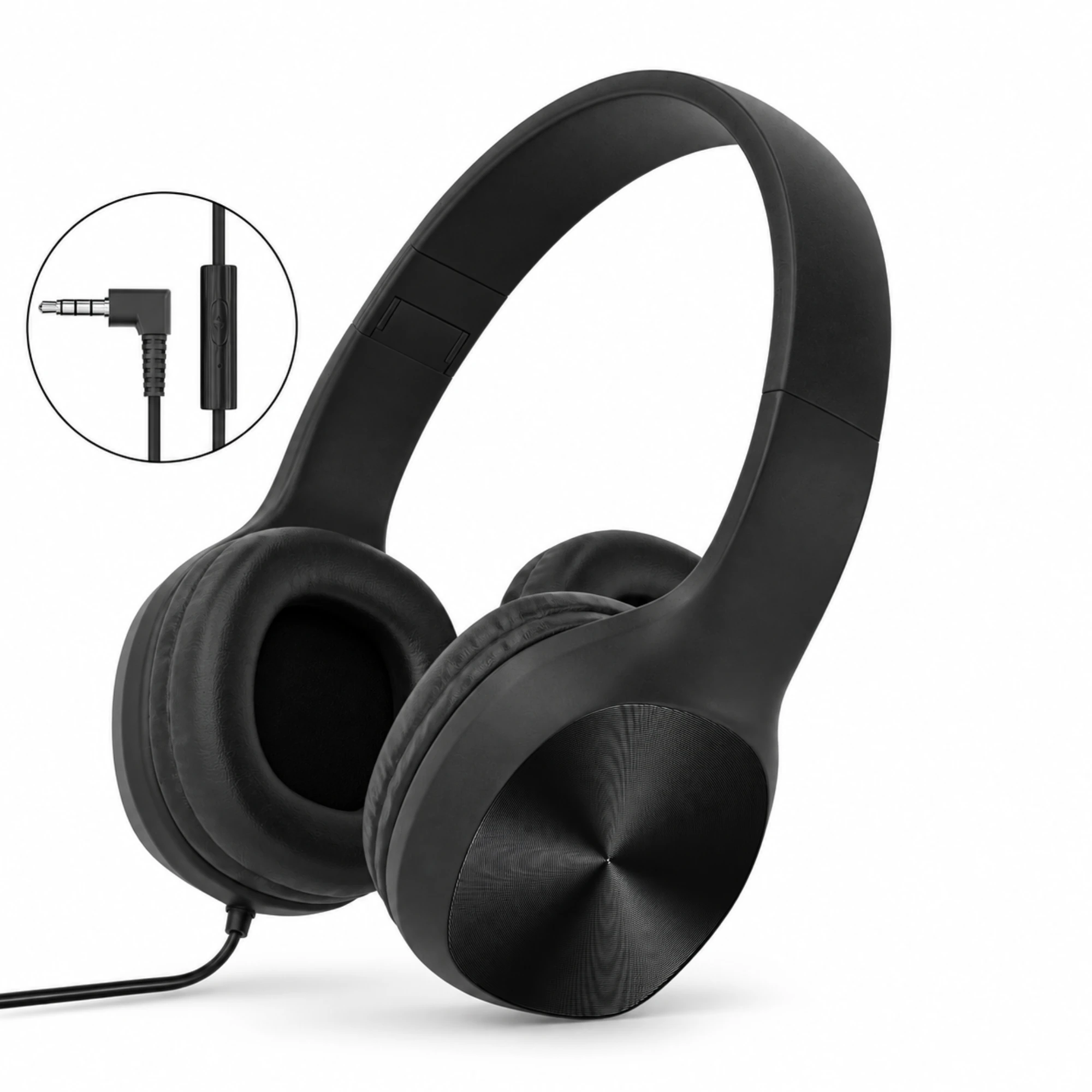
- For Passive Isolation on 3.5mm Laptop Jacks: According to the EARSOLE product catalog, the EARSOLE White 3.5 mm Wired Earbuds ($5.38) use angled in-ear housings with replaceable soft silicone ear tips, a straight 4-pole TRRS 3.5mm plug, and a Y-split cable with an inline control capsule, while the EARSOLE Black Wired Headphones with Inline Control ($13.10) offer folding on-ear padded cups, an inline control module, and a right-angle 3.5mm plug (neither listing claims an IP water-resistance rating or verified microphone specs beyond the visible inline module).
If you are still deciding between unsealed outer-ear shells and silicone canal tips for eight-hour work shifts, check out our detailed comparison of semi-in-ear vs in-ear earbuds.
Frequently Asked Questions
Are semi-in-ear or silicone-tipped corded earbuds better for an office desk where coworkers talk to you?
Semi-in-ear corded earbuds (such as the EARSOLE White USB-C Earbuds with Inline Controls) are usually much more comfortable when coworkers frequently stop by your desk. As office listeners in r/Earbuds (thread 1v83c0h) point out, pulling a sealed silicone ear tip in and out every five minutes quickly irritates the ear canal, whereas an unsealed housing lets you simply press the inline pause button and converse naturally.
Should I buy 3.5mm or USB-C corded earbuds with a microphone for work calls?
Match the plug to the port you use most often so you don’t have to keep track of a dongle. If you plug into a smartphone, iPad, or modern laptop USB-C port, choose USB-C earbuds with an inline remote. If your work laptop or docking station has a dedicated 3.5mm headset jack, a 4-pole 3.5mm TRRS corded earbud or headphone keeps your USB-C ports free for chargers and monitors.
Why do some office workers prefer pausing open or semi-in-ear buds over using electronic transparency mode?
Electronic transparency mode on noise-cancelling earbuds uses tiny external microphones to amplify room sound into a sealed ear canal. As noted in r/Earbuds (1v83c0h), listening to office background noise through a microphone for hours can sound artificial and cause listener fatigue, whereas an unsealed semi-in-ear or open fit preserves natural acoustic hearing the moment you pause your audio.