Using a USB-C Splitter for Charging and Headphones With USB Power Delivery Passthrough
Removing the dedicated 3.5 mm headphone jack forced smartphones, tablets, and handheld gaming consoles to multiplex power delivery and digital audio through a single 24-pin USB-C receptacle. When you plug in a USB-C splitter for charging and headphones, that Y-adapter does not simply wire pins in parallel; it acts as a miniature USB Type-C hub and Power Delivery (PD) policy manager.
One branch of the splitter negotiates high-voltage DC fast charging with your wall brick over the Configuration Channel (CC) line, while the second branch enumerates a USB 2.0 digital audio endpoint or routes a DAC to your earphones. Knowing how PD role swaps and ground return paths interact inside that dongle prevents dropped audio sessions and high-pitched charging whine.
How USB-C Fast-Charge Splitters Route Power and Digital Audio
In a standard direct connection, your smartphone acts as a power sink and a USB data host simultaneously. When you insert an active charge-and-listen splitter, its internal PD controller chip negotiates a Dual-Role Data (DRD) and Fast Role Swap (FRS) contract: the smartphone accepts incoming power from the charger port while remaining the upstream USB 2.0 host for the headphone branch.
Cheap uncertified Y-cables that lack a dedicated USB PD 3.0 controller chip drop the charging rail down to legacy 5 V / 1.5 A (7.5 W) slow charging—or fail to recognize digital USB-C headphones entirely. Even on certified 60 W or 100 W PD passthrough adapters, the splitter’s internal regulator reserves 2.5 W to 5 W of overhead to power its own hub microcontroller and onboard DAC.
| Adapter Architecture | Max Charging Passthrough | Supported Headphone Type | Ground-Loop Noise Risk | Host Compatibility |
|---|---|---|---|---|
| Active USB-C PD + USB-C Audio Hub | 60 W – 100 W USB PD 3.0 | Digital USB-C DAC Earbuds | Very Low (digital isolation to plug) | iPhone 15/16, iPad Pro, Android, Steam Deck |
| Active USB-C PD + 3.5 mm DAC | 27 W – 60 W USB PD 3.0 | Standard 3.5 mm TRS/TRRS | Moderate (shared analog ground plane) | Universal across USB-C PD phones & laptops |
| Passive Analog Y-Splitter | 5 V / 1.5 A (7.5 W max) | Analog-only USB-C cords | High (50/60 Hz ripple & coil whine) | Fails on Apple, Samsung, and Pixel devices |
| Magnetic Breakaway PD Splitter | 60 W – 100 W USB PD 3.0 | Digital USB-C DAC Earbuds | Low (shielded pogo interface) | Protects host USB-C tongue from cord yanks |
Eliminating High-Frequency Switching Whine While Fast Charging
A common complaint when listening through a splitter while fast-charging at 9 V or 20 V is a faint 4 kHz to 8 kHz mosquito whine or rhythmic ticking in the right earpiece. That interference occurs when high-current Programmable Power Supply (PPS) switching transients from an ungrounded GaN wall charger couple across the splitter’s cramped PCB ground plane into the analog amplifier stage.
Using a splitter with two digital USB-C female ports—rather than a built-in 3.5 mm jack—keeps the audio signal in the digital domain until it clears the splitter PCB, significantly reducing ground-loop hum. Also, always plug the power brick into the splitter before connecting the splitter to your phone so the PD voltage rail stabilizes before USB audio enumeration begins.
Ditching Bedside Y-Splitters and Charging Bricks Before Sleep
Balancing a warm fast-charging cable, a stiff Y-splitter hub, and a wired headphone tether on your nightstand is an invitation to yanked ports and disturbed sleep. The moment you roll onto your side in bed, the protruding splitter assembly twists against your sheets while rigid daytime earbuds press into your ear canal.
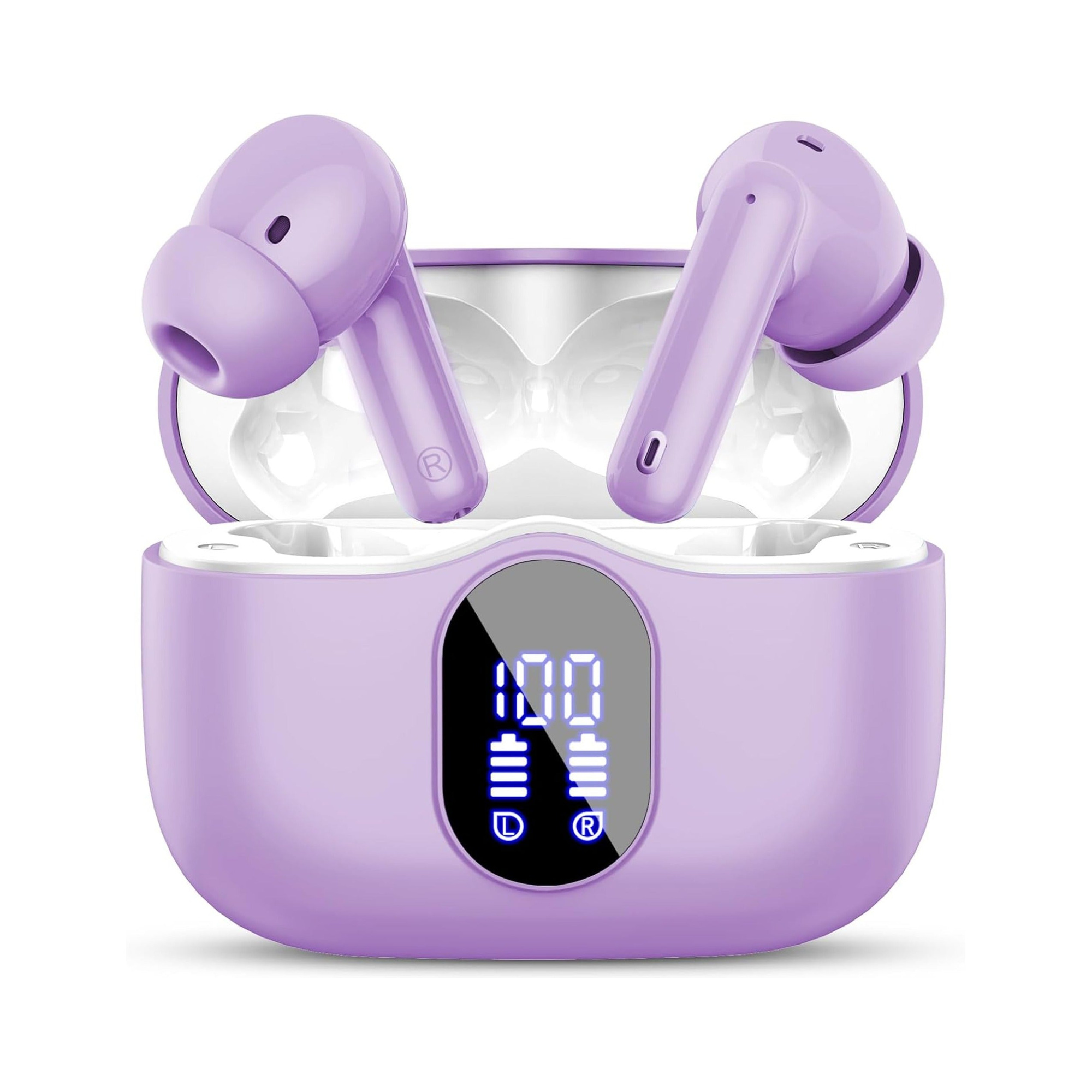
Flat, stemless earbuds for sleeping on your side, with a dynamic sleep-support mode and a starlight glow charging case. See the three colors at EARSOLE.
Leaving your phone on its charger across the room and slipping in a wireless, flush-profile sleep earbud eliminates bedside dongles and cord tension completely. With a recessed silicone body engineered for lateral pillow contact, your ears stay comfortable through the night while your phone charges safely undisturbed.
Connection Sequence and Port Care Checklist
Whenever your headphones fail to play audio through a dual USB-C adapter, unplug the entire chain and reassemble it in strict sequence: attach the earphones and the wall charger to the splitter’s female ports first, wait one second, and then insert the splitter’s male plug into your smartphone. This order allows the internal billboard and PD controller to present a unified device descriptor to the host operating system on the first handshake.
Avoid hanging heavy braided power cords off a rigid plastic Y-adapter without strain relief, as the extra leverage can loosen the solder joints on your phone’s USB-C tongue. If you hear intermittent pops or static even when the charger is unplugged, check our diagnostic guide on fixing USB-C headphones crackling noise.
Frequently Asked Questions
Why does my phone stop playing audio for two seconds when I unplug the power cord from my USB-C splitter?
Unplugging the wall charger triggers a USB Power Delivery Fast Role Swap; the phone must instantaneously switch its VBUS pin from sinking external power to supplying 5 V power to the splitter’s DAC, which briefly resets the USB audio bus.
Can I connect two pairs of USB-C headphones into a charging splitter to share a movie on a flight?
No. In a charge-and-audio splitter, one female USB-C port is hardwired exclusively to the power delivery controller (CC and VBUS pins only) and lacks the D+/D- data lines required to drive a second pair of headphones.