Gaming Earbuds for PS5 and Xbox Series Consoles Across 3.5 mm and UAC1 Dongles
Console multiplayer gamers frequently abandon cumbersome over-ear headsets in search of lightweight in-ear monitors that eliminate cranial clamping fatigue. While mobile devices and personal computers support diverse wireless protocols, modern gaming consoles impose strict hardware constraints on external audio gear. Connecting gaming earbuds to a PlayStation 5 or Xbox Series X requires choosing between the analog 3.5mm headphone jack on wireless gamepads and dedicated USB transceivers plugged into console chassis ports.
Understanding the architectural distinctions between gamepad analog outputs and console USB ports is essential for achieving pristine tactical audio and reliable party chat. While direct controller connections offer plug-and-play simplicity across every platform, USB-C transmitters unlock uncompressed digital bandwidth by bypassing controller battery limitations. Analyzing how console operating systems process spatial acoustic cues highlights the optimal hardware interface for competitive console play.
Tempest 3D AudioTech and Microsoft Spatial Sound Processing
Both Sony and Microsoft incorporate sophisticated hardware-accelerated digital signal processors designed to render convincing three-dimensional acoustic environments through stereo headphones. On PlayStation 5, the custom Tempest 3D AudioTech engine convolves multi-channel positional audio into head-related transfer functions, generating precise vertical and azimuth cues. On Xbox Series X and S, Microsoft Spatial Sound processes Windows Sonic and Dolby Atmos bitstreams to project accurate positional audio during competitive multiplayer matches.
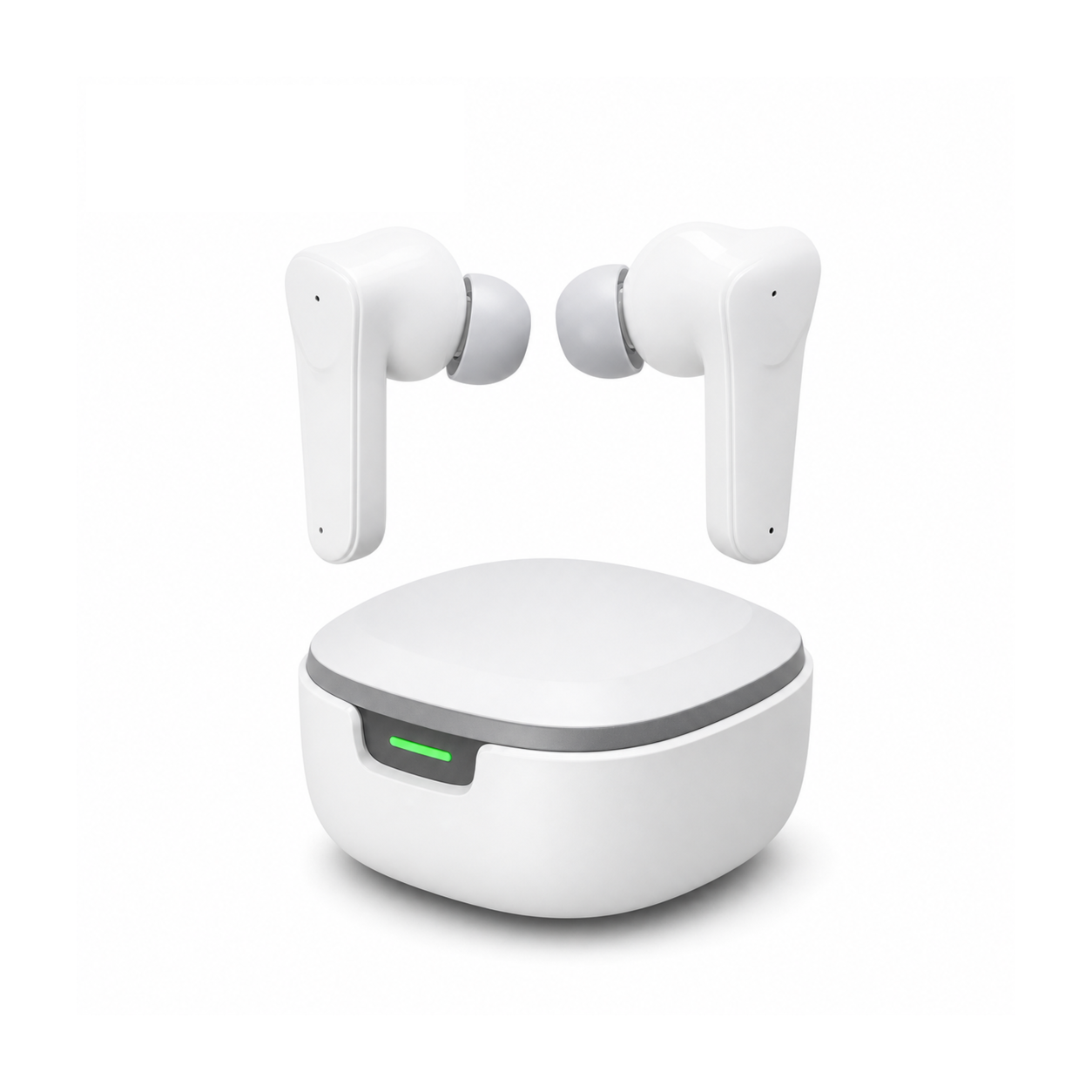
Because console spatial audio algorithms calculate binaural timing delays inside the console APU, standard stereo in-ear monitors receive pre-calculated spatial sound automatically. However, how that binaural audio reaches your ears depends entirely on the transmission interface. PlayStation 5 supports driver-free USB Audio Class 1.0 transceivers through its front USB-C port, allowing 2.4 GHz wireless earbuds to receive full uncompressed digital audio streams with zero generational loss.
| Console Platform Interface | Audio Protocol Standard | Spatial Audio Support | Microphone Sample Rate | Power Source & Drain |
|---|---|---|---|---|
| PS5 DualSense 3.5mm Port | Analog CTIA TRRS | Native Tempest 3D | 48kHz / 16-bit PCM | Gamepad Internal Battery |
| PS5 USB-C Port (UAC1 Dongle) | USB Audio Class 1.0 | Full Tempest 3D | 32kHz Full-Duplex RF | Console USB Bus Powered |
| Xbox Controller 3.5mm Jack | Analog CTIA TRRS | Windows Sonic / Atmos | 48kHz / 16-bit PCM | Gamepad AA / Pack Battery |
| Xbox USB Port (Security Chip) | Proprietary Wireless | Dolby Atmos for Gaming | 24kHz Chat Profile | Console USB Bus Powered |
Impedance Matching and Controller DAC Output Headroom
Plugging wired in-ear monitors into console gamepads routes the audio signal through the wireless controller’s internal digital-to-analog converter and miniature headphone amplifier. Due to stringent gamepad battery conservation limits, these onboard amplifiers deliver modest power output that struggles when driving high-impedance studio monitoring equipment. Pairing high-impedance earphones with a DualSense or Xbox controller results in quiet game sound, compressed dynamic range, and audible distortion during explosive firefights.
In contrast, high-sensitivity gaming earbuds with impedance ratings between sixteen and twenty-four ohms extract clean, robust acoustic volume without straining gamepad amplifier rails. Low-impedance dynamic drivers or balanced armature transducers respond instantaneously to transient micro-details, revealing subtle footsteps and reloading cues. Selecting appropriately matched earbud drivers ensures your controller delivers crisp, punchy audio without depleting gamepad battery life during critical ranked matches.
Relieving Cranial Pressure and Temporal Tenderness After Gaming
Extended multi-hour gaming sessions under heavy over-ear headset earcups trap heat around the outer ear while placing continuous mechanical pressure on the temporal bones. The resulting physical strain causes headaches, cartilage tenderness, and cognitive exhaustion that undermine focus and enjoyment. Transitioning away from bulky headsets to delicate resting solutions allows the cranial nerves and outer ear cartilage to recover undisturbed throughout the night.
Flat, stemless earbuds for sleeping on your side, with a dynamic sleep-support mode and a starlight glow charging case. See the three colors at EARSOLE.
Switching to low-profile side-sleeping earbuds provides tired ear structures with genuine pressure relief against pillows. The stemless ergonomic housing rests entirely within the concha bowl without protruding, preventing sore contact points for side-sleepers. Immersing tired senses in gentle natural pink noise or tranquil ambient loops helps console players transition smoothly from competitive intensity into deep, restorative sleep.
Console Audio Calibration Protocol for PS5 and Xbox Series X
Configuring your console audio menus correctly guarantees maximum positional accuracy and vocal clarity when using gaming earbuds. First, navigate to the PlayStation 5 audio settings menu and select Linear PCM as your primary output format to eliminate unnecessary Dolby encoding delays. Within the 3D Audio for Headphones submenu, cycle through the five personalized ear-level calibration height presets to match the algorithm closely to your personal ear anatomy.
On Xbox Series consoles, navigate to the Volume and Audio Output menu and set Headset Audio to Windows Sonic or Dolby Atmos for Headphones. Finally, open the quick audio settings overlay during an active party session to balance the game-versus-chat volume slider, ensuring loud gunfire transients do not overpower critical tactical callouts. Systematic menu calibration ensures your gaming earbuds deliver an uncompromising acoustic advantage in every competitive lobby.
Frequently Asked Questions
Can any USB-C wireless gaming earbud dongle plug directly into a PS5?
The PlayStation 5 supports wireless USB transceivers that comply with the universal USB Audio Class 1.0 standard, allowing plug-and-play digital audio and voice chat without proprietary security authentication.
Why do wireless USB dongles fail to produce audio on Xbox consoles?
Xbox Series consoles require dedicated security coprocessors inside USB audio transceivers, meaning generic USB-C wireless dongles cannot transmit audio unless officially licensed for Microsoft hardware.