Setting a headphone volume limit on your phone or tablet caps peak audio output—from 75 dB to 100 dB in 5 dB increments on iOS and iPadOS, or via a custom slider on supported Android devices. Below are the exact menu paths to enable, PIN-lock, or turn off a headphone volume limit, a technical comparison of operating-system digital limiters versus passive hardware resistor cables, and why open-fit earbuds often sound too quiet under a 75–85 dB cap compared with closed over-ear headphones.
How to Set, Lock, or Turn Off a Headphone Volume Limit on iPhone, iPad, and Android
Set or Change Reduce Loud Sounds on iPhone and iPad
On iPhone, navigate to Settings > Sounds & Haptics > Headphone Safety, turn on Reduce Loud Sounds, and drag the slider to choose a maximum decibel level between 75 dB and 100 dB in 5 dB increments. According to Apple Support, your device analyzes your headphone audio and reduces any sound above this level, and iOS volume limits work with both wired and Bluetooth headphones.
To raise or turn off the limit if your audio feels too quiet, return to Settings > Sounds & Haptics > Headphone Safety and move the slider to a higher decibel threshold or toggle Reduce Loud Sounds off. While using headphones, you can also open Hearing in Control Center to check their current decibel level in real time—a feature compatible with AirPods, EarPods, and many other wired and wireless headphones. Apple notes that headphone audio measurements are most accurate when using Apple or Beats headphones, while audio played through other headphones can be estimated based on the volume of your device; classifying your Bluetooth devices as headphones, speakers, or other devices in Settings helps keep those estimates consistent.
Lock the iOS or iPadOS Volume Limit with Screen Time
If you set up Screen Time for a family member—or want to lock your own ceiling against accidental adjustments—you can prevent changes to the Reduce Loud Sounds level. After configuring your decibel cap, use Screen Time restrictions so the Reduce Loud Sounds setting cannot be altered without the Screen Time passcode.
Set and PIN-Lock Media Volume Limit on Android (Samsung One UI)
As SoundGuys notes, not all Android devices let you set a volume limit, but Samsung phones and several others do. On Samsung Galaxy devices, follow these steps:
- Open the Settings app and go to Sounds and vibration > Volume.
- Expand the three-dot menu in the top right and tap Media volume limit.
- Turn On the media volume limit, move the slider to choose a custom volume limit, and set a volume limit PIN so the cap cannot be bypassed without entering the PIN.
If you are pairing device-level controls with dedicated children’s audio gear, read our kids’ headphones volume limits guide for additional setup details.
OS Software Volume Caps vs Hardware Resistor Volume Limiters
A volume limiter limits audio output to a specified, safe listening level, and level limiters usually aim to limit the maximum volume to 85 dB(SPL) or less. However, the underlying mechanism determines whether that ceiling holds across different playback sources.
| Limiter Type | How Output Is Controlled | Works on Wired & Bluetooth? | Key Limitation |
|---|---|---|---|
| OS / DSP Digital Limiter (iOS Reduce Loud Sounds, Samsung Media volume limit) | With DSP in the signal path, digital limiters look ahead at the incoming signal and adjust levels quickly and accurately. | Yes—volume limits on iOS devices work with both wired and Bluetooth headphones. | Third-party headphone measurements on iOS/iPadOS are estimated based on device volume rather than direct acoustic measurement. |
| Passive Hardware Resistor Limiter (In-line resistor cables or passive resistor-capped headphones) | Resistors passively limit the volume by restricting the amount of power converted to sound. | Wired analog path only. | Headphones that rely on passive resistors can surpass safe listening levels when the amplifier, such as a stereo system, is powerful enough. |
As detailed in the SoundGuys volume limiter guide, digital limiters operating in the digital domain can look ahead at incoming peaks and attenuate them before amplification. By contrast, passive resistor limiters only restrict electrical power relative to the source output, so plugging resistor-capped wired headphones into a high-powered stereo amplifier can still push volume above 85 dB(SPL).
Why a 75–85 dB Volume Limit Can Sound Too Quiet Without Noise Isolation
A frequent complaint appears immediately after enabling the lowest decibel ceiling: in a r/LifeProTips thread recommending a 75 dB iPhone headphone limit, one commenter replied, “If I do that, I can’t hear anything lol”.
When a 75 dB or 80 dB cap sounds barely audible on a bus, train, or busy street, the culprit is usually lack of passive or active acoustic isolation rather than a defective phone limiter. Unsealed earbuds allow ambient environmental noise to enter the ear canal unchecked, masking your music or podcast so that a capped 75–85 dB signal struggles to compete.
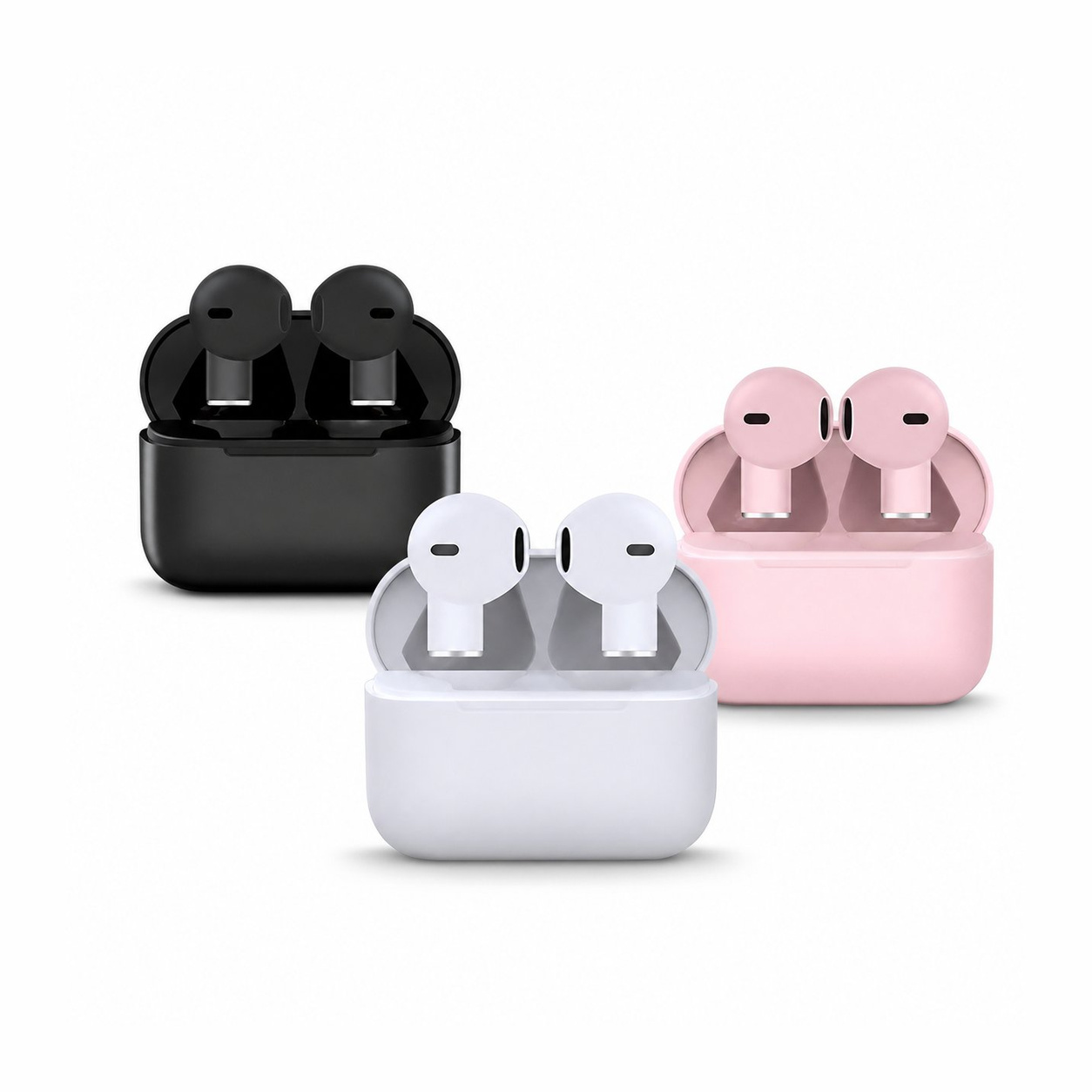
For instance, the Earsole Three-Color Open-Fit Wireless Earbuds rest at the entrance of the ear instead of sealing the canal with silicone tips, and there is no noise cancellation listed, so loud environments will compete with your audio. Because open-fit earbuds cannot deliver the sealed low end or isolation of tipped designs, noisy commutes and planes are their weak spot when a strict headphone volume limit is enabled, making them a better match for quiet rooms or situational awareness.
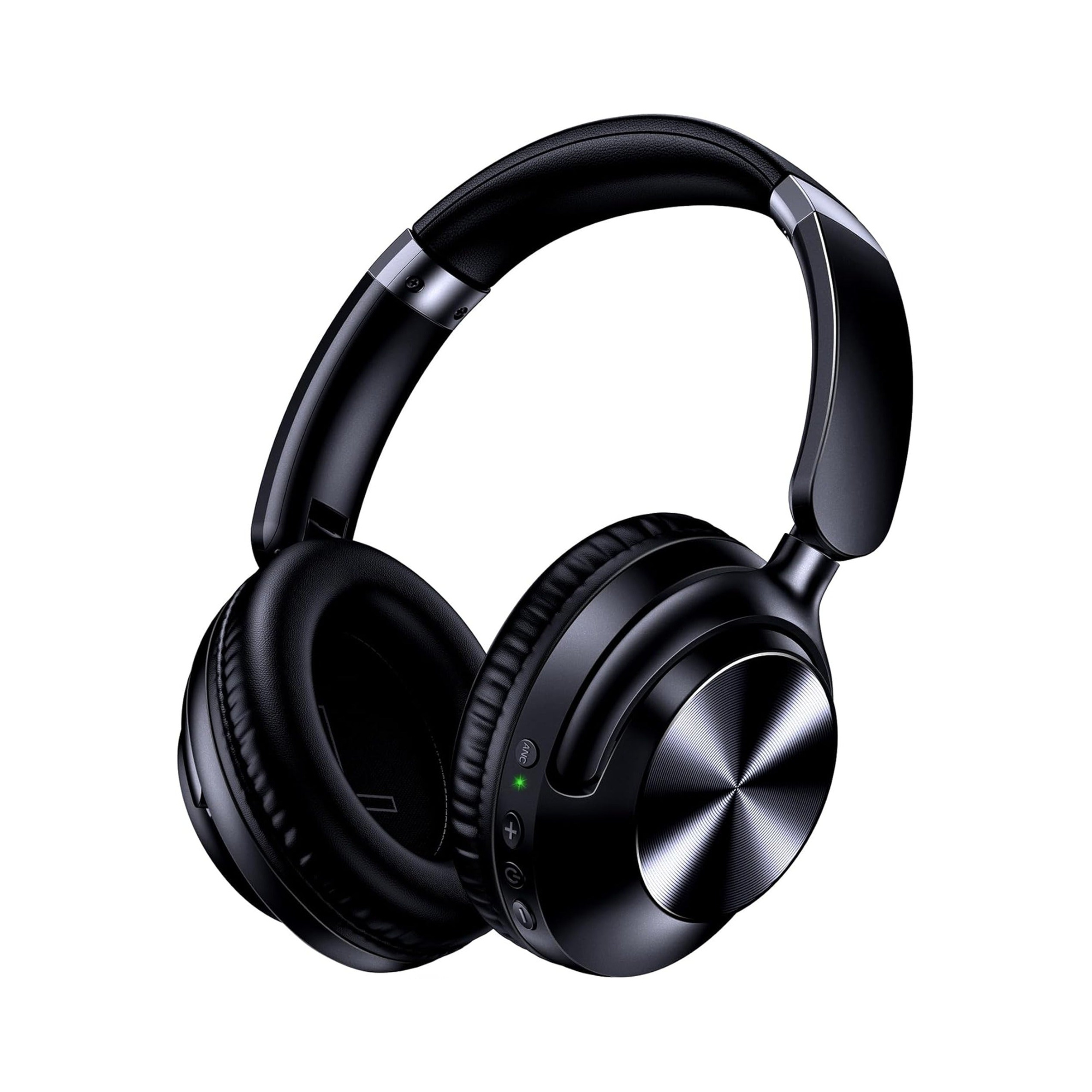
By contrast, an over-ear design like the Earsole Series 127 Over-Ear Headphones features ultra-soft protein leather ear cups that rotate up to 105 degrees on an adjustable headband, along with dual-mode wireless Bluetooth connectivity and a 3.5mm AUX wired connection using the included 47.2-inch audio cable. Enclosing the ear with padded ear cups helps reduce competing room noise across both wireless Bluetooth and wired 3.5mm listening, making an 80–85 dB OS volume limit easier to hear clearly. For low-volume nighttime listening in quiet bedrooms, see our guide on how loud sleep earbuds should be.
What We Checked and Limitations
To prepare this guide, we reviewed Apple Support’s iPadOS and iOS documentation on Reduce Loud Sounds, Control Center Hearing decibel monitoring, Bluetooth device classification, and Screen Time locks; examined SoundGuys’ technical breakdown of Android Media volume limit controls, DSP look-ahead limiters, and passive hardware resistors; and checked catalog specifications for the Earsole Series 127 Over-Ear Headphones and Earsole Three-Color Open-Fit Wireless Earbuds. We did not perform independent acoustic head-and-torso simulator (HATS) SPL measurements across third-party headphones, and OS decibel sliders on non-Apple/Beats hardware represent volume-based estimates rather than calibrated ear-canal readings.
Disclaimer: This article is provided for general informational and consumer audio setup purposes only and does not constitute medical or audiological advice. If you have concerns about tinnitus, ear discomfort, or hearing loss, consult a qualified audiologist or healthcare professional.
What is a safe volume level for headphones?
Level limiters usually aim to limit maximum headphone volume to 85 dB(SPL) or less, while iOS and iPadOS allow you to set Reduce Loud Sounds anywhere between 75 dB and 100 dB in 5 dB increments. Choosing an 80 dB or 85 dB ceiling—and pairing it with headphones that isolate outside noise—helps keep daily listening controlled without making dialogue inaudible.
How do I lock the volume on my Android device?
Not all Android phones include a native volume lock, but Samsung Galaxy phones and several other Android devices support a PIN-locked cap. Open Settings > Sounds and vibration > Volume, expand the three-dot menu in the top right, tap Media volume limit, turn the limit On, set your custom volume slider, and enable a volume limit PIN.
My iPhone headphone volume is too low. How can I fix it?
First, check Settings > Sounds & Haptics > Headphone Safety on iPhone to see if Reduce Loud Sounds is turned on and capped at a low threshold such as 75 dB; if Screen Time is enabled, you may need the Screen Time passcode to raise or turn off the limit. Second, check your Bluetooth device classification in Settings and consider whether open-fit earbuds are letting background noise drown out your audio.