Before buying a 3.5mm splitter for headphones, check whether you are sharing one audio jack between two pairs of headphones or plugging a single-cable gaming headset into a desktop PC: sharing music requires a 1-male-to-2-female stereo TRS splitter, whereas getting both voice chat and game audio on a desktop motherboard requires a 1-female-TRRS-to-2-male breakout cable for the pink (mic) and green (line-out) ports. Ordering the wrong Y-cable is the number-one reason a headset microphone refuses to work on a desktop computer or a second listener hears no sound. Understanding how each 3.5 mm splitter is wired inside—and how parallel load impedance affects volume when two headphones share a single output—saves you from buying the wrong adapter.
The Two Types of 3.5mm Headphone Splitters (And Why Buyers Confuse Them)
When shoppers search for a splitter for headphones, a headphones splitter, or a 3.5mm headphone splitter, retail search results mix two completely different analog Y-cables under the same generic name. Both cables have three 3.5 mm ends arranged in a “Y” shape, which makes them easy to confuse at a glance, yet their internal copper wiring and connector genders perform opposite jobs.
According to ZH-ZONG’s Audio Splitters Guide, two primary 3.5 mm splitter types exist: (1) Headphone Sharing Splitters (1 male to 2 female) that duplicate a stereo output to two listeners, and (2) Headset Breakout Splitters (2 male to 1 female) that split a single TRRS headset into separate PC mic and audio plugs.
- Audio Duplication / Headphone Sharing Splitter (1 Male to 2 Female): As ZH-ZONG explains, an Audio Duplication Splitter is designed to duplicate a single stereo audio feed across two listening devices, featuring one 3.5 mm TRS male plug splitting internally into two identical 3.5 mm TRS female jacks so that both listeners hear full stereo audio simultaneously. It does not route microphone signals.
- Gaming Headset PC Breakout Splitter (2 Male to 1 Female): As ZH-ZONG details, a Gaming Headset PC Breakout Splitter is designed to connect modern mobile or console headsets with a single 4-pole TRRS plug into traditional desktop PCs equipped with separate pink (Mic-In) and green (Line-Out) jacks; the female socket is 4-pole TRRS wired to CTIA standards, routing the microphone contact strictly to the pink male plug and the stereo channels strictly to the green male plug.
ZH-ZONG also outlines a third related cable for the reverse situation—a Reverse Headset Combiner (1x 3.5mm Male to 2x 3.5mm Female) that merges a dual-plug PC headset (separate mic and audio plugs) into a single 4-pole TRRS male plug for a laptop or smartphone combo port.
| Splitter Architecture | Connector Configuration | Internal Wiring Scheme | Primary Use Case | Microphone Support |
|---|---|---|---|---|
| Headphone Sharing Y-Cable | 1x 3.5 mm Male to 2x 3.5 mm Female | Parallel 3-Pole TRS Stereo Wiring | Airplane movie sharing, couples or paired listening from one jack | No (Audio only) |
| PC Headset Breakout Splitter | 2x 3.5 mm Male (Pink Mic + Green Audio) to 1x 3.5 mm Female | TRRS 4-Pole (Mic/Audio Separation, CTIA standard) | Plugging a single-plug gaming headset into separate desktop PC motherboard jacks | Yes (Full mic routing) |
| Reverse Headset Combiner | 1x 3.5 mm TRRS Male to 2x 3.5 mm Female (Mic + Audio) | Separate Mic/Audio into 1x 4-Pole TRRS Male | Plugging a dual-plug PC headset into a laptop or mobile combo jack | Yes (Full mic routing) |
How to Split a Single-Plug Headset Into Pink (Mic) and Green (Audio) PC Ports
If you have ever plugged a single-cord gaming headset into the green audio port on a desktop PC tower and wondered why your teammates cannot hear you—or why your voice only works when you move the plug to the pink port and lose game sound—you have run into the difference between a 4-pole combo jack and split desktop motherboard jacks.
In an r/PcBuild thread asking “What splitter do I need? I have a headset with a mic on it” (thread 101jmij), PC builders advise that connecting a single-plug headset with a built-in microphone to a desktop PC requires a “male mic + line out to 3.5mm female jack” Y-splitter cable where you use the pink and green ports, and another builder in the thread replied that this fix solved a setup where they had mistakenly thought they bought a faulty headset.
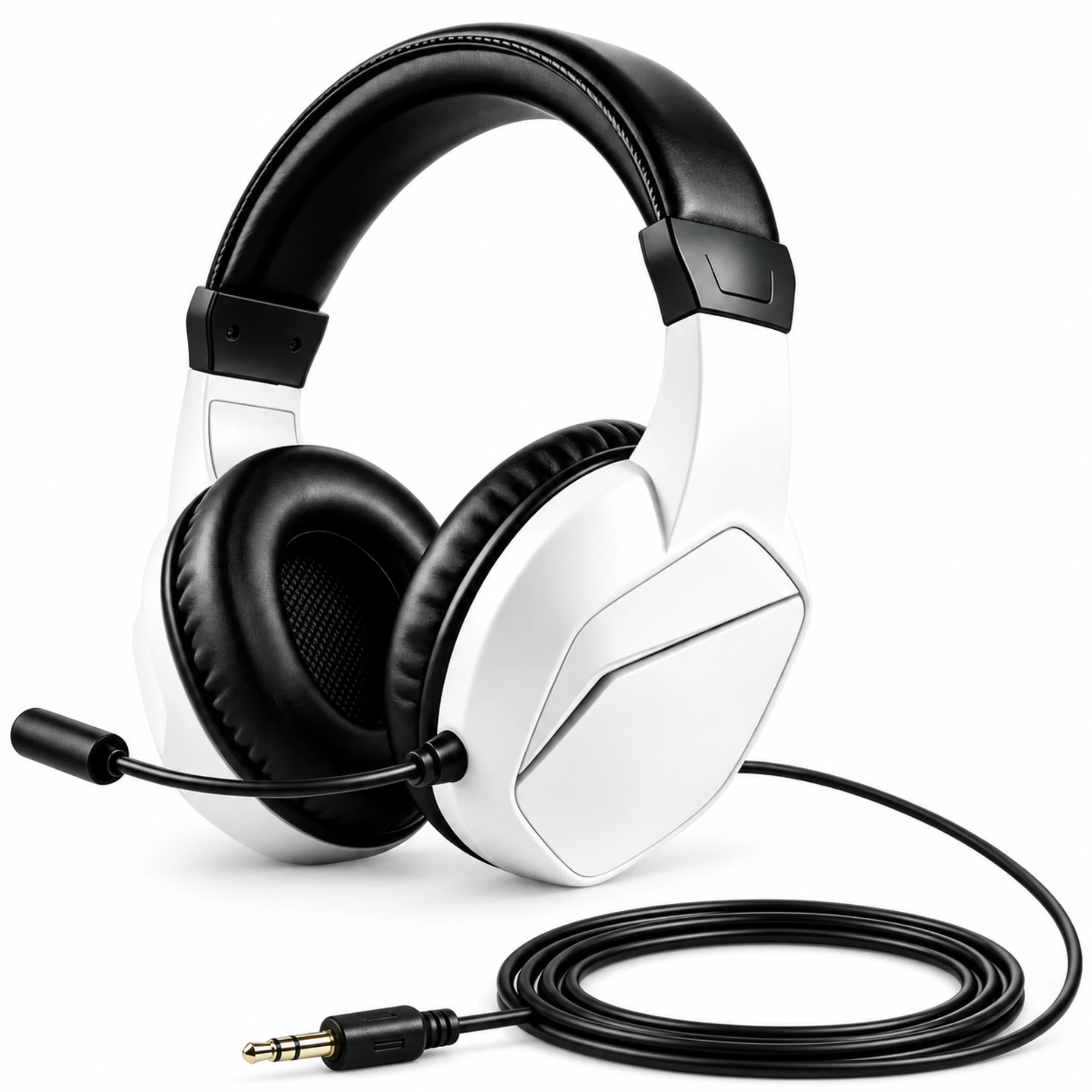
When setting up a wired or dual-mode headset on a desktop PC—such as the EARSOLE Wireless Gaming Headset with Boom Microphone, which pairs a white and black over-ear frame, padded earcups, and a boom microphone with both Bluetooth and 3.5 mm wired listening options per the supplier listing—keep three technical checks in mind before ordering a PC breakout splitter:
- Never use a 2-headphone stereo sharing splitter for a PC headset mic: A 1-male-to-2-female headphone sharing cable only carries 3-pole TRS stereo audio in parallel; it cannot separate a microphone channel into your PC’s pink Mic-In port.
- Verify CTIA vs. OMTP 4-pole TRRS pinout compatibility: According to ZH-ZONG’s Audio Splitters Guide, over 98% of modern headsets follow the CTIA standard (Tip: Left, Ring 1: Right, Ring 2: Ground, Sleeve: Mic), whereas using an older legacy OMTP splitter swaps the Ground and Mic contacts, causing extremely faint vocals and non-functional microphones.
- Look for isolated ground traces to prevent echo and crosstalk: ZH-ZONG notes that cheap splitters bundle all ground wires together at the Y-split, inducing cross-talk where microphone audio bleeds into the headphone speakers, whereas better-built splitters use isolated ground traces and aluminum foil wrap to eliminate echo.
For a deeper walkthrough of desktop audio jack troubleshooting and over-ear frame fit, see our PC headset setup guide and our guide to over-ear headsets.
Do Headphone Sharing Splitters Reduce Volume or Sound Quality? The Parallel Impedance Math
If your goal is sharing a movie on a flight, watching a show with a partner on a tablet, or comparing audio across two pairs of wired headphones from a single 3.5 mm output, you need the 1-male-to-2-female TRS stereo sharing splitter. A common worry among listeners is whether a passive Y-splitter degrades audio fidelity or cuts volume in half.
According to ZH-ZONG’s Audio Splitters Guide, a high-quality passive splitter does not degrade sound fidelity or frequency response, but wiring two headphones across a passive 1-to-2 splitter connects their voice coils in electrical parallel:
- The 32-Ohm parallel impedance calculation: As ZH-ZONG explains, when two 32-ohm headphones are connected via a passive 1-to-2 audio splitter, the source amplifier sees them in parallel at (32 x 32) / (32 + 32) = 16 ohms total load impedance. While most headphone amplifiers handle 16-ohm loads safely, battery-powered smartphones must output twice the current, resulting in a slight 2 to 3 dB drop in overall volume level that you can compensate for by raising the device volume a notch or two.
- Why mismatched headphones play at uneven volumes: ZH-ZONG notes that when splitting audio to more than two headphones or feeding mismatched impedance loads—such as pairing a 16-ohm in-ear monitor with a 250-ohm studio headphone on the same passive Y-cable—passive splitters cause uneven volume between the two listeners, which is where an active battery-powered multi-channel headphone amplifier with independent volume dials is needed.
- Why you cannot combine two microphones with a passive Y-splitter: ZH-ZONG also warns that passive splitters are built to divide outputs rather than combine active microphone inputs; plugging two microphones into a passive Y-splitter shorts their electrical outputs together and causes distorted, phase-cancelled, and muffled audio.
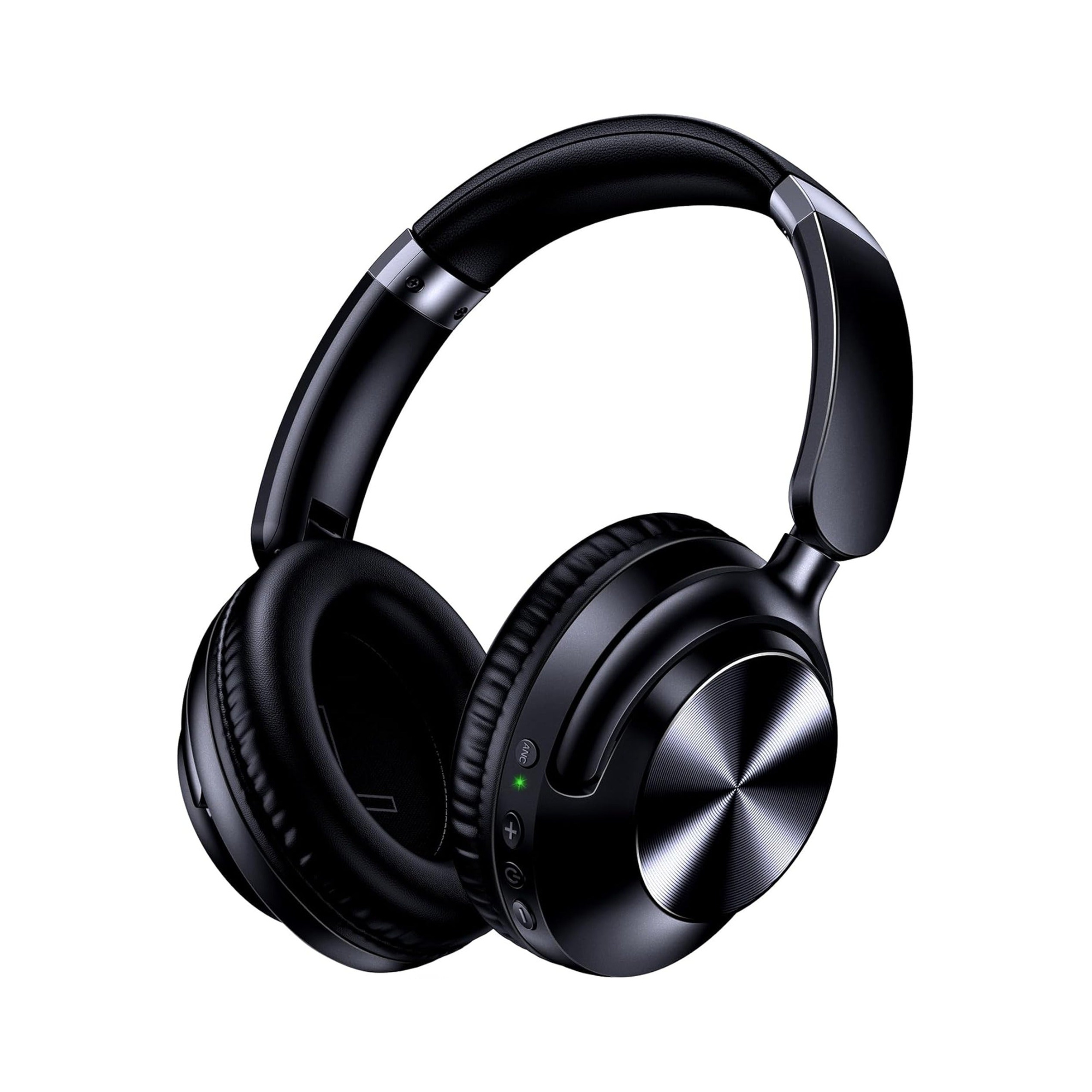
When sharing a tablet, laptop, or airplane entertainment jack between two listeners on a passive 1-male-to-2-female TRS splitter, using two identical or similarly matched wired over-ear headphones keeps volume balanced across both sets of earcups. According to the product listing for the EARSOLE Series 127 Noise Cancelling Over-Ear Headphones, the headphones seamlessly switch between wireless Bluetooth connectivity and a 3.5 mm AUX wired connection for a home stereo or plane entertainment system using the included 47.2-inch audio cable. The EARSOLE Series 127 listing also states Active Noise Cancellation, ultra-soft protein leather ear cups that rotate up to 105 degrees, an adjustable headband, and a handy travel pouch for carrying the headphones in a bag.
| Listening Scenario | Recommended 3.5 mm Splitter Type | Compatible EARSOLE Hardware Setup | Key Wiring Rule |
|---|---|---|---|
| Two People Sharing One Movie or Music Jack | 1x 3.5 mm TRS Male to 2x 3.5 mm TRS Female (Audio Sharing Splitter) | Two wired headphones (such as EARSOLE Series 127 using the included 47.2-inch 3.5 mm AUX cable) | Match headphone models/impedances so neither listener gets uneven volume; expect a slight ~2–3 dB volume drop |
| Connecting a Single-Plug Headset to Desktop PC | 1x 3.5 mm 4-Pole CTIA TRRS Female to 2x 3.5 mm TRS Male (Pink Mic + Green Audio Breakout) | Single-plug 3.5 mm boom-mic headset (such as EARSOLE Wireless Gaming Headset with Boom Microphone in 3.5 mm wired mode) | Plug the pink male connector into motherboard Mic-In and the green male connector into Line-Out |
Frequently Asked Questions
What does a headphone splitter do?
According to ZH-ZONG’s Audio Splitters Guide, a 3.5 mm headphone splitter routes analog audio in one of two ways depending on its wiring architecture: a Headphone Sharing Splitter (1 male TRS to 2 female TRS) duplicates a single stereo audio output in parallel so two people can listen to the same phone, tablet, or airplane jack simultaneously, whereas a Headset Breakout Splitter (1 female 4-pole TRRS to 2 male TRS) separates a single-plug headset’s microphone and stereo audio channels into dedicated pink (Mic-In) and green (Line-Out) plugs for a desktop PC.
What splitter do I need for a headset with a mic on a desktop PC?
As PC builders in r/PcBuild (thread 101jmij) and ZH-ZONG’s guide explain, connecting a single-plug headset with a built-in microphone to a desktop PC with separate motherboard jacks requires a 1-female 4-pole CTIA TRRS to 2-male TRS breakout Y-splitter (labeled with pink Mic-In and green Line-Out plugs)—not a two-headphone music-sharing splitter.
Do headphone splitters reduce volume or sound quality when sharing between two headphones?
According to ZH-ZONG’s Audio Splitters Guide, a well-shielded passive stereo sharing splitter does not reduce audio fidelity or frequency response, but wiring two 32-ohm headphones in parallel halves total load impedance to (32 x 32) / (32 + 32) = 16 ohms and doubles current draw, causing a slight 2 to 3 dB drop in volume on battery-powered devices that is easily offset by turning the volume up slightly—provided both headphones have matched impedance rather than mixing low-ohm and high-ohm models on one passive cable.