Mixing with in-ear monitors works when you seal both earpieces in the ear canal, reserve the center of the stereo image for kick, snare, bass, and your primary vocal or instrument while panning supporting parts wide, use EQ to compensate for close-miked sources, and cross-check studio mixes across speakers and headphones. According to Dr. Mike Metlay at Samson Tech, in-ear monitors eliminate stage monitor feedback and microphone bleed while sealing out venue noise so performers can hear at lower levels without constantly turning everything up. Whether you are dialing in a live personal monitor mix on stage or balancing a multi-track session in a home studio, an in-ear mix behaves differently from speakers in a room and requires deliberate stereo placement and reference checks.
Why Musicians and Engineers Mix With In-Ear Monitors (and Why Both Earpieces Must Seal)
Traditional floor wedge monitor speakers must be very loud to cut through the PA and venue noise, which according to Dr. Mike Metlay at Samson Tech causes monitor audio to bleed into every onstage microphone and creates stage monitor feedback. Wikipedia’s overview of in-ear monitors likewise notes that floor wedges greatly increase onstage volume, in some cases to levels that could potentially damage hearing. Moving to in-ear monitors replaces those floor wedges with earpieces that sit directly inside the external ear canal and seal against its sides.
That acoustic seal is the foundation of any usable in-ear mix:
- Lower listening levels with a full two-earpiece seal: According to Samson Tech, because in-ear monitors seal out ambient noise and are effective at lower levels, musicians can hear their mix clearly without having to constantly turn everything up. Wikipedia notes that the effectiveness of the ear-canal seal is a major part of how well an in-ear monitor works, and that without a good seal, ambient noise leakage increases. Universal in-ear monitors typically ship with a variety of foam and silicone tips to help performers find a proper seal.
- Why you must train yourself to keep levels down: Switching to in-ear monitors only reduces sound exposure if you actually lower the volume. As Wikipedia’s safety summary points out, performers have a tendency to set their in-ear monitors to intensity levels similar to their old floor monitors, so musicians need to train themselves to listen at lower levels to benefit from the sound-level reduction.
- Choosing balanced vs. bass-emphasized response: According to Dr. Mike Metlay at Samson Tech, performers should choose an earphone that either gives a balanced frequency response for the whole mix or emphasizes frequencies that are particularly important for them to hear clearly on stage. If you are comparing how canal-sealing monitors differ structurally from everyday open-fit earphones before building a setup, see our guide on in-ear monitors vs. earbuds.
Live IEM Mixing Rules: Center-Channel Priority, Stereo Panning, and Close-Mic EQ
When you first listen to a raw mixing-board feed through sealed in-ear monitors, instruments that sounded separated in a room can pile on top of one another. In Mixing In-Ears 101, live-sound tutorial site Worship Sound Guy explains that the trick with in-ear monitors is getting everything to sound distinct enough that you can hear every part well, starting with stereo panning and close-microphone EQ compensation.
- Pan supporting instruments to open up the center: Worship Sound Guy’s first piece of advice for a clear in-ear mix is to pan everything that you can. Panning supporting instruments away from the center opens up the middle of the mix for the core elements that should stay centered: typically the kick drum, snare drum, bass, and your own primary vocal or instrument.
- Compensate for close microphone placement with EQ: As Worship Sound Guy notes, the microphone itself and the placement of the microphone change the tone of an instrument, sometimes dramatically, compared to what you hear standing in the room. Applying EQ to smooth out close-miked harshness or boominess helps the direct board feed sound natural inside sealed earpieces.
- Account for room isolation and wireless belt-pack links: Wikipedia notes that in professional stage systems, an offstage stationary transmitter sends the monitor mix to a deck-of-cards-sized onstage receiver pack worn by the performer, and the in-ear monitor cable plugs into a 3.5 mm stereo jack on that receiver pack. Because sealed earpieces also cut out crowd noise and audience comments, live productions commonly add audience-facing microphones to feed room ambience back into performers’ mixes.
| Mixing Dimension | Live Stage IEM Monitoring | Studio / Home Mixing on IEMs | Primary Evidence Source |
|---|---|---|---|
| Ear-Canal Seal & Level | Seal both earpieces to block PA/venue noise and monitor at lower levels without wedge feedback or mic bleed | Use sealed fit for portable isolation when working away from an acoustically treated room | Samson Tech (Dr. Mike Metlay); Wikipedia (In-ear monitor) |
| Stereo Panning Priority | Keep kick, snare, bass, and lead vocal/instrument centered; pan supporting instruments wide to unclutter the middle | Check stereo width and spatial presentation against external speakers and headphones | Worship Sound Guy (Mixing In-Ears 101); Reddit r/iems (1qb2cza) |
| Tonal / EQ Adjustment | Compensate with EQ for how close microphone placement changes instrument tone compared to room sound | Use a familiar tuning or EQ correction and verify translation across multiple playback systems | Worship Sound Guy (Mixing In-Ears 101); Reddit r/iems (1qb2cza) |
| Hardware Connection | Earpieces plug into a 3.5 mm stereo jack on a performer’s wireless receiver belt-pack (fed by an offstage transmitter) | Wired 3.5 mm connection to an audio interface or controller, followed by multi-speaker reference checks | Wikipedia (In-ear monitor); Reddit r/iems (1qb2cza) |
Studio Mixing on IEMs: Spatial Familiarity and Multi-Speaker Reference Checks
Searchers looking up mixing with in ear monitors are often home-studio producers asking whether wired in-ear monitors can handle track arrangement, mixing, and mastering—especially in untreated rooms or while traveling. In Reddit’s r/iems thread IEMs for mixing and mastering (1qb2cza), community members who mix on in-ear monitors emphasize two practical rules:
- Familiarity matters more than the specific model: One
r/iemscommenter explained that the biggest factor in mixing is your familiarity with your headphones or in-ear monitors rather than what specific pair you are using, paired with cross-checking the mix across a range of playback sources. - Cross-check every IEM mix on speakers and secondary headphones: Commenters in the same
r/iemsthread advise mixing a song on in-ear monitors and then playing it back through studio monitors, other sets of headphones, phone speakers, and car speakers to see how the balance translates.
When you evaluate EARSOLE catalog products for monitoring or secondary reference checks, it is important to separate listed physical features from unverified studio specifications:
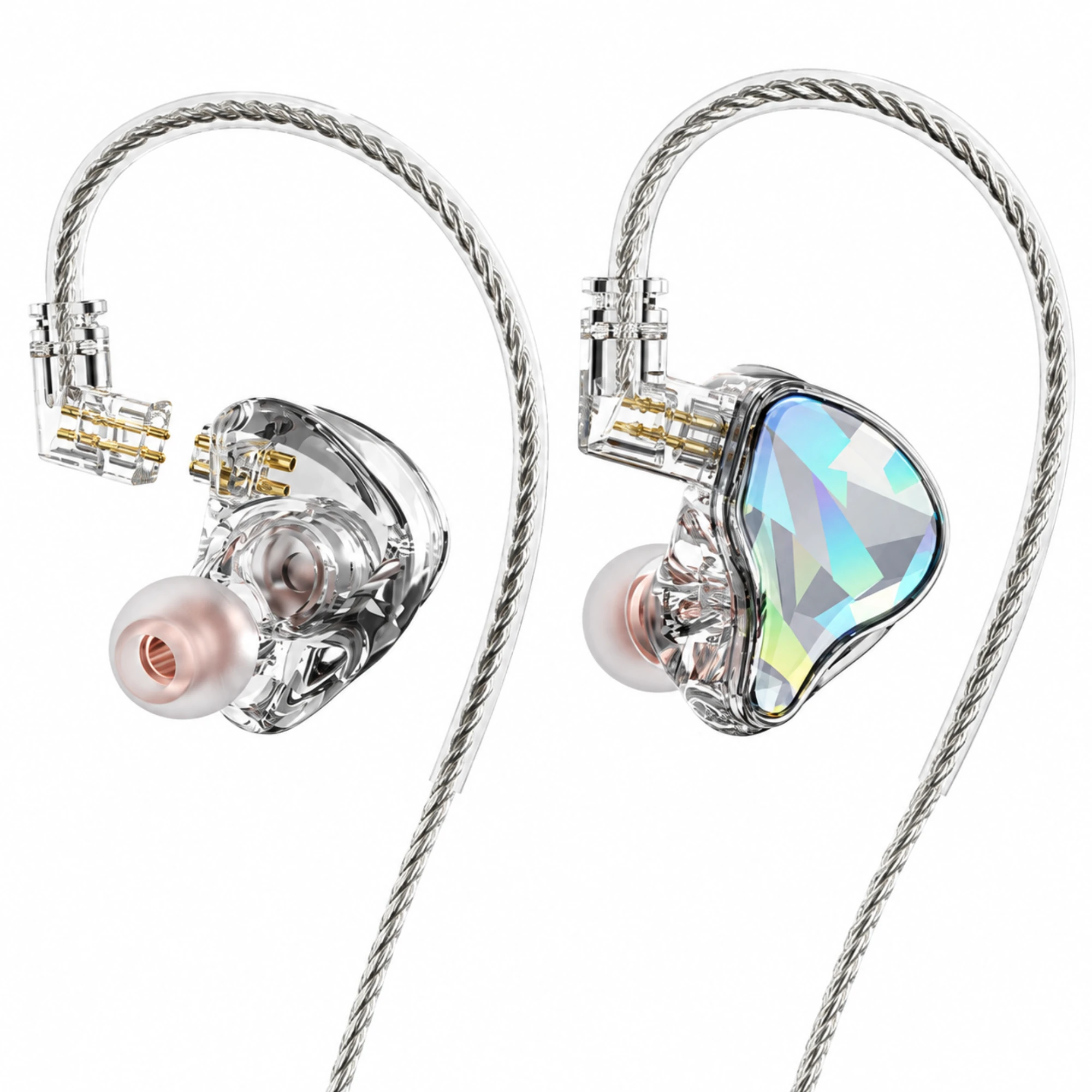
- Wired in-ear monitoring form factor: The catalog listing for EARSOLE Faceted In-Ear Monitors with Detachable Braided Cable describes clear in-ear shells, reflective faceted faceplates, a braided over-ear cable, and a display image showing a detachable two-pin connection, and notes that the supplier lists these wired earphones for monitoring. Wikipedia notes that wire-over-ear routing is preferred for professional use because hooking the wire over the ear provides a more discreet, secure fit with reduced cable microphonics. However, the EARSOLE listing explicitly states that connector size, acoustic measurements, and device compatibility have not been verified—so it should not be treated as a calibrated studio reference monitor.
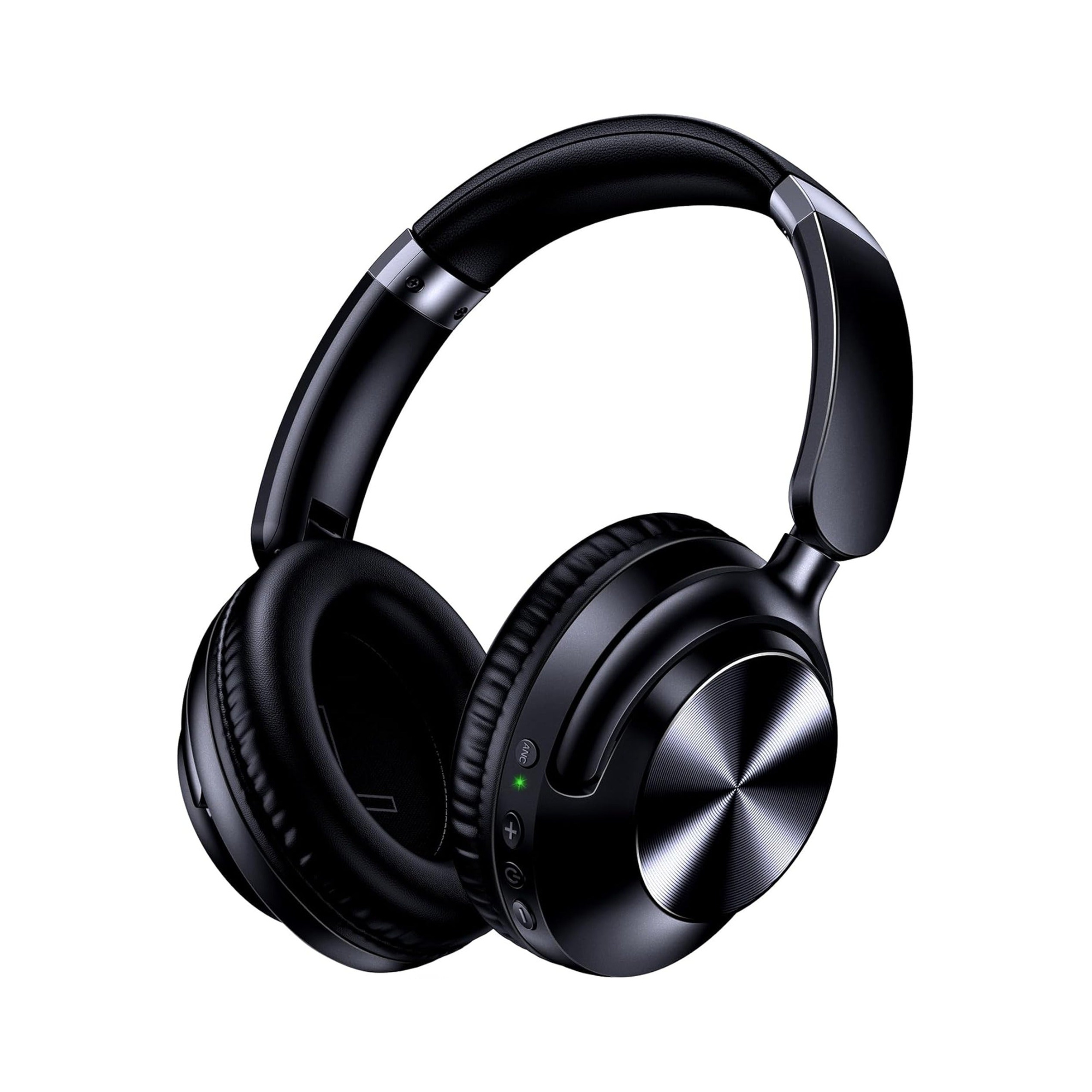
- Secondary over-ear headphone checks via 3.5 mm cable: When cross-checking an in-ear mix on a separate pair of over-ear headphones, the listing for EARSOLE Noise Cancelling Over-Ear Headphones – Series 127 states that the headset switches between wireless Bluetooth connectivity and a 3.5 mm AUX wired connection using an included 47.2-inch audio cable, with protein leather ear cups that rotate up to 105 degrees, an adjustable headband, and an included travel pouch.
What We Checked and Limitations
To write this guide, we reviewed pro-audio stage monitoring guidance from Dr. Mike Metlay at Samson Tech (In-Ear Monitors: What You Need to Know), live in-ear mixing workflows from Worship Sound Guy (Mixing In-Ears 101), encyclopedic technical background from Wikipedia (In-ear monitor), Google People Also Ask queries for mixing with in ear monitors, community studio-mixing reports in Reddit r/iems (1qb2cza), and EARSOLE’s product listings for the Faceted In-Ear Monitors (cmtxvfs49001fh2a52php3n3t) and Series 127 Over-Ear Headphones (cmt2fcmpm00bkh2529eh2cres).
Limitations: We did not conduct independent acoustic, frequency-response, impedance, or sound-isolation measurements on any in-ear monitors or headphones. As noted on the product page, EARSOLE’s Faceted In-Ear Monitors listing does not verify connector pin size, acoustic measurements, or stage-system compatibility, and the Series 127 listing specifications are merchant statements rather than laboratory calibration data. Always verify pin compatibility and safe output levels on your own mixer, audio interface, or wireless receiver pack before monitoring.
What are in-ear monitors plugged into?
According to Wikipedia’s overview of professional stage in-ear monitor systems, the earpieces plug into a 3.5 mm stereo jack on a deck-of-cards-sized wireless receiver pack worn by the performer, which receives the mix from a stationary offstage transmitter. For wired practice or home-studio mixing, wired earphones or over-ear headphones—such as EARSOLE’s Series 127 using its included 47.2-inch 3.5 mm AUX audio cable—plug into a 3.5 mm headphone output on an audio source or interface.
Which headphones are better for mixing?
According to Dr. Mike Metlay at Samson Tech, live performers should choose an in-ear monitor that either delivers a balanced frequency response for the whole mix or emphasizes the specific frequencies they need to hear clearly on stage. For studio track mixing, commenters in Reddit’s r/iems thread 1qb2cza emphasize that familiarity with your headphones or in-ear monitors matters more than the specific model, provided you cross-check your mix across studio monitors, other sets of headphones, phone speakers, and car speakers. Note that EARSOLE’s Faceted In-Ear Monitors listing states that its acoustic measurements have not been verified, so we do not present it as a calibrated studio reference monitor.
Is it better to mix on monitors or headphones?
Each tool solves a different problem. On a live stage, Samson Tech explains that in-ear monitors eliminate the stage monitor feedback and microphone bleed caused by loud floor wedge monitors while sealing out venue noise so musicians can hear at lower levels. For studio mixing, commenters in Reddit’s r/iems thread 1qb2cza advise not relying on a single monitoring system alone: even if you mix a song on in-ear monitors, you should play it back through studio monitor speakers, over-ear headphones, phone speakers, and car speakers to check how the mix translates.